Prompt
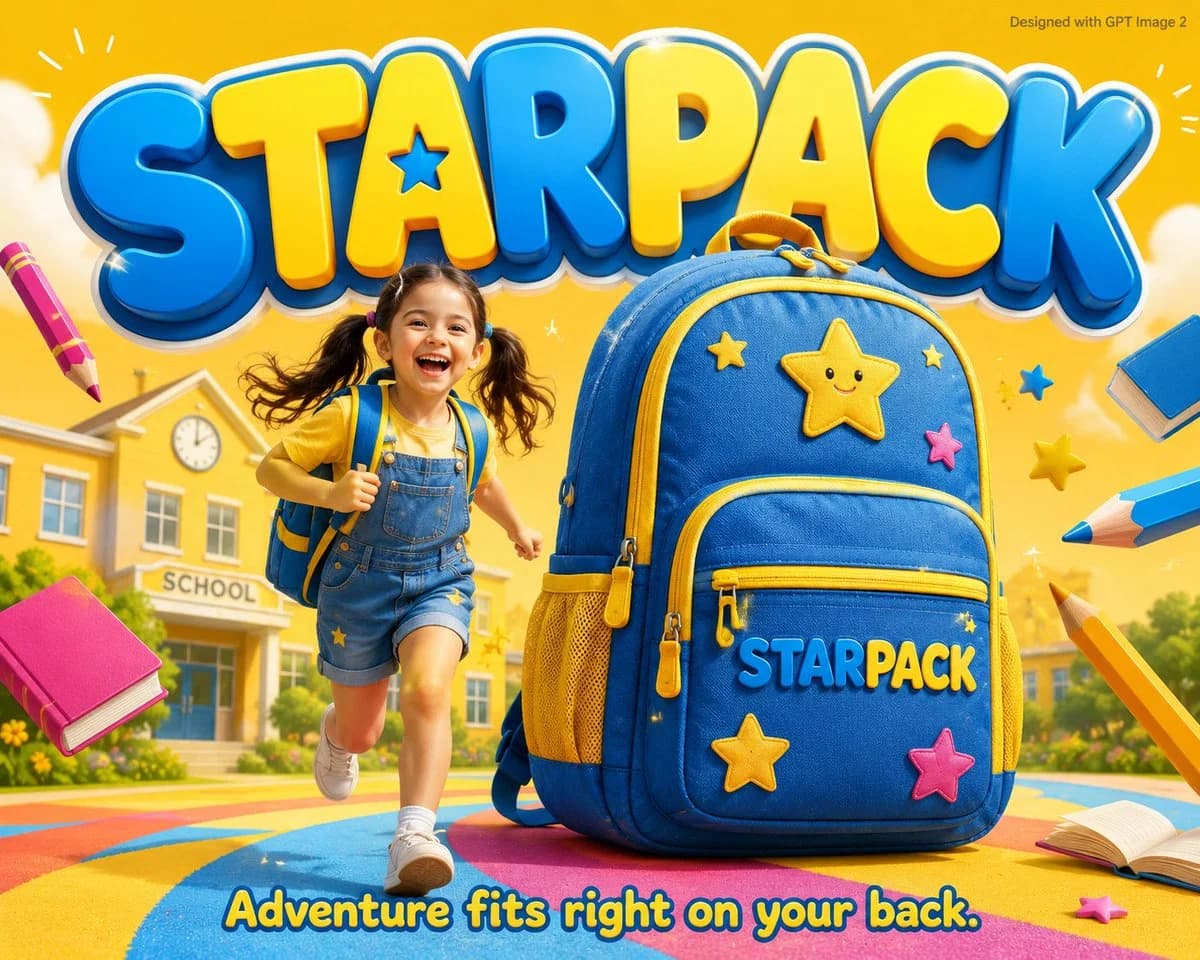
124 wordsGPT image 2 on @Hailuo_AI Prompt - A colorful kids advertisement poster featuring an adorable 6-year-old girl with pigtails laughing and running beside a giant cartoon-style backpack 3x her height in bright blue and yellow colors with star patches and “STARPACK” written on the front pocket. The scene has a bright sunny yellow school background filled with floating pencils, stars, and books, creating a cheerful and energetic atmosphere. Massive friendly rounded typography reading “STARPACK” in blue and yellow fills the background, while the tagline at the bottom says, “Adventure fits right on your back.” Small grey text in the top-right corner reads “Designed with GPT Image 2.” The overall style blends photorealistic details with playful cartoon aesthetics, giving it a fun school commercial mood.
About this prompt
Kids Backpack Cartoon Ad Poster is a ready-to-use poster prompt for GPT Image 2 on Image 2. Copy the 124 words below, paste them into the Create form, and you will get a result close to the preview above. Tweak the Product Ad, Poster, Sports tag if you want to push it somewhere new.
Use it as a starting point and keep iterating: change the subject, lighting, or composition until it looks right. The credit cost stays the same whether you run it as-is or remix it.
Use case
A strong starting point for Poster
Start here when you want a poster image in the same direction as Kids Backpack Cartoon Ad Poster. The prompt already sets the look and structure; swap in your own subject, product, colors, or scene details for the brief you have in mind.
Easy places to tweak
- Subject Swap in your person, product, place, or object without changing the overall composition.
- Look and mood Tune the lighting, palette, camera angle, or materials so the image fits your brand.
- Final format Set the aspect ratio, background, text, or layout notes before you generate.
More prompt paths to explore
Find more GPT Image 2 prompts with a similar style, use case, or subject.
How to use it
- Step 1
Copy the prompt
Hit the Copy button above to grab the full text.
- Step 2
Open Image 2 Create
Head to the Create form and paste it in.
- Step 3
Generate
Hit Generate. Your version lands in seconds.
Make it yours
Load the prompt into the Create form with one click, then start tweaking.