Prompt
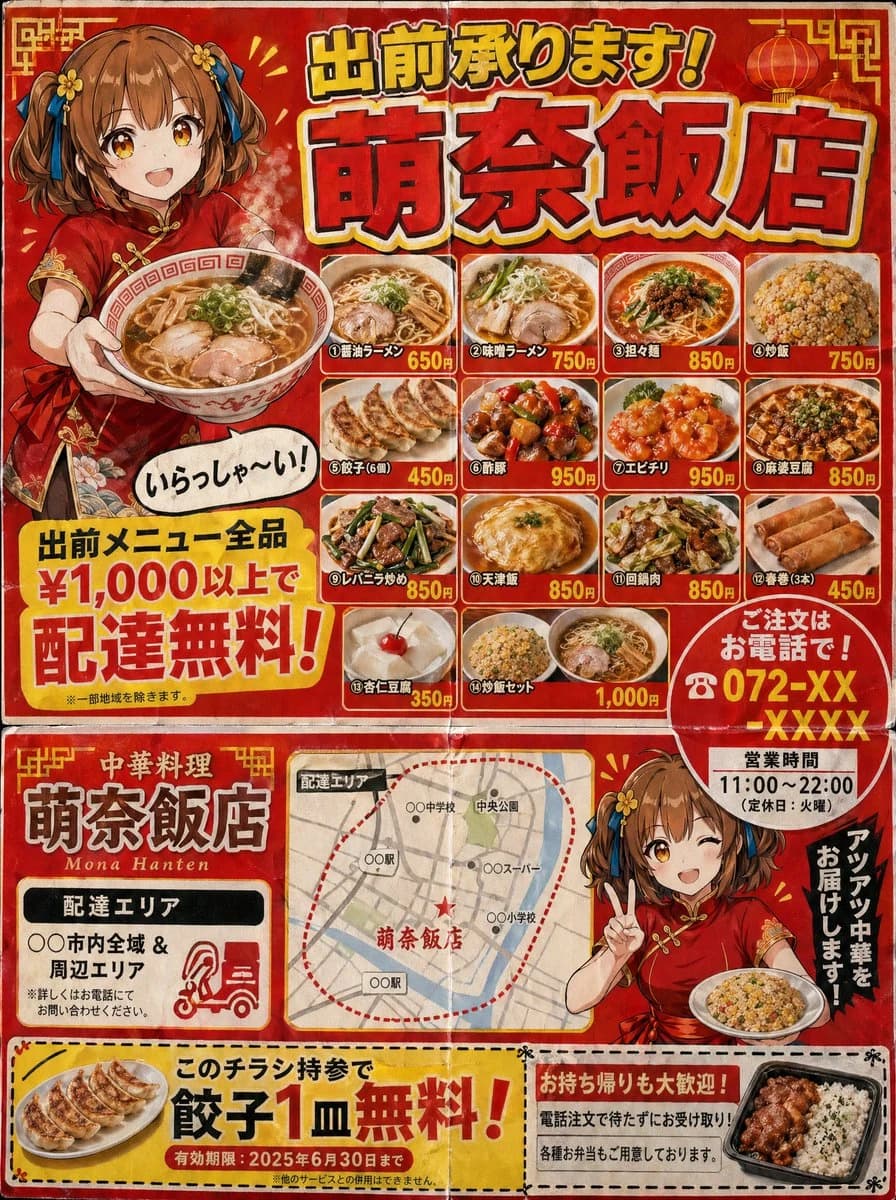
199 wordsA Japanese neighborhood Chinese restaurant delivery flyer for mailbox posting (3:4 aspect ratio). Designed to look like a double-sided B5 print.
Flyer characteristics (following the grammar of real delivery flyers):
- Flashy red and yellow color scheme.
- Large text at the top: "Delivery Available! {argument name="shop name" default="Mona-Hanten"}" (shadowed Gothic font).
- An illustration of a {argument name="character" default="Chinese girl in a red cheongsam with a brown short bob"} holding ramen and saying "Welcome!" in a speech bubble.
- A menu photo grid (4x3) featuring various dishes: different types of ramen, fried rice, gyoza, sweet and sour pork, shrimp in chili sauce, mapo tofu, liver and leek stir-fry, tenshinhan, twice-cooked pork, spring rolls, annin tofu, and fried rice sets.
- Names and prices for each dish.
- A large yellow banner saying "Free delivery on all menu items over ¥1,000!".
- "Order by phone! ☎ 072-XX-XXXX" emphasized with a red circle.
- Business hours "11:00-22:00 (Closed on Tuesdays)".
- Delivery area map (simple schematic map).
- Coupon (perforated line for clipping): "One free plate of gyoza with this flyer!".
Texture of cheap paper printing. Includes fold marks. Precision that could be mistaken for a real Japanese delivery flyer.About this prompt
Japanese Chinese Food Delivery Flyer is a ready-to-use ad creative prompt for GPT Image 2 on Image 2. Copy the 199 words below, paste them into the Create form, and you will get a result close to the preview above. Tweak the Product Ad, Ad Creative, Food tag if you want to push it somewhere new.
Use it as a starting point and keep iterating: change the subject, lighting, or composition until it looks right. The credit cost stays the same whether you run it as-is or remix it.
Use case
A strong starting point for Ad Creative
Start here when you want a ad creative image in the same direction as Japanese Chinese Food Delivery Flyer. The prompt already sets the look and structure; swap in your own subject, product, colors, or scene details for the brief you have in mind.
Easy places to tweak
- Subject Swap in your person, product, place, or object without changing the overall composition.
- Look and mood Tune the lighting, palette, camera angle, or materials so the image fits your brand.
- Final format Set the aspect ratio, background, text, or layout notes before you generate.
More prompt paths to explore
Find more GPT Image 2 prompts with a similar style, use case, or subject.
How to use it
- Step 1
Copy the prompt
Hit the Copy button above to grab the full text.
- Step 2
Open Image 2 Create
Head to the Create form and paste it in.
- Step 3
Generate
Hit Generate. Your version lands in seconds.
Make it yours
Load the prompt into the Create form with one click, then start tweaking.