Prompt
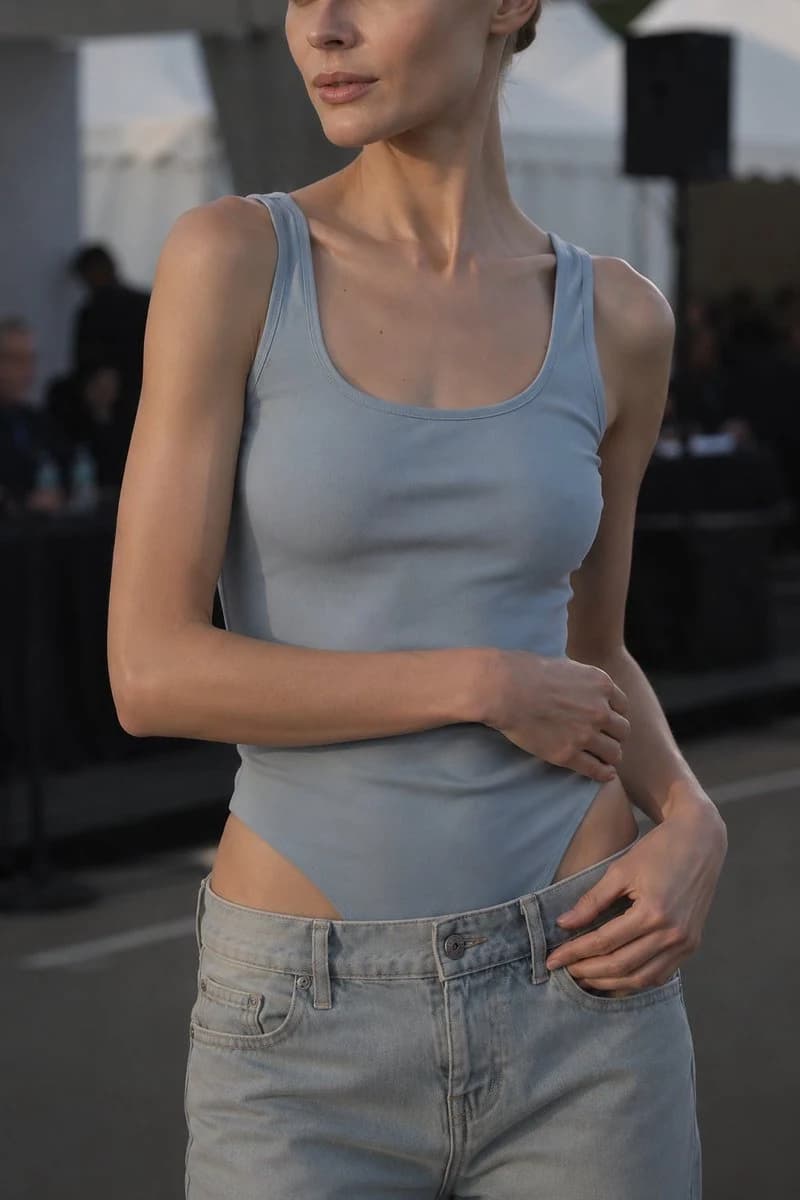
395 wordsHyper-realistic vertical crop fashion portrait, adult female, 21+ years old, outdoor fashion event or backstage venue during golden hour. Tight framing from upper thighs to just above the lips—eyes and most of the forehead are cropped out, focusing on neckline, shoulders, torso, hands, fabric, and styling. Model slightly to the right, body facing front, head slightly turned to the viewer's left. Character: Warm fair to light skin—realistic pores, natural tone variations, faint freckles or beauty marks in the collarbone area. Glossy soft nude-pink lip color, understated and exquisite makeup. Hairstyle is a neat low bun with a few controlled stray hairs near ears and neck. Clothing: Form-fitting dusty powder-blue sleeveless bodysuit—wide straps, clean square-round neckline, high-cut leg openings, smooth stretch construction. Matte tech-knit texture: fine knit patterns, natural tension lines, small horizontal folds at the chest and waist, precise edge stitching, soft sunset highlights on the fabric. Paired with loose low-waist light-wash jeans, worn open and loose below the high-cut sides of the bodysuit—faded light blue denim, realistic weave, belt loops, front pockets, dark metal button, zipper fly, golden-brown stitching, soft seams, natural creases at the waist and hips. Pose: Dignified and composed. One forearm horizontal across the lower abdomen, hand resting lightly near the opposite waist. The other hand at the open waistband or front pocket of the jeans—long, relaxed fingers, clean natural nails. Anatomically accurate arms: delicate tendons, soft muscle lines, realistic hand proportions. Background: Soft-focus blurred upscale outdoor event or runway venue—white architectural tents or canopies, dark equipment, large black speakers, blurred seated guests or staff, low-key structural shapes. All background figures unrecognizable and out of focus. Creamy charcoal, white, grey, and subtle blue bokeh highlights. Lighting: Cinematic natural golden hour from the viewer's left—warm highlights on the left shoulder, collarbone, neck, upper arm, hands, and denim waistband. Cooler ambient shadows on the right for balanced contrast. Soft shadows under the jawline, around the neckline, under the crossed arm, and along bodysuit seams. Tones: Dusty blue, light-wash denim, warm skin, charcoal shadows, fine amber highlights. Camera: Vertical 2:3, 85mm, eye level, f/2, high-resolution portrait, understated luxury tones, realistic skin and textile details, crisp stitching, soft bokeh. No plastic-like skin smoothing, no exaggerated proportions. Negative: No text, no watermarks, no logos, no jewelry, no extra limbs, no deformed hands, no duplicate fingers, no cartoonish feel, no harsh flash, no overexposure, no explicit nudity.
About this prompt
Golden Hour Fashion Crop Portrait is a ready-to-use ad creative prompt for GPT Image 2 on Image 2. Copy the 395 words below, paste them into the Create form, and you will get a result close to the preview above. Tweak the Product Ad, Ad Creative, Fashion tag if you want to push it somewhere new.
Use it as a starting point and keep iterating: change the subject, lighting, or composition until it looks right. The credit cost stays the same whether you run it as-is or remix it.
Use case
A strong starting point for Ad Creative
Start here when you want a ad creative image in the same direction as Golden Hour Fashion Crop Portrait. The prompt already sets the look and structure; swap in your own subject, product, colors, or scene details for the brief you have in mind.
Easy places to tweak
- Subject Swap in your person, product, place, or object without changing the overall composition.
- Look and mood Tune the lighting, palette, camera angle, or materials so the image fits your brand.
- Final format Set the aspect ratio, background, text, or layout notes before you generate.
More prompt paths to explore
Find more GPT Image 2 prompts with a similar style, use case, or subject.
How to use it
- Step 1
Copy the prompt
Hit the Copy button above to grab the full text.
- Step 2
Open Image 2 Create
Head to the Create form and paste it in.
- Step 3
Generate
Hit Generate. Your version lands in seconds.
Make it yours
Load the prompt into the Create form with one click, then start tweaking.