Prompt
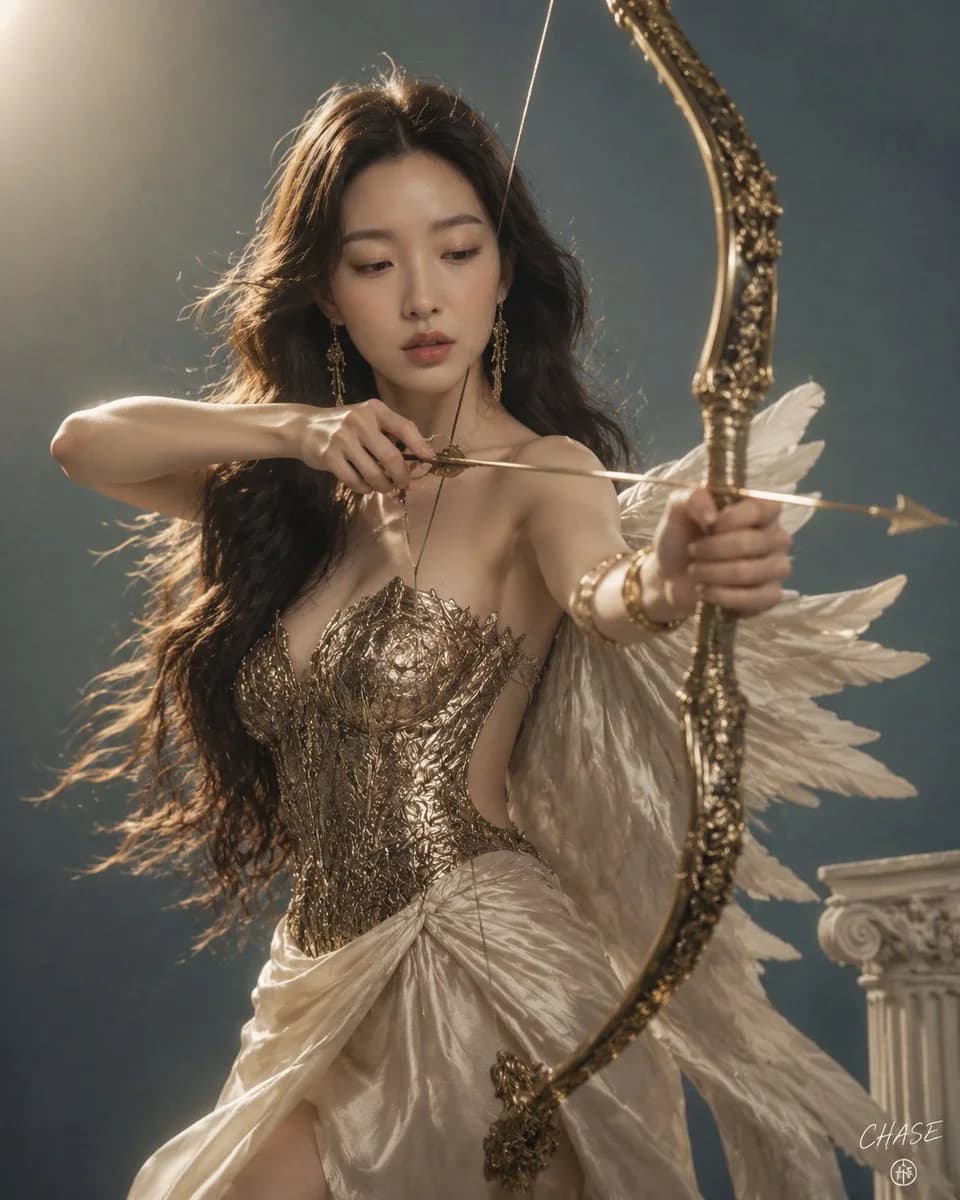
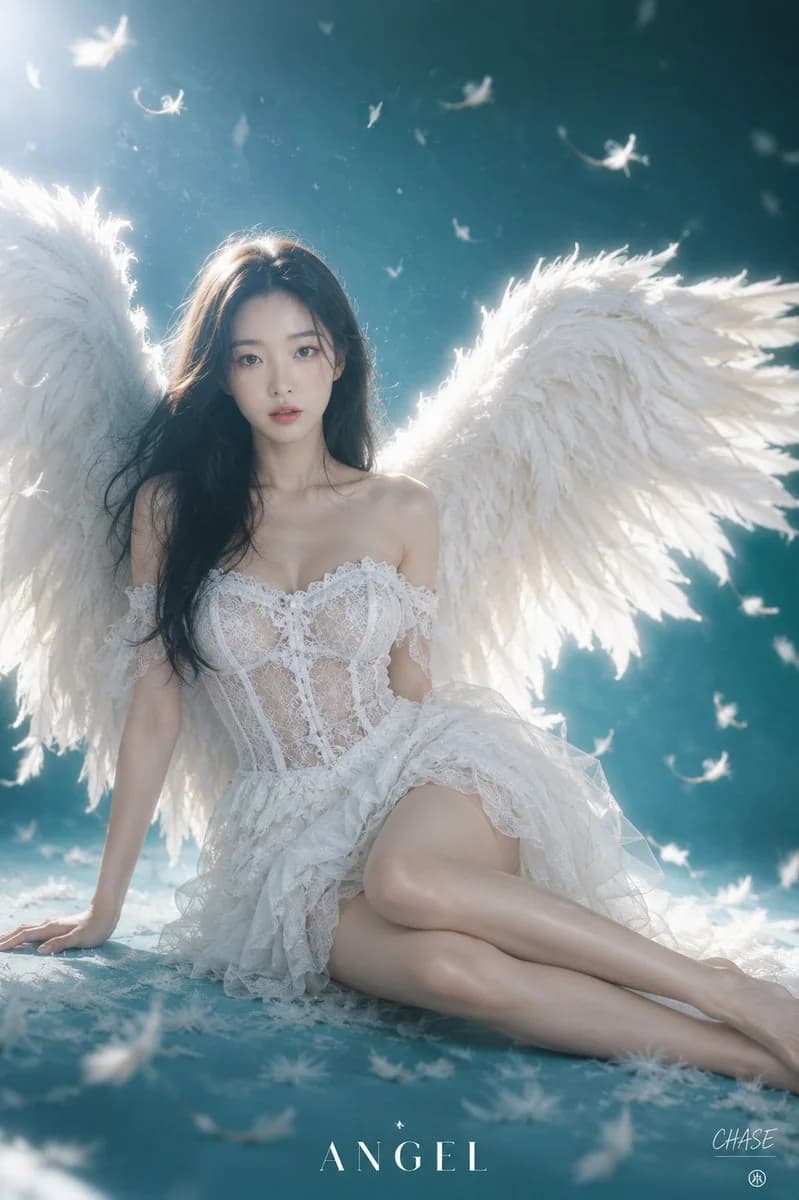
476 words[Subject] Image 1 [Signature] In the lower right corner, a small {argument name="platform logo" default="Threads"} logo is placed, and above it, "{argument name="signature" default="CHAse"}" is written in small white cursive like a signature. [Subject's Pose and Expression] Sitting diagonally on the floor in a mysterious cyan studio space, leaning back slightly and gazing directly at the camera. Posing with the right hand on the floor and legs naturally gathered to one side, the clear pure eyes and static expression create a dreamy yet mysterious angelic atmosphere. [Subject's Outfit] Wearing a pure white off-shoulder mini dress with delicate lace details and ruffle decorations. The chest line and torso part are designed with subtly translucent see-through lace and corset style, and the skirt part is layered with light and rich shirring for an elegant feel. On the back, giant and elaborate white feathered angel wings are spread wide to complete a fantastic visual. [Hair and Makeup Details] A naturally organized, calm long black hairstyle. A few strands of hair flow naturally along the face and shoulder line to add a pure mood. The makeup is based on white and clean porcelain skin, with clear pink blush emphasized broadly and vividly on both cheeks to give vitality, and moist pink-toned lips to highlight transparent and mysterious features. [Lighting and Direction] Soft and dramatic backlighting that maximizes the studio's dreamy atmosphere. Intense white light shines around the edges of the angel wings behind, creating a dazzling rim light effect at the wing tips. Soft diffused light permeates the front to gently and transparently illuminate the subject's skin and the lace texture of the dress. [Texture and Color Mood] The deep and mysterious cyan turquoise tone of the background contrasts with the pure white color of the angel wings and outfit, creating an extremely dreamy and fantastic fantasy mood. The soft and cozy texture of each wing feather, the delicate fabric texture of the dress lace, and the texture of light feathers floating in the air combine to create a visual beauty like a scene from a fairy tale. [Film and Camera Depth, Angle] Photographed using a 50mm standard prime lens at f/2.0, 1/160s, ISO 200. Taken from a high-angle shot slightly higher than eye level to capture the subject sitting on the floor with stability. A shallow depth of field is applied to bring the subject and splendid angel wings into sharp focus, while the white feathers falling in the air are softly out of focus to add a mysterious sense of space. [Background Elements (Optional)] A clean, matte cyan-colored studio background with no artificial structures. White down feathers (feather fragments) are floating and falling softly around the subject's head and in the air, doubling the fantastic mood. In the bottom center of the image, the logo text "{argument name="logo text" default="ANGEL"}" is written in a clean white bold font.About this prompt
Ethereal Winged Angel Studio Portrait is a ready-to-use social media prompt for GPT Image 2 on Image 2. Copy the 476 words below, paste them into the Create form, and you will get a result close to the preview above. Tweak the Social Media, Fashion, Beauty tag if you want to push it somewhere new.
Use it as a starting point and keep iterating: change the subject, lighting, or composition until it looks right. The credit cost stays the same whether you run it as-is or remix it.
Use case
A strong starting point for Social Media
Start here when you want a social media image in the same direction as Ethereal Winged Angel Studio Portrait. The prompt already sets the look and structure; swap in your own subject, product, colors, or scene details for the brief you have in mind.
Easy places to tweak
- Subject Swap in your person, product, place, or object without changing the overall composition.
- Look and mood Tune the lighting, palette, camera angle, or materials so the image fits your brand.
- Final format Set the aspect ratio, background, text, or layout notes before you generate.
More prompt paths to explore
Find more GPT Image 2 prompts with a similar style, use case, or subject.
How to use it
- Step 1
Copy the prompt
Hit the Copy button above to grab the full text.
- Step 2
Open Image 2 Create
Head to the Create form and paste it in.
- Step 3
Generate
Hit Generate. Your version lands in seconds.
Make it yours
Load the prompt into the Create form with one click, then start tweaking.