Prompt
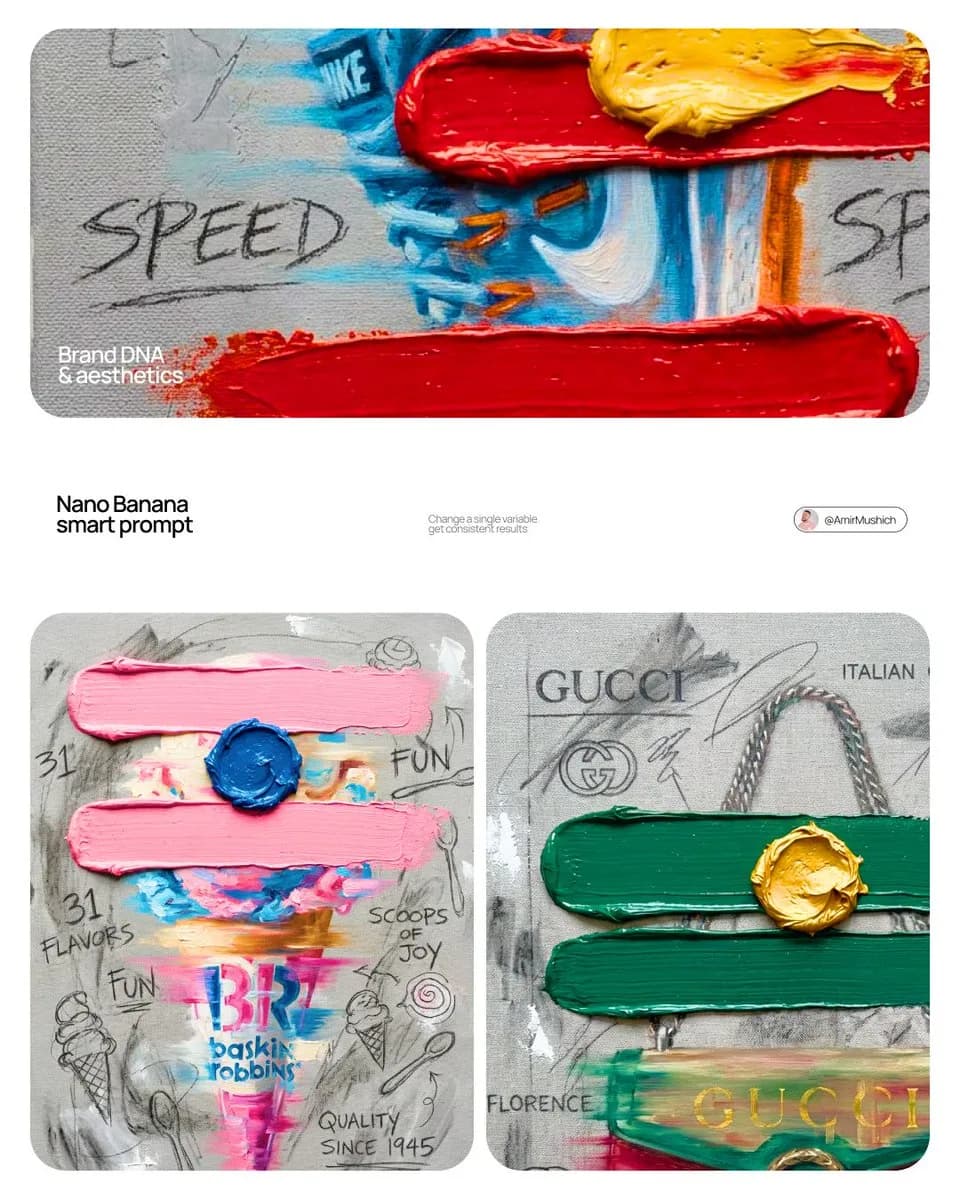
234 words[BRAND NAME]. Create a professional mixed-media oil painting on raw textured canvas where the color palette and visual elements are dynamically adapted to match the brand's identity. 1. BRAND COLOR ADAPTATION Identify the primary and secondary colors of [BRAND NAME]. Use the primary brand color for two thick horizontal impasto brushstrokes. Use the secondary brand color for a raised central paint dollop. Replace generic colors with this brand-specific palette. 2. PAINTED SUBJECT AND MOTION Paint a central product related to [BRAND NAME] vertically on the canvas using oil painting technique. Apply a horizontal motion blur effect with visible brushstrokes to convey dynamic movement. The product must integrate directly into the canvas texture, not as an overlay. Paint the "[BRAND NAME]" logo using distressed semi-transparent oil layers within the product's silhouette. 3. IMPASTO AND CANVAS TEXTURE Two thick physical horizontal impasto strokes in the brand's primary color over the painted subject. One heavily textured raised dollop of secondary color oil paint centered on the middle stroke. Background: raw heavy-grain grey canvas with visible weave, charcoal smudges, and gesso dabs. 4. BRAND GRAPHICS AND TYPOGRAPHY Scrawl brand keywords, slogans, and values in charcoal and graphite across the canvas. Replace generic doodles with hand-drawn abstract icons representing [BRAND NAME], all scratched over dried oil paint layers. 5. STYLE Contemporary mixed-media pop-art. 8K macro photography highlighting the physical thickness of the oil paint and raw canvas grain texture.
About this prompt
Brand Identity Oil Painting is a ready-to-use ad creative prompt for GPT Image 2 on Image 2. Copy the 234 words below, paste them into the Create form, and you will get a result close to the preview above. Tweak the Product Ad, Ad Creative, Product tag if you want to push it somewhere new.
Use it as a starting point and keep iterating: change the subject, lighting, or composition until it looks right. The credit cost stays the same whether you run it as-is or remix it.
Use case
A strong starting point for Ad Creative
Start here when you want a ad creative image in the same direction as Brand Identity Oil Painting. The prompt already sets the look and structure; swap in your own subject, product, colors, or scene details for the brief you have in mind.
Easy places to tweak
- Subject Swap in your person, product, place, or object without changing the overall composition.
- Look and mood Tune the lighting, palette, camera angle, or materials so the image fits your brand.
- Final format Set the aspect ratio, background, text, or layout notes before you generate.
More prompt paths to explore
Find more GPT Image 2 prompts with a similar style, use case, or subject.
How to use it
- Step 1
Copy the prompt
Hit the Copy button above to grab the full text.
- Step 2
Open Image 2 Create
Head to the Create form and paste it in.
- Step 3
Generate
Hit Generate. Your version lands in seconds.
Make it yours
Load the prompt into the Create form with one click, then start tweaking.