Prompt
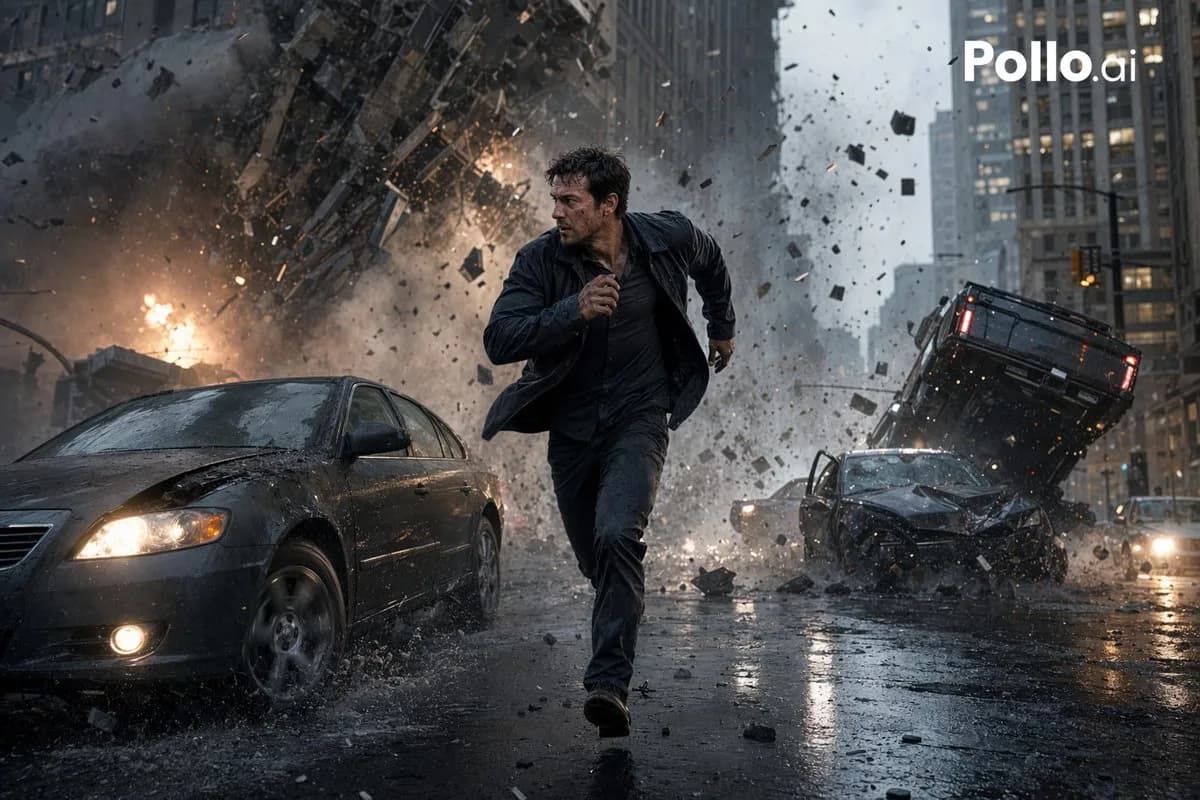
132 wordsCinematic photorealistic action scene on a rain-soaked downtown street canyon. A dark-haired man in his 30s sprints toward the camera, soaked dark jacket and dark pants, mid-stride with a tense survival expression. Behind him, a massive urban explosion tears through a high-rise building -- fire, smoke, shattered concrete, glass, and metal debris blast outward. Exactly 3 damaged vehicles visible: a dark sedan left foreground with crumpled hood splashing through rainwater, a wrecked dark car right midground, and an overturned black SUV tilted up on the right. Wet asphalt reflects headlights and firelight. Dense debris frozen mid-air. Overcast stormy daylight, desaturated blue-gray palette with orange fire accents, motion blur on flying debris but sharp focus on the runner, low-angle wide-lens composition, ultra-detailed blockbuster disaster-movie realism, volumetric smoke, rain spray, cinematic lighting, high contrast.
About this prompt
Blockbuster Action Movie Shot is a ready-to-use poster prompt for GPT Image 2 on Image 2. Copy the 132 words below, paste them into the Create form, and you will get a result close to the preview above. Tweak the Poster, Architecture, Cinematic tag if you want to push it somewhere new.
Use it as a starting point and keep iterating: change the subject, lighting, or composition until it looks right. The credit cost stays the same whether you run it as-is or remix it.
Use case
A strong starting point for Poster
Start here when you want a poster image in the same direction as Blockbuster Action Movie Shot. The prompt already sets the look and structure; swap in your own subject, product, colors, or scene details for the brief you have in mind.
Easy places to tweak
- Subject Swap in your person, product, place, or object without changing the overall composition.
- Look and mood Tune the lighting, palette, camera angle, or materials so the image fits your brand.
- Final format Set the aspect ratio, background, text, or layout notes before you generate.
More prompt paths to explore
Find more GPT Image 2 prompts with a similar style, use case, or subject.
How to use it
- Step 1
Copy the prompt
Hit the Copy button above to grab the full text.
- Step 2
Open Image 2 Create
Head to the Create form and paste it in.
- Step 3
Generate
Hit Generate. Your version lands in seconds.
Make it yours
Load the prompt into the Create form with one click, then start tweaking.