Prompt
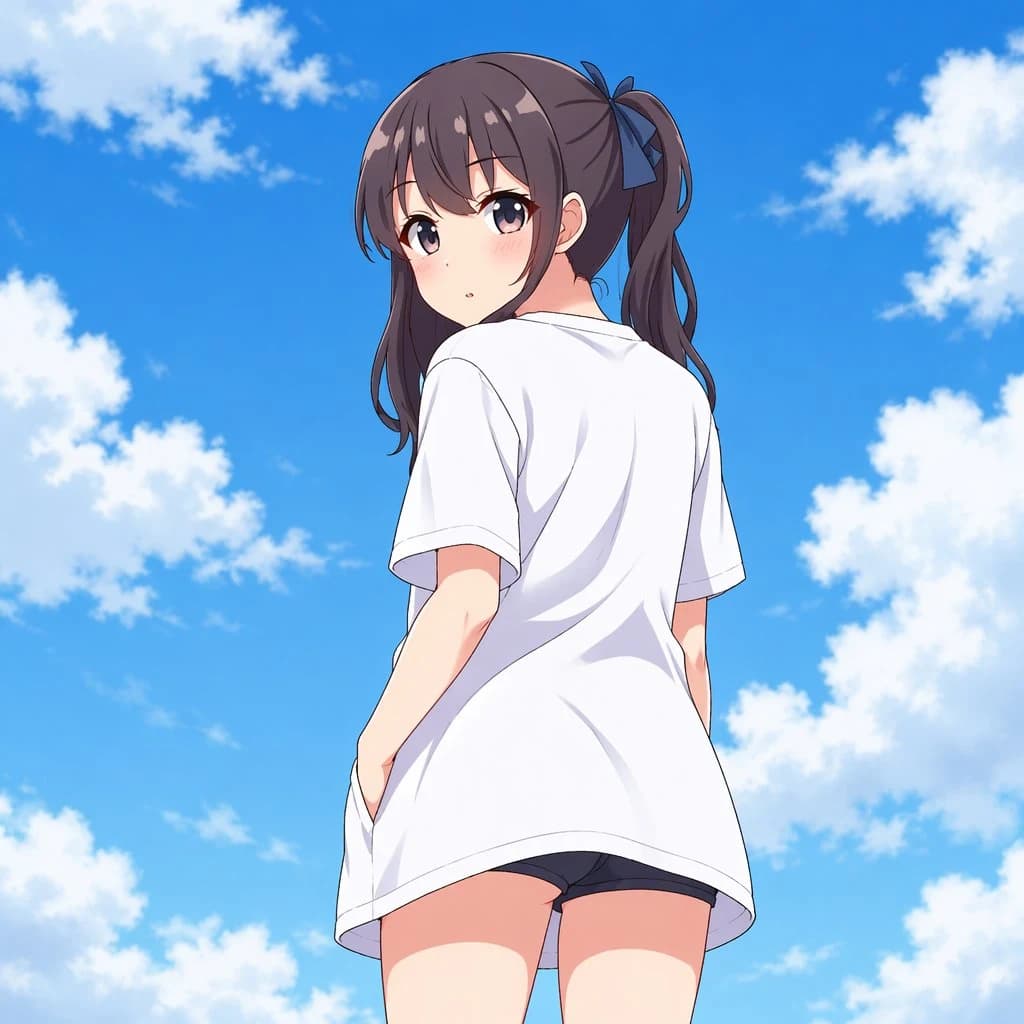
187 wordsCreate a clean high-resolution anime illustration of a teenage girl standing outdoors under a vivid summer sky, viewed from a low angle behind her as she turns her head over her shoulder to look at the viewer. She has {argument name="hair color" default="dark brown"} hair in a high side ponytail tied with a {argument name="hair ribbon color" default="navy blue"} ribbon, long loose bangs, large soft purple-brown eyes, a small neutral mouth, and lightly blushing cheeks. She wears an oversized plain {argument name="shirt color" default="white"} short-sleeve T-shirt that drapes loosely over her body and reaches past the hips, with subtle folds and shaded fabric, plus short dark athletic shorts visible underneath. Her posture is casual and slightly shy, one hand tucked near the shirt hem or pocket area, shoulders turned away while her face looks back. Use a bright blue sky background with scattered fluffy white cumulus clouds, strong daylight, crisp cel-shaded anime rendering, soft gradients, delicate line art, and a wholesome slice-of-life mood. Composition: square 1:1 canvas, character centered and occupying most of the frame, low camera angle emphasizing sky, no text, no watermark, no extra characters.About this prompt
Anime Girl Under Summer Sky is a ready-to-use portrait prompt for GPT Image 2 on Image 2. Copy the 187 words below, paste them into the Create form, and you will get a result close to the preview above. Tweak the Social Media, Portrait, Anime tag if you want to push it somewhere new.
Use it as a starting point and keep iterating: change the subject, lighting, or composition until it looks right. The credit cost stays the same whether you run it as-is or remix it.
Use case
A strong starting point for Portrait
Start here when you want a portrait image in the same direction as Anime Girl Under Summer Sky. The prompt already sets the look and structure; swap in your own subject, product, colors, or scene details for the brief you have in mind.
Easy places to tweak
- Subject Swap in your person, product, place, or object without changing the overall composition.
- Look and mood Tune the lighting, palette, camera angle, or materials so the image fits your brand.
- Final format Set the aspect ratio, background, text, or layout notes before you generate.
More prompt paths to explore
Find more GPT Image 2 prompts with a similar style, use case, or subject.
How to use it
- Step 1
Copy the prompt
Hit the Copy button above to grab the full text.
- Step 2
Open Image 2 Create
Head to the Create form and paste it in.
- Step 3
Generate
Hit Generate. Your version lands in seconds.
Make it yours
Load the prompt into the Create form with one click, then start tweaking.