Prompt
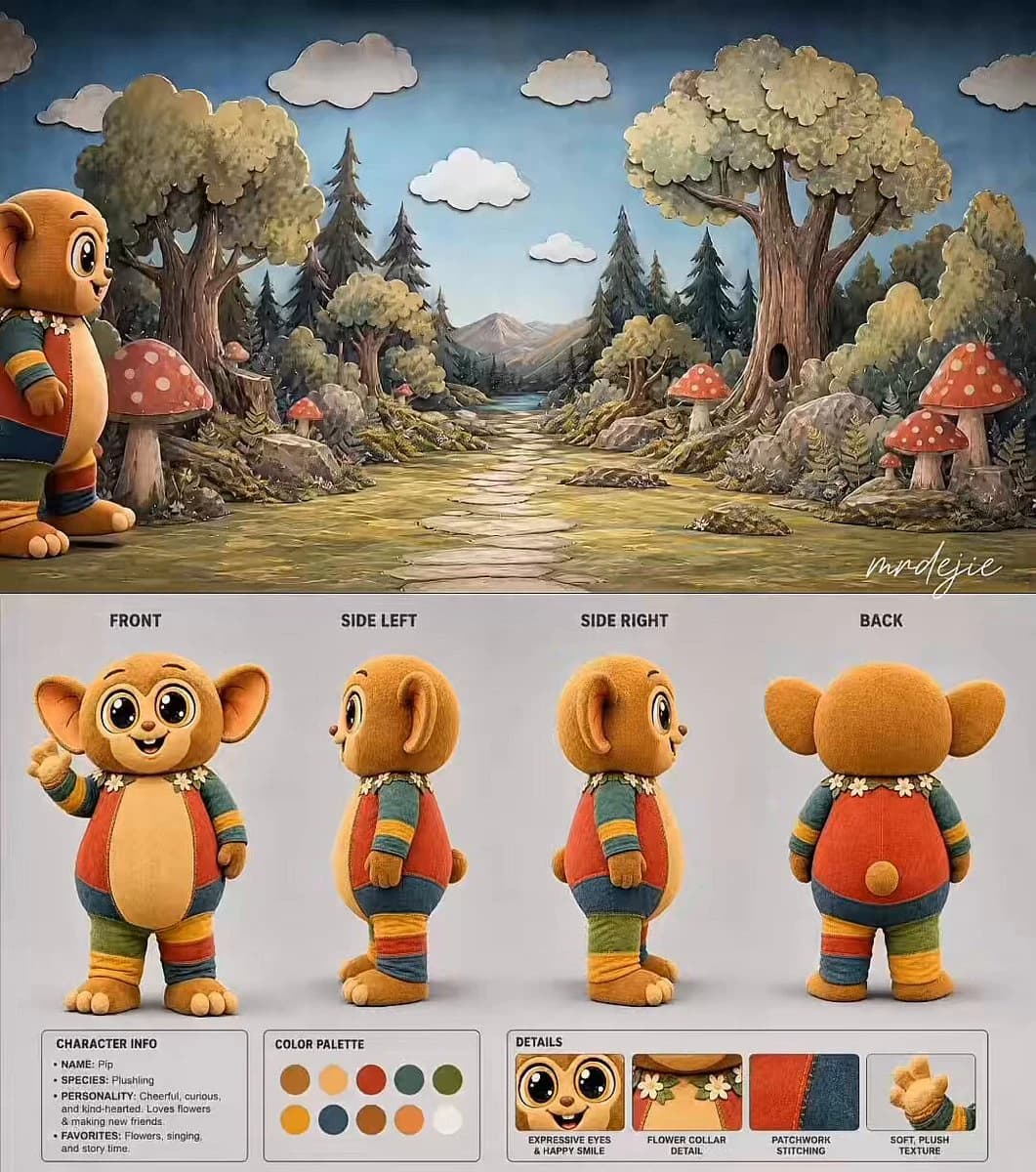
266 words15-second cinematic TV show style video. Use (reference) as the background location (handcrafted cardboard cutout theatrical forest stage set with painted trees, oversized mushrooms, stone path, and soft lighting). The character (reference) (tarsier mascot costume) enters from the left side and walks slowly toward the right side of the frame on the stone path. At 3 seconds, the mascot stops in the middle of the path, turns to face the camera, raises his right hand and points directly at the camera. With a calm, slow, and warm voice he says: "Hey, you... yes you." Then continues speaking: "Don't tell your dreams to everybody around." After the first line, he lowers his hand and continues walking slowly toward the right side of the frame. A single realistic iron park swing appears naturally on the right side of the path. The mascot walks up to the swing, turns around, and sits down on it. At 11 seconds, the camera slowly and smoothly zooms in on the mascot sitting on the swing. While sitting, he looks at the camera again with a calm expression and says in a soft, motivational tone: "Some people smile but wanna see you down." The mascot's mouth does not move when speaking (mascot costume limitation). Only natural sound effects — soft footsteps on the stone path and the gentle creaking sound of the iron swing when he sits. No background music. Background remains in handcrafted cardboard cutout theatrical style, not 3D. Camera movement is smooth and realistic like a TV show or documentary. Soft natural lighting, calm and motivational atmosphere. --ar 16:9 --duration 15
About this prompt
Theatrical Mascot Motivational Message is a Cinematic Seedance 2.0 prompt with 266 words, structured around shot timing, camera direction, motion cues, and remixable scene details.
Use the visual preview, when available, to understand the composition, then treat the prompt text as a production brief you can adapt for your own subject, brand, or story.
Video prompt structure
Use it for Cinematic videos
Best for Seedance 2.0 generations that need Cinematic, Dialogue, Audio. Replace the subject, setting, product, dialogue, music, and timing before sending it to the generator.
Customize before generating
- Swap the subject. Keep the camera and timing structure, but change the character, product, or environment.
- Tighten the timeline. Shorten or expand shot blocks so they match the duration you want to render.
- Add reference media. Use first frames, last frames, images, video, or audio when the prompt depends on a specific look or rhythm.
More Seedance paths to explore
Browse adjacent styles and techniques from the same Seedance 2.0 prompt library.
How to use it
- Step 1
Copy or start from this prompt
Use the full prompt as a structured draft rather than rewriting the whole video brief.
- Step 2
Open Seedance 2.0
Send the text into the Seedance generator and choose text, image, or reference mode.
- Step 3
Adapt and render
Tune duration, aspect ratio, reference media, camera notes, and dialogue before generating.
Make it a Seedance video
Start from this prompt in the Seedance 2.0 generator, then adjust the scene, duration, aspect ratio, and reference media.