Prompt
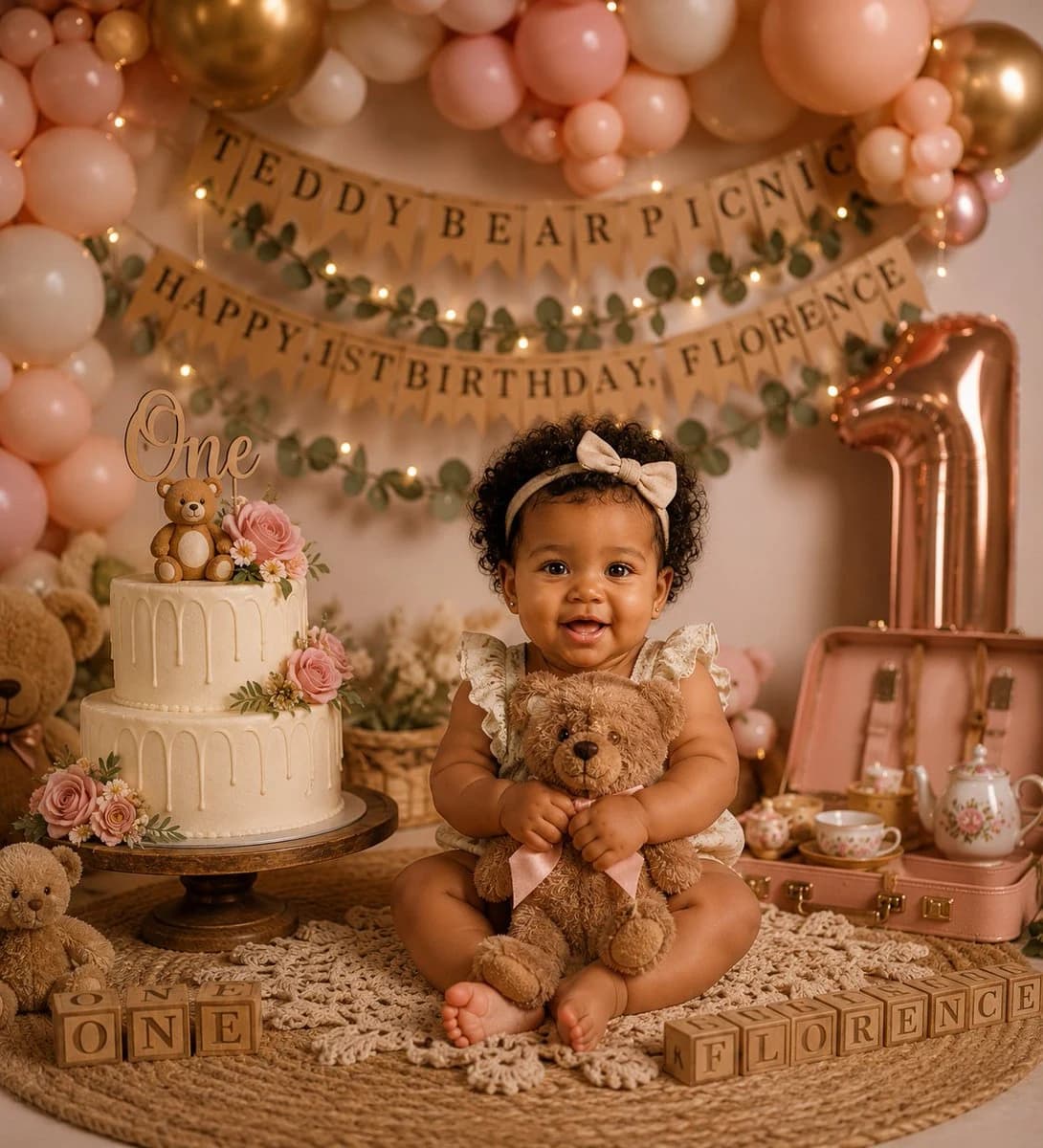
306 wordsCreate a warm, premium studio photoshoot for a baby girl’s first birthday with a soft “Teddy Bear Picnic” theme. A smiling baby girl with curly dark hair sits cross-legged in the center on a round woven jute rug layered with a cream macrame throw, wearing a cream floral ruffle romper and a beige bow headband, hugging a plush brown teddy bear with a pale pink ribbon. The scene is styled in blush pink, cream, tan, rose gold, and warm golden tones with shallow depth of field and cozy fairy-light bokeh. Behind her, build a lush balloon arch with exactly 4 main balloon color/types: blush pink, ivory cream, peach, and metallic rose-gold/gold balloons. Add burlap pennant banners in the background with visible text reading “TEDDY BEAR PICNIC” on the top banner and “HAPPY 1ST BIRTHDAY, {argument name="child name" default="FLORENCE"}” on the lower banner, decorated with eucalyptus garlands and warm string lights. On the left, place a two-tier ivory drip cake on a dark wooden cake stand, topped with a script “One” topper, a small teddy bear topper, pink roses, daisies, greenery, and delicate cream frosting drips. Include exactly 3 visible teddy bears: the teddy bear held by the baby, a large partial teddy bear peeking in from the far left background, and a small seated teddy bear at the lower left foreground. On the right, place a large metallic rose-gold number “1” balloon and an open blush-pink vintage picnic suitcase containing a floral teapot, teacups, and small picnic tea-party items. In the foreground, arrange wooden alphabet blocks spelling exactly 2 phrases: “ONE” on the left and “FLORENCE” on the right. Keep the composition symmetrical and luxurious, with the baby as the sharp focal point, creamy skin tones, realistic photography, soft studio lighting, detailed textures in the woven rug and macrame, and no extra text, logos, or watermarks.About this prompt
Teddy Bear Picnic Birthday Banner is a ready-to-use social media prompt for GPT Image 2 on Image 2. Copy the 306 words below, paste them into the Create form, and you will get a result close to the preview above. Tweak the Social Media, Food, Vintage tag if you want to push it somewhere new.
Use it as a starting point and keep iterating: change the subject, lighting, or composition until it looks right. The credit cost stays the same whether you run it as-is or remix it.
Use case
A strong starting point for Social Media
Start here when you want a social media image in the same direction as Teddy Bear Picnic Birthday Banner. The prompt already sets the look and structure; swap in your own subject, product, colors, or scene details for the brief you have in mind.
Easy places to tweak
- Subject Swap in your person, product, place, or object without changing the overall composition.
- Look and mood Tune the lighting, palette, camera angle, or materials so the image fits your brand.
- Final format Set the aspect ratio, background, text, or layout notes before you generate.
More prompt paths to explore
Find more GPT Image 2 prompts with a similar style, use case, or subject.
How to use it
- Step 1
Copy the prompt
Hit the Copy button above to grab the full text.
- Step 2
Open Image 2 Create
Head to the Create form and paste it in.
- Step 3
Generate
Hit Generate. Your version lands in seconds.
Make it yours
Load the prompt into the Create form with one click, then start tweaking.