Prompt
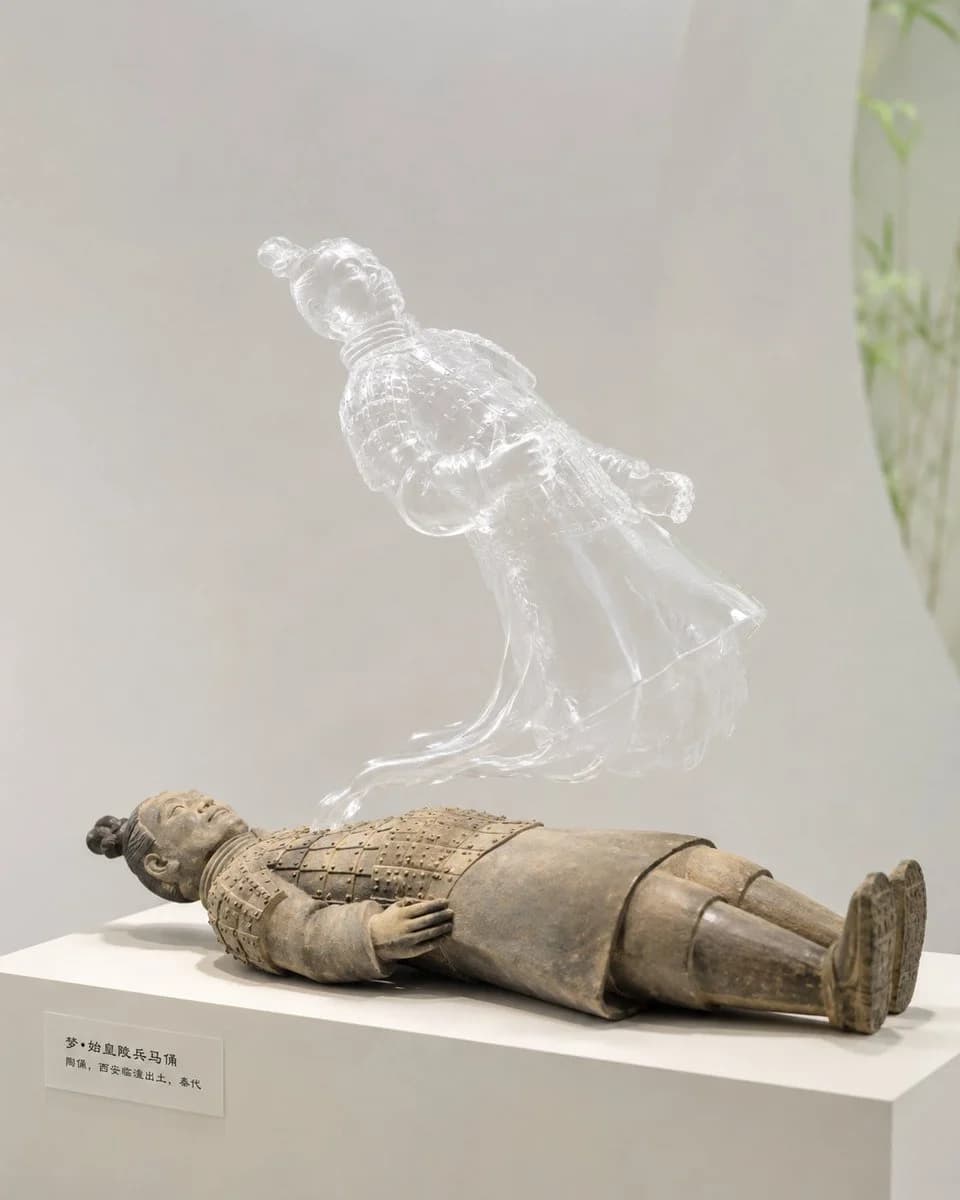
191 wordsGenerate a creative, realistic-feeling image featuring an 'out-of-body' moment centered around {argument name="subject" default="a Hello Kitty plush toy"}. The physical body of the subject occupies the main visual weight in a quiet, relaxed, slightly defenseless posture, resting on a clean display stand like a real object or a soft toy. Rising from above or from the core of the physical body is a semi-transparent double derived from the same subject, possessing a clear kinship with the physical body but with a material that is thin, translucent, and ghostly with subtle folds and edge highlights. The viewer first notices the displacement between the physical and transparent forms, then sees the double still attached nearby in a slight hovering or climbing motion, creating a gentle rather than frightening sense of absurdity. The background should be bright, clear, and clean, using high-brightness neutral tones with soft supporting colors derived from the subject. The lighting is soft and even, requiring visible refraction and a gossamer texture in the transparent layer. The composition maintains gallery-style white space and a low-interference environment, keeping the information layer restrained to highlight the relationship between the body and its double.About this prompt
Surreal Out of Body Experience Scene is a ready-to-use poster prompt for GPT Image 2 on Image 2. Copy the 191 words below, paste them into the Create form, and you will get a result close to the preview above. Tweak the Poster, Product, 3D tag if you want to push it somewhere new.
Use it as a starting point and keep iterating: change the subject, lighting, or composition until it looks right. The credit cost stays the same whether you run it as-is or remix it.
Use case
A strong starting point for Poster
Start here when you want a poster image in the same direction as Surreal Out of Body Experience Scene. The prompt already sets the look and structure; swap in your own subject, product, colors, or scene details for the brief you have in mind.
Easy places to tweak
- Subject Swap in your person, product, place, or object without changing the overall composition.
- Look and mood Tune the lighting, palette, camera angle, or materials so the image fits your brand.
- Final format Set the aspect ratio, background, text, or layout notes before you generate.
More prompt paths to explore
Find more GPT Image 2 prompts with a similar style, use case, or subject.
How to use it
- Step 1
Copy the prompt
Hit the Copy button above to grab the full text.
- Step 2
Open Image 2 Create
Head to the Create form and paste it in.
- Step 3
Generate
Hit Generate. Your version lands in seconds.
Make it yours
Load the prompt into the Create form with one click, then start tweaking.