Prompt
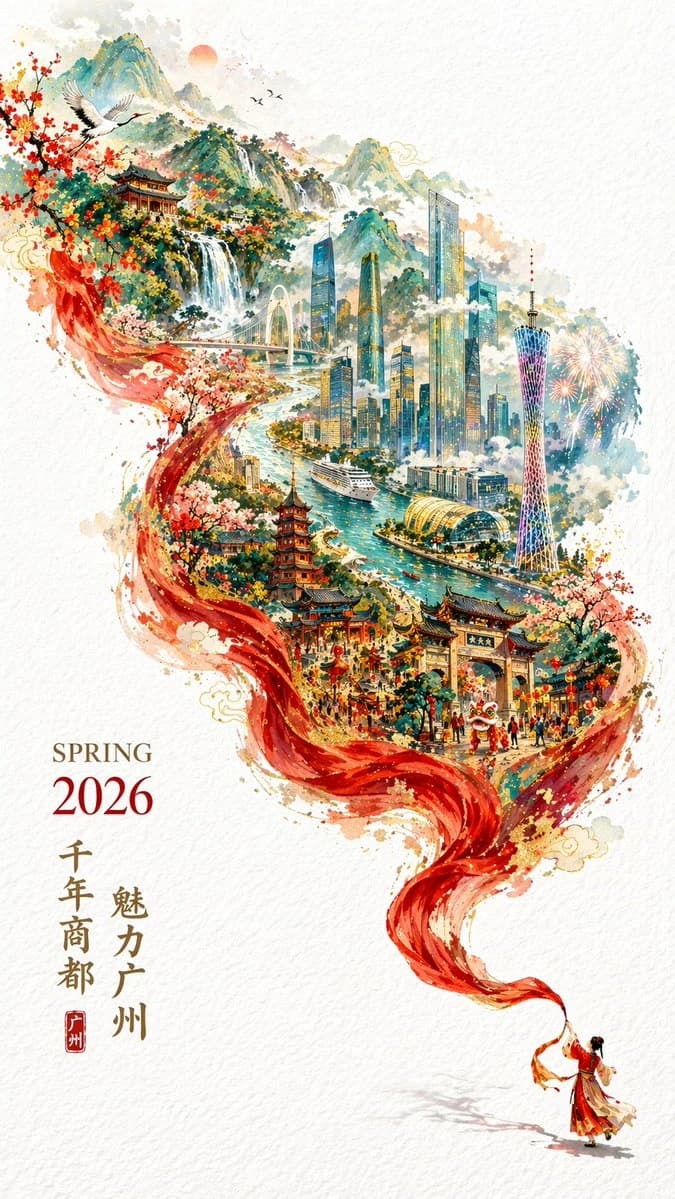
10 words一张充满新春喜庆但高雅的 2026 广州城市宣传海报,9:16 竖版,双重曝光,S 型流动构图。纯白纹理背景,右下角微缩传统服饰人物挥舞长红绸,红绸变形成山脉河流,内部叠加广州全景:广州塔、珠江新城、珠江、游轮、古建筑与白云山。左下角排版 “SPRING 2026” 与竖排 “千年商都 魅力广州”。
About this prompt
Spring 2026 Guangzhou Promo Poster is a ready-to-use ad creative prompt for GPT Image 2 on Image 2. Copy the 10 words below, paste them into the Create form, and you will get a result close to the preview above. Tweak the Product Ad, Ad Creative tag if you want to push it somewhere new.
Use it as a starting point and keep iterating: change the subject, lighting, or composition until it looks right. The credit cost stays the same whether you run it as-is or remix it.
Use case
A strong starting point for Ad Creative
Start here when you want a ad creative image in the same direction as Spring 2026 Guangzhou Promo Poster. The prompt already sets the look and structure; swap in your own subject, product, colors, or scene details for the brief you have in mind.
Easy places to tweak
- Subject Swap in your person, product, place, or object without changing the overall composition.
- Look and mood Tune the lighting, palette, camera angle, or materials so the image fits your brand.
- Final format Set the aspect ratio, background, text, or layout notes before you generate.
More prompt paths to explore
Find more GPT Image 2 prompts with a similar style, use case, or subject.
How to use it
- Step 1
Copy the prompt
Hit the Copy button above to grab the full text.
- Step 2
Open Image 2 Create
Head to the Create form and paste it in.
- Step 3
Generate
Hit Generate. Your version lands in seconds.
Make it yours
Load the prompt into the Create form with one click, then start tweaking.