Prompt
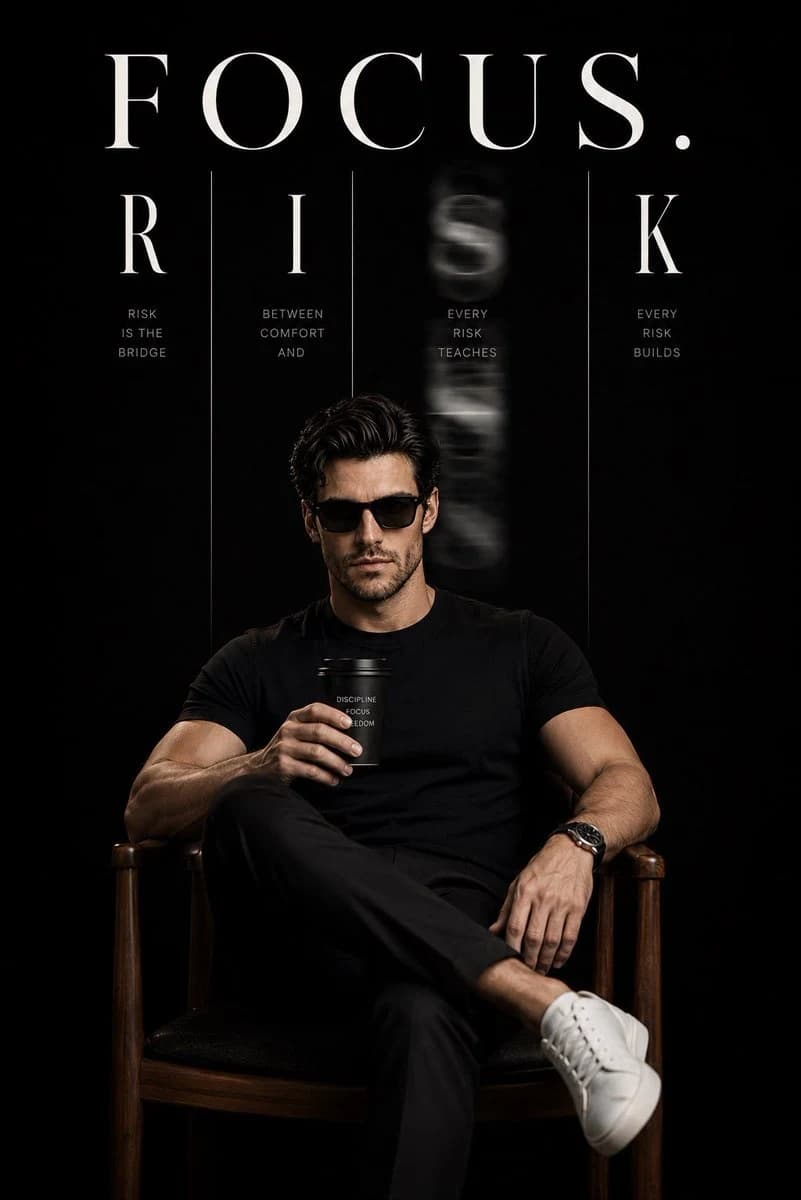
184 wordsUltra realistic luxury motivational portrait using {argument name="identity" default="my uploaded face"} as the exact identity. Preserve my facial features, skin tone, hairstyle, eye shape, and expression with high accuracy. Place me sitting confidently on a minimalist wooden chair, wearing a premium fitted black or off white round neck T shirt, tailored dark trousers, white sneakers, and stylish black sunglasses. Hold a premium coffee cup in one hand, relaxed confident posture with crossed legs, cinematic attitude.
Deep matte black background with dramatic negative space. At the top, large elegant white serif typography reading “{argument name="main text" default="FOCUS"}.” Beneath it, create a modern kinetic typography composition where the word “{argument name="subtext" default="RISK"}” is split into vertical columns, with the middle letters softly motion blurred to symbolize movement and courage. Thin white vertical divider lines, clean editorial layout, luxury magazine aesthetic, minimal design, perfect symmetry.
Soft cinematic spotlight on the subject, subtle rim lighting, realistic shadows, ultra detailed skin texture, natural proportions, premium color grading, shallow depth of field, 85mm lens, f/1.8, photorealistic, Vogue editorial quality, 8K HDR, razor sharp face, high dynamic range, luxury poster composition.About this prompt
Luxury Motivational Portrait is a ready-to-use ad creative prompt for GPT Image 2 on Image 2. Copy the 184 words below, paste them into the Create form, and you will get a result close to the preview above. Tweak the Product Ad, Ad Creative, Product tag if you want to push it somewhere new.
Use it as a starting point and keep iterating: change the subject, lighting, or composition until it looks right. The credit cost stays the same whether you run it as-is or remix it.
Use case
A strong starting point for Ad Creative
Start here when you want a ad creative image in the same direction as Luxury Motivational Portrait. The prompt already sets the look and structure; swap in your own subject, product, colors, or scene details for the brief you have in mind.
Easy places to tweak
- Subject Swap in your person, product, place, or object without changing the overall composition.
- Look and mood Tune the lighting, palette, camera angle, or materials so the image fits your brand.
- Final format Set the aspect ratio, background, text, or layout notes before you generate.
More prompt paths to explore
Find more GPT Image 2 prompts with a similar style, use case, or subject.
How to use it
- Step 1
Copy the prompt
Hit the Copy button above to grab the full text.
- Step 2
Open Image 2 Create
Head to the Create form and paste it in.
- Step 3
Generate
Hit Generate. Your version lands in seconds.
Make it yours
Load the prompt into the Create form with one click, then start tweaking.