Prompt
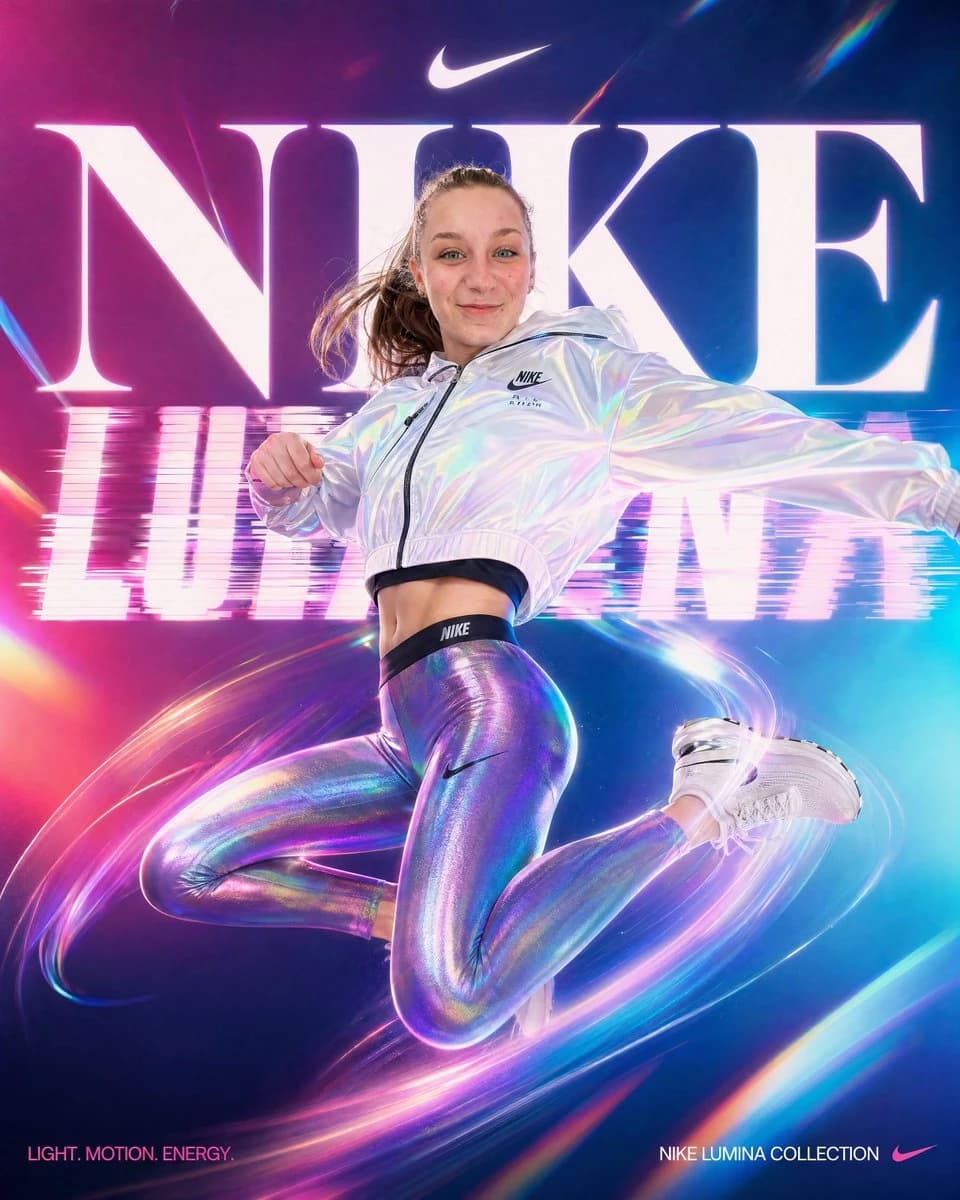
291 wordsA high-energy vertical Nike fashion campaign poster featuring a single athletic young woman mid-jump against a futuristic neon studio background. She is captured in a dynamic airborne pose with one knee bent up, the other leg folded back, one arm extended outward and the other bent near her chest, conveying motion and power. Her face is obscured by a clean rectangular blur block centered over the face. She wears a cropped iridescent white hooded windbreaker with a black zipper and small Nike logo on the chest, holographic metallic lavender-blue leggings with a subtle Nike swoosh on the thigh, a black branded waistband visible above the leggings, and white chunky Nike sneakers. Her brown hair is tied in a high ponytail flying outward with the jump. Behind her, enormous glowing white serif letters spell “NIKE” across the upper half, with a small white Nike swoosh centered above the word. Across the middle background, the phrase “LUMINA” appears once in wide bold glowing letters with a horizontal glitch and scanline distortion effect, partially obscured by the model. The color palette is saturated magenta, violet, cyan, and electric blue with strong bloom, glossy highlights, lens flares, and chromatic aberration. Add sweeping circular light trails wrapping around the model’s legs and body, suggesting speed and motion. The overall style is premium sportswear advertising, ultra-polished, cinematic, high contrast, hyperreal retouching, crisp product detail, dramatic rim lighting, and a luminous holographic aesthetic. Place 2 small text lines at the bottom: bottom left reads {argument name="tagline text" default="LIGHT. MOTION. ENERGY."}, bottom right reads {argument name="collection name" default="NIKE LUMINA COLLECTION"} followed by a small Nike swoosh. Include exactly 3 visible Nike swooshes total: 1 above the large NIKE headline, 1 on the jacket chest, and 1 on the leggings.About this prompt
Neon Nike Lumina Ad Poster is a ready-to-use ad creative prompt for GPT Image 2 on Image 2. Copy the 291 words below, paste them into the Create form, and you will get a result close to the preview above. Tweak the Product Ad, Ad Creative, Product tag if you want to push it somewhere new.
Use it as a starting point and keep iterating: change the subject, lighting, or composition until it looks right. The credit cost stays the same whether you run it as-is or remix it.
Use case
A strong starting point for Ad Creative
Start here when you want a ad creative image in the same direction as Neon Nike Lumina Ad Poster. The prompt already sets the look and structure; swap in your own subject, product, colors, or scene details for the brief you have in mind.
Easy places to tweak
- Subject Swap in your person, product, place, or object without changing the overall composition.
- Look and mood Tune the lighting, palette, camera angle, or materials so the image fits your brand.
- Final format Set the aspect ratio, background, text, or layout notes before you generate.
More prompt paths to explore
Find more GPT Image 2 prompts with a similar style, use case, or subject.
How to use it
- Step 1
Copy the prompt
Hit the Copy button above to grab the full text.
- Step 2
Open Image 2 Create
Head to the Create form and paste it in.
- Step 3
Generate
Hit Generate. Your version lands in seconds.
Make it yours
Load the prompt into the Create form with one click, then start tweaking.