Prompt
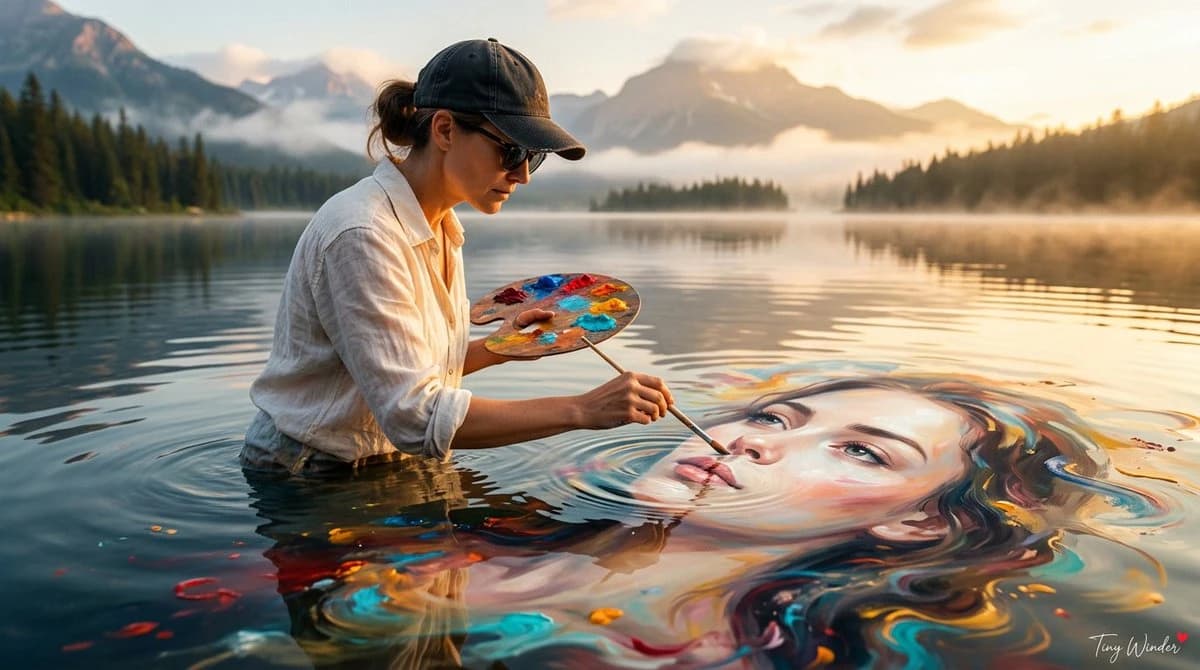
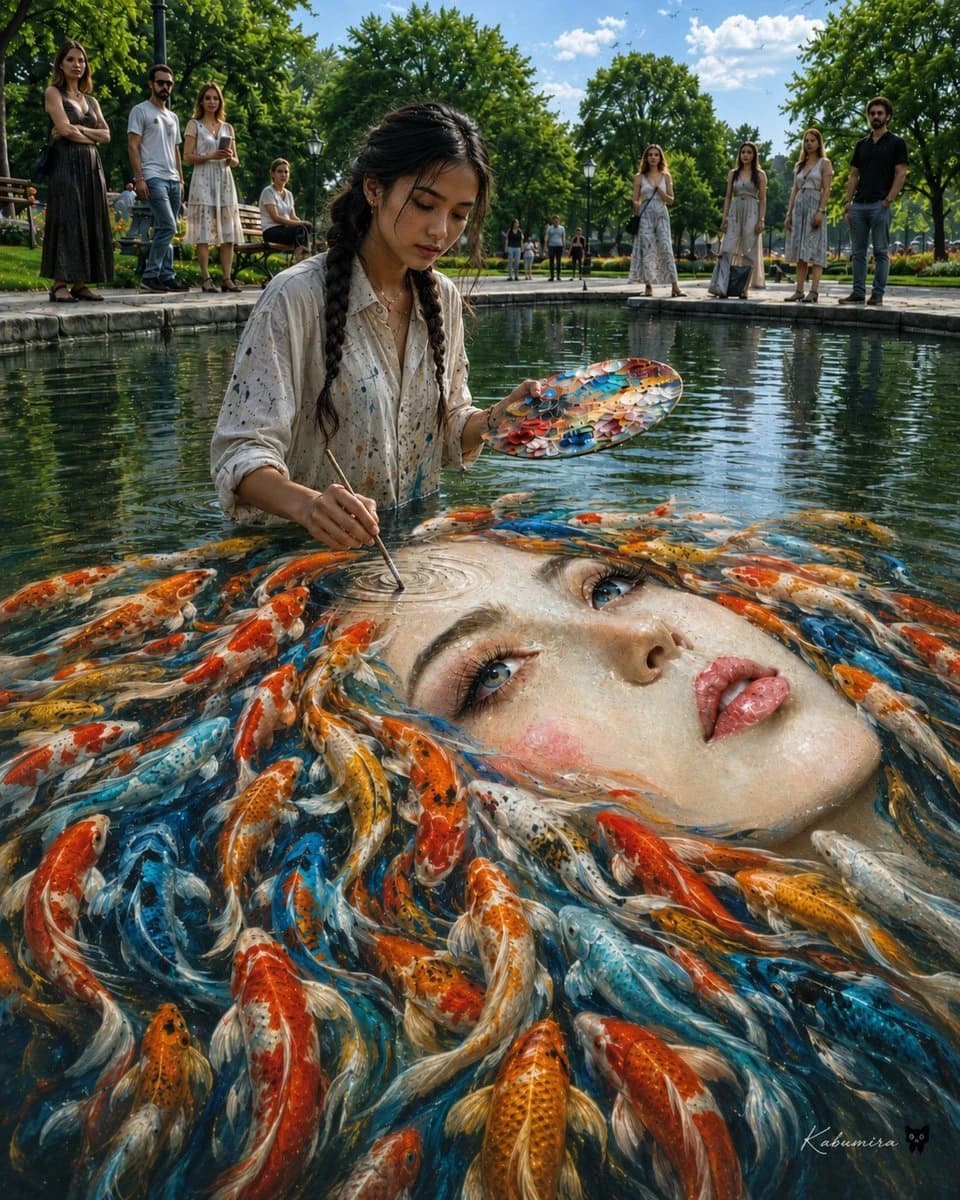
367 wordsCreate a surreal, ultra-detailed photorealistic scene in a sunny public park pond: a young female artist, {argument name="artist appearance" default="East Asian woman in her early 20s with long black hair in two loose braids"}, stands waist-deep in clear water wearing an oversized off-white button-up shirt splattered with paint. She holds an oval painter’s palette covered in vivid orange, blue, white, and gold paint in one hand and uses a thin brush in the other to paint directly onto the surface of the pond. Beneath the water, the painting becomes an enormous floating portrait of {argument name="portrait subject" default="a beautiful pale woman’s face with blue eyes, glossy pink lips, rosy cheeks, and wet porcelain-like skin"}, with the face tilted diagonally across the lower right half of the image. The portrait’s hair transforms into a swirling school of exactly 55 koi fish, individually visible, in orange, red, white, gold, black-speckled, and bright blue patterns, flowing around the face like living hair. The brush tip touches a circular ripple on the painted forehead, creating delicate concentric rings. Around the pond are exactly 12 visible background people: 1 tall woman in a black sleeveless dress on the far left, 1 bearded man in sunglasses and a white shirt, 1 woman in a white summer dress, 1 seated person on a bench, 4 tiny distant park visitors near the center walkway, and 4 onlookers on the right consisting of 3 women in light dresses and 1 man in a black shirt. The setting is a manicured city park with stone pond edges, wooden benches, black lampposts, lush green trees, trimmed grass, and a blue sky with scattered white clouds. Use a low eye-level wide-angle composition from the waterline, with the artist centered slightly left and the giant face dominating the foreground. Style: {argument name="visual style" default="cinematic hyperrealism with magical realism, crisp 8k detail, natural daylight, rich reflections, realistic water refraction, painterly color accents"}. Mood: {argument name="mood" default="dreamlike, contemplative, astonishing, serene"}. Add a small elegant artist signature in the bottom right reading {argument name="signature text" default="Kabumisa"}. Avoid text elsewhere, avoid cartoon styling, avoid distorted anatomy, keep the water transparent and reflective, and make the koi and portrait blend seamlessly into the pond surface.About this prompt
Surreal Koi Pond Portrait Artist is a ready-to-use social media prompt for GPT Image 2 on Image 2. Copy the 367 words below, paste them into the Create form, and you will get a result close to the preview above. Tweak the Social Media, UI, Poster tag if you want to push it somewhere new.
Use it as a starting point and keep iterating: change the subject, lighting, or composition until it looks right. The credit cost stays the same whether you run it as-is or remix it.
Use case
A strong starting point for Social Media
Start here when you want a social media image in the same direction as Surreal Koi Pond Portrait Artist. The prompt already sets the look and structure; swap in your own subject, product, colors, or scene details for the brief you have in mind.
Easy places to tweak
- Subject Swap in your person, product, place, or object without changing the overall composition.
- Look and mood Tune the lighting, palette, camera angle, or materials so the image fits your brand.
- Final format Set the aspect ratio, background, text, or layout notes before you generate.
More prompt paths to explore
Find more GPT Image 2 prompts with a similar style, use case, or subject.
How to use it
- Step 1
Copy the prompt
Hit the Copy button above to grab the full text.
- Step 2
Open Image 2 Create
Head to the Create form and paste it in.
- Step 3
Generate
Hit Generate. Your version lands in seconds.
Make it yours
Load the prompt into the Create form with one click, then start tweaking.