Prompt
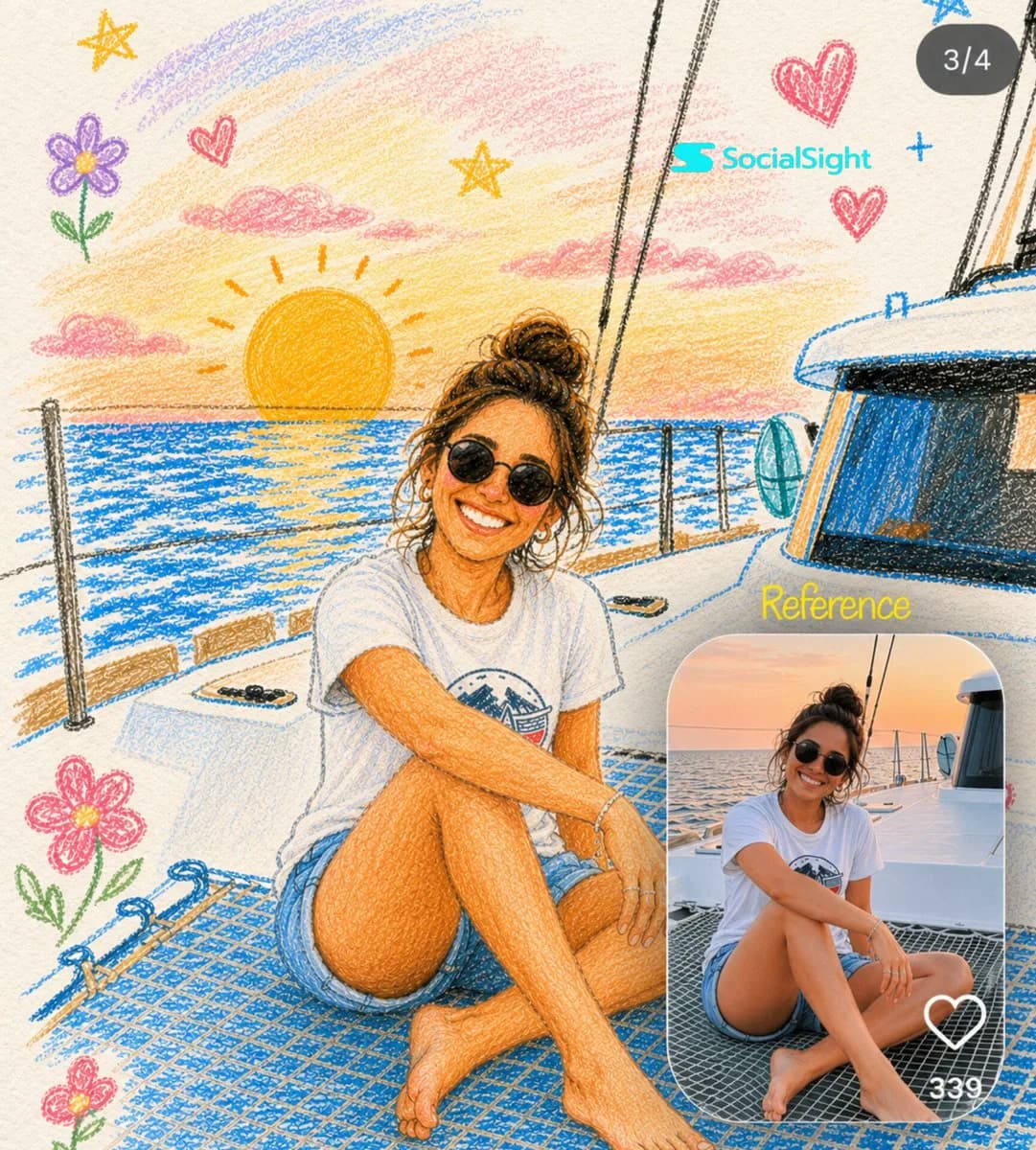
167 wordsTransform the uploaded photo into a charming hand-drawn colored-pencil and crayon illustration while preserving the person's exact pose, facial features, outfit, expression, and background composition. Create a warm, whimsical sketchbook aesthetic with visible pencil strokes, crayon textures, and soft pastel colors. Place the illustrated version as the main full-frame artwork. Add playful doodles around the scene such as hearts, stars, flowers, clouds, sparkles, and cute hand-drawn elements that complement the environment. Use textured paper as the canvas background and maintain a cozy, nostalgic, storybook feel. In the bottom-right corner, include a rounded-rectangle inset containing the original unedited photo as a realistic reference image. The inset should resemble a social media post preview with subtle UI elements like a heart icon and engagement count. Ensure the illustrated version perfectly matches the original photo in composition, creating a striking before-and-after transformation effect. Highly detailed, colored pencil illustration, crayon art style, hand-sketched textures, vibrant yet soft pastel palette, Instagram-style layout, whimsical doodles, premium artwork, realistic reference inset, masterpiece, ultra-detailed, 4K.
About this prompt
Colored Pencil Photo Transformation is a ready-to-use ui mockup prompt for GPT Image 2 on Image 2. Copy the 167 words below, paste them into the Create form, and you will get a result close to the preview above. Tweak the Social Media, UI, Mockup tag if you want to push it somewhere new.
Use it as a starting point and keep iterating: change the subject, lighting, or composition until it looks right. The credit cost stays the same whether you run it as-is or remix it.
Use case
A strong starting point for UI Mockup
Start here when you want a ui mockup image in the same direction as Colored Pencil Photo Transformation. The prompt already sets the look and structure; swap in your own subject, product, colors, or scene details for the brief you have in mind.
Easy places to tweak
- Subject Swap in your person, product, place, or object without changing the overall composition.
- Look and mood Tune the lighting, palette, camera angle, or materials so the image fits your brand.
- Final format Set the aspect ratio, background, text, or layout notes before you generate.
More prompt paths to explore
Find more GPT Image 2 prompts with a similar style, use case, or subject.
How to use it
- Step 1
Copy the prompt
Hit the Copy button above to grab the full text.
- Step 2
Open Image 2 Create
Head to the Create form and paste it in.
- Step 3
Generate
Hit Generate. Your version lands in seconds.
Make it yours
Load the prompt into the Create form with one click, then start tweaking.