Prompt
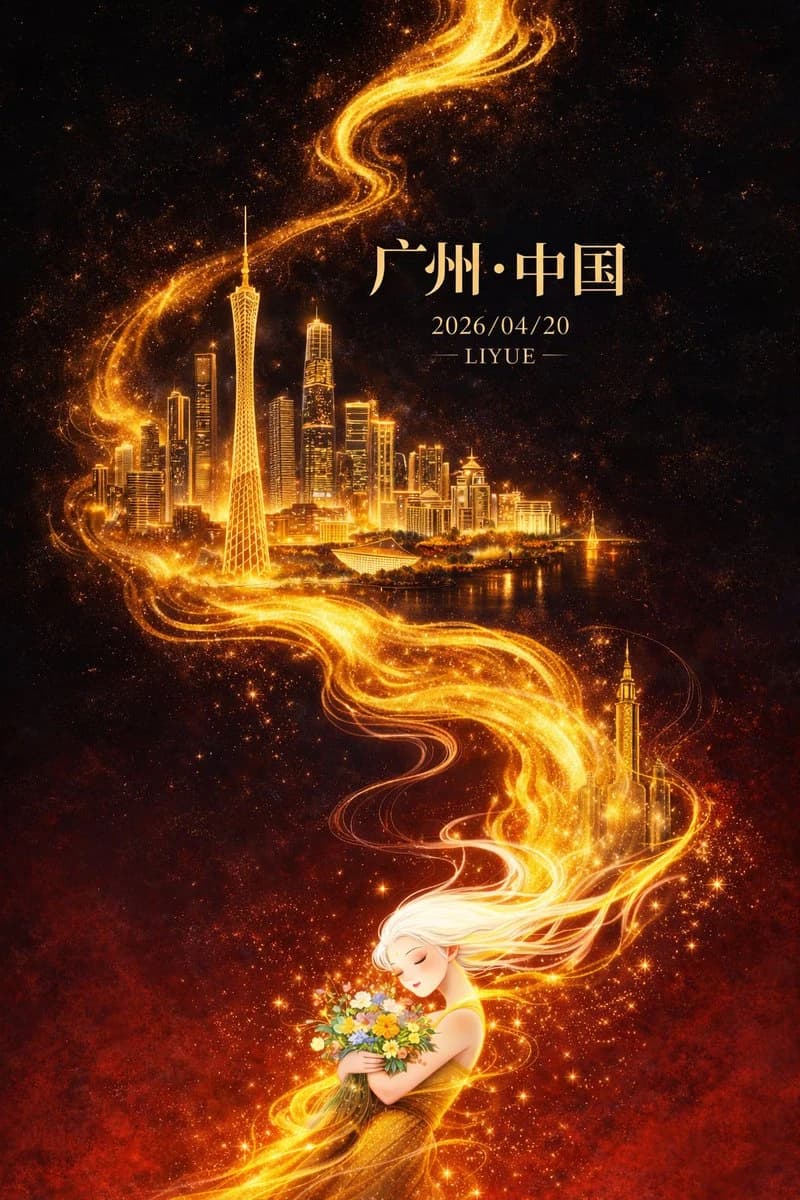
7 words平面插画,东方幻想风格高端城市海报设计,竖版9:16构图,整体采用对角线+S型流动构图,从左下向右上延展,画面以深邃黑色为背景,自上而下渐变至浓烈暗红色,形成强烈冷暖对比与空间纵深,背景带微弱星尘与颗粒质感。画面中央一条金色流动能量线条如火焰般蜿蜒贯穿,自底部向上延伸,具有流体质感、粒子光效与渐变高光,局部带细微能量碎屑与体积光。 金色流光中逐层浮现广州城市地标建筑群:广州塔为视觉核心,比例突出,周围融合珠江新城高楼群、猎德大桥及现代与岭南建筑元素,建筑采用“精细线描 + 金色发光体块”表现,轮廓清晰、细节丰富,在金色光晕映衬下仿佛悬浮于虚空,形成超现实空间层次,远景轻微雾化增强纵深感。 画面底部为一位东方白发女性形象,长发飘逸,如烟似雾,与金色流光自然衔接并逐渐融合,发丝半透明带渐变光感,姿态柔美,双目微闭,神情宁静,怀抱一束多彩鲜花,花间点缀微光粒子与星点效果,象征人与城市能量的精神连接,人物细节适度简化以突出整体设计感。 光影集中于金色流线、建筑与人物轮廓,形成强烈明暗对比与视觉聚焦,整体氛围宏大、神秘、具有东方神话意境且略带治愈感。色彩以黑与暗红为基底,高亮鎏金为主视觉强调,金色具备丰富明暗层次,辅以小面积高饱和花束色彩点缀,整体高级克制。 页面文字与画面融合排版:顶部居中宋体大字“广州·中国”,下方小字“2026/04/20”,再下方小字“LIYUE”,文字采用淡金色或柔和暖白色,与整体光影统一。高品质细节,电影级光影表现,体积光与粒子细节丰富,画面干净无噪点,超高清8K分辨率,商业级海报质感。
About this prompt
Dark-Fantasy Guangzhou City Poster is a ready-to-use poster prompt for GPT Image 2 on Image 2. Copy the 7 words below, paste them into the Create form, and you will get a result close to the preview above. Tweak the Poster, Travel tag if you want to push it somewhere new.
Use it as a starting point and keep iterating: change the subject, lighting, or composition until it looks right. The credit cost stays the same whether you run it as-is or remix it.
Use case
A strong starting point for Poster
Start here when you want a poster image in the same direction as Dark-Fantasy Guangzhou City Poster. The prompt already sets the look and structure; swap in your own subject, product, colors, or scene details for the brief you have in mind.
Easy places to tweak
- Subject Swap in your person, product, place, or object without changing the overall composition.
- Look and mood Tune the lighting, palette, camera angle, or materials so the image fits your brand.
- Final format Set the aspect ratio, background, text, or layout notes before you generate.
More prompt paths to explore
Find more GPT Image 2 prompts with a similar style, use case, or subject.
How to use it
- Step 1
Copy the prompt
Hit the Copy button above to grab the full text.
- Step 2
Open Image 2 Create
Head to the Create form and paste it in.
- Step 3
Generate
Hit Generate. Your version lands in seconds.
Make it yours
Load the prompt into the Create form with one click, then start tweaking.