プロンプト
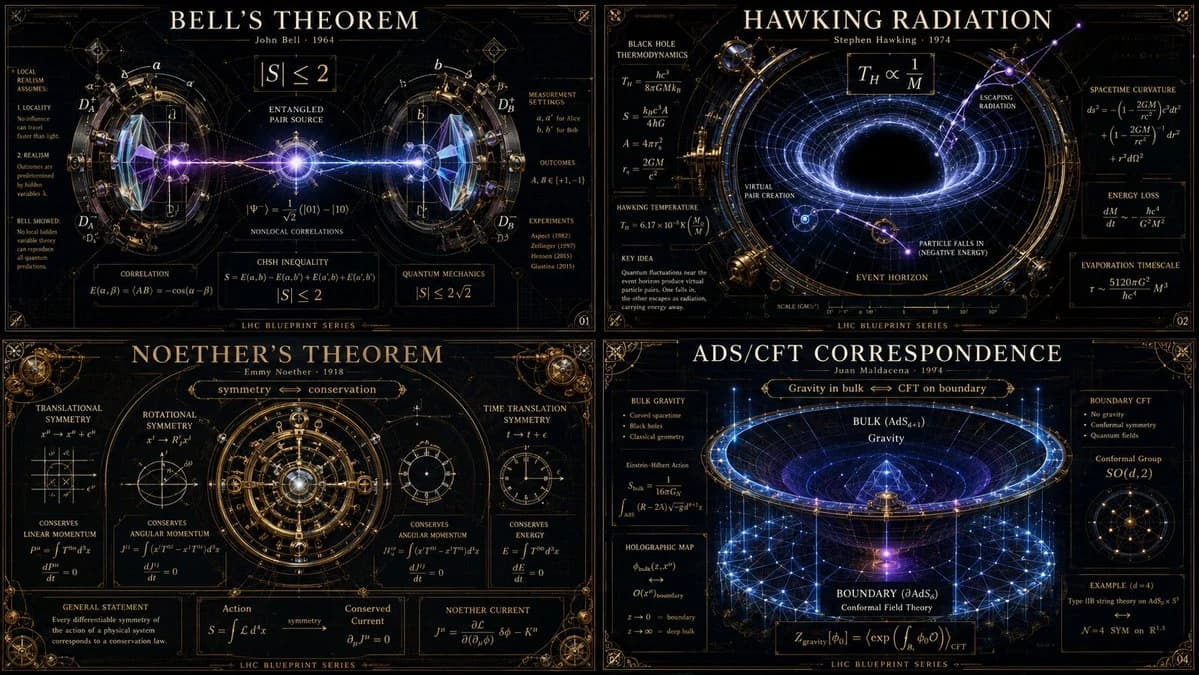
1522 文字16:9 -> class theoretical_physics_infographic_dna: def __init__(self): self.subject = "[ai selects: 4 distinct advanced physics theorems or paradoxes (e.g., bell's theorem, hawking radiation, string theory)]" self.parents = { "composition_parent": "大型ハドロン衝突型加速器の設計図 — 超複雑な放射状対称性、交差する粒子ビームリング、ミリメートル単位の精密ドラフト", "atmosphere_parent": "深宇宙観測所の写真 — pitch black voids, glowing ultraviolet radiation, high-contrast laser illumination", "graphic_parent": "黒板マキシマリズム — 優雅で密な数学的表記が光る白いベクトルとして浮かんでいる", "detail_parent": "ビクトリア朝の真鍮製光学機器 — 精密に加工されたプリズム、ガラスレンズ、鏡面屈折面" } self.mutations = { "medium_mutation": "数学の公式が光る三次元ガラス彫刻に固まって、周囲の光を曲げる", "information_mutation": "粒子衝突の軌跡が暗い背景を金の細い糸のように織りなす", "semantic_mutation": "目に見えない物理法則が巨大で具体的な重力機械として描かれ、ポスター自体のグリッドを歪める" } def generate_grid(self): instruction = """ generate a 2x2 grid of vertical luxury infographic posters giving physical form to the chosen [subject]s. invent a magnificent scientific machine or optical diorama for each. explode the layers to show quantum states, gravitational warping, equations, and subatomic scale. the design must feel like a classified schematic from a hyper-advanced, aesthetically obsessed civilization. semantic inference must make the invisible laws of physics breathtakingly visible. """ return render( instruction, format="2x2 grid, vertical luxury posters, conceptual scientific infographic", typography=""" large title: [name of theorem/paradox] subtitle: [the physicist / the era] microtext: [the core equation / metric tensor / explanatory blazon] """, composition="厳密な放射状または重力井の対称性。深い空洞と対比する鋭い細線。", lighting="厳しい臨床用レーザー光が純粋な光学ガラスとヴァンタブラックと相互作用する。", constraints="漫画の原子、クリップアートの惑星、乱雑な黒板は使用禁止。純粋で博物館品質の科学的美学のみ。" )このプロンプトについて
物理インフォグラフィックコード は、Image 2でGPT Image 2にそのまま使えるポスタープロンプトです。下の1522文字をコピーして作成フォームに貼り付けると、上のプレビューに近い画像を生成できます。 インフォグラフィック, ポスター, 3D タグを調整すると、別の方向性にも展開できます。
出発点として使い、被写体、ライティング、構図を変えながら仕上げてください。そのまま使ってもリミックスしても、生成コストは同じです。
用途
ポスター制作の起点に使いやすいプロンプト
物理インフォグラフィックコード に近い ポスター の画像を作りたいときは、この GPT Image 2 プロンプトから始めるとスムーズです。画面の方向性と構成はすでに整っているので、被写体、商品、色、シーンの細部だけを自分の内容に差し替えられます。
まず調整しやすいところ
- 被写体 人物、商品、場所、オブジェクトを自分の内容に差し替え、構図はそのまま活かします。
- 雰囲気 ライティング、配色、カメラ角度、質感をブランドや用途に合わせます。
- 仕上がり 生成前にアスペクト比、背景、文字、レイアウト指定を整えます。
近いテーマのプロンプトを探す
スタイル、用途、テーマが近い GPT Image 2 プロンプトを続けて確認できます。
使い方
- ステップ 1
プロンプトをコピー
上のコピー ボタンで全文を取得します。
- ステップ 2
Image 2 Create を開く
作成フォームに移動して貼り付けます。
- ステップ 3
生成する
Generate を押すと、数秒であなたのバージョンが完成します。
自分用に調整
ワンクリックで作成フォームに読み込み、すぐに調整を始められます。