提示詞
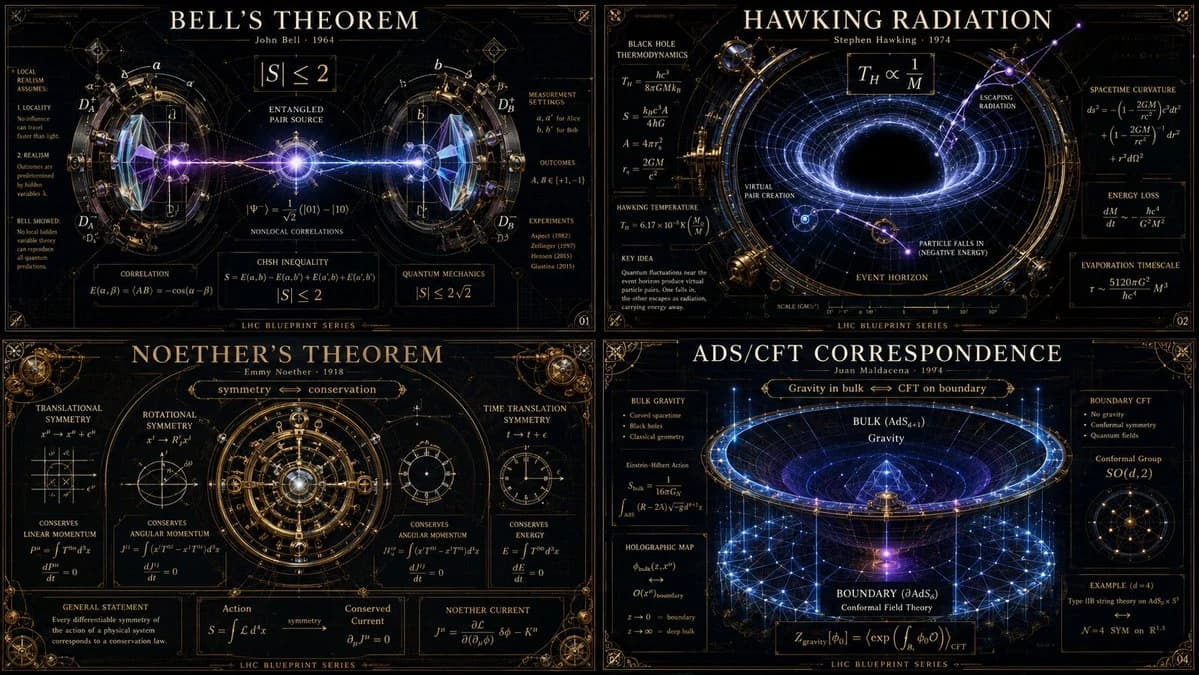
1389 個字16:9 -> class theoretical_physics_infographic_dna: def __init__(self): self.subject = "[ai selects: 4 distinct advanced physics theorems or paradoxes (e.g., bell's theorem, hawking radiation, string theory)]" self.parents = { "composition_parent": "大型強子對撞機藍圖 — 超複雜的徑向對稱、交錯的粒子束環、毫米級精確的草圖", "atmosphere_parent": "深空觀測所攝影 — 漆黑的虛空、發光的紫外線輻射、高對比度的鐳射照明", "graphic_parent": "黑板極簡主義 — 優雅、密集的數學符號如發光的白色向量漂浮", "detail_parent": "維多利亞時代的黃銅光學儀器 — 精密加工的稜鏡、玻璃鏡頭及反射面" } self.mutations = { "medium_mutation": "數學公式固化為發光的三維玻璃雕塑,彎曲周圍的光線", "information_mutation": "粒子碰撞軌跡如細金線般編織於黑暗背景中", "semantic_mutation": "看不見的物理法則被呈現為一臺龐大、具體的重力機器,扭曲海報本身的網格" } def generate_grid(self): instruction = """ generate a 2x2 grid of vertical luxury infographic posters giving physical form to the chosen [subject]s. invent a magnificent scientific machine or optical diorama for each. explode the layers to show quantum states, gravitational warping, equations, and subatomic scale. the design must feel like a classified schematic from a hyper-advanced, aesthetically obsessed civilization. semantic inference must make the invisible laws of physics breathtakingly visible. """ return render( instruction, format="2x2 grid, vertical luxury posters, conceptual scientific infographic", typography=""" large title: [name of theorem/paradox] subtitle: [the physicist / the era] microtext: [the core equation / metric tensor / explanatory blazon] """, composition="嚴格的徑向或重力井對稱。鋒利的細線與深邃的虛空形成對比。", lighting="嚴酷的臨床鐳射光線與純光學玻璃和vantablack互動。", constraints="不允許卡通原子、不允許剪貼畫行星、不允許雜亂的黑板。只有潔淨的博物館級科學美學。" )關於這個提示詞
物理資訊圖表程式碼提示 是一則可直接使用的 GPT Image 2 海報提示詞。複製下方 1389 個字,貼到創作表單,即可生成接近預覽圖的效果。 你也可以調整 資訊圖, 海報, 3D 標籤,讓結果走向新的風格。
可以先用它生成初稿,再依需求調整主體、光線或構圖。直接使用或自行改寫,生成消耗都相同。
適用場景
適合作為海報創作起點
想生成接近 物理資訊圖表程式碼提示 的海報畫面時,可以直接從這則 GPT Image 2 提示詞開始。它已經設定好構圖和風格,只需替換主體、產品、顏色或場景細節。
最適合先改的地方
- 主體 把人物、產品、地點或物體換成自己的內容,整體構圖先保留。
- 畫面氛圍 按品牌或用途調整光線、配色、鏡頭角度和材質細節。
- 輸出形式 生成前先定好比例、背景、文字和版型要求。
如何使用
- 第 1 步
複製提示詞
點選上方複製按鈕,取得完整提示詞。
- 第 2 步
開啟 Image 2 建立頁
進入建立表單,並把提示詞貼上。
- 第 3 步
生成圖像
點選生成,幾秒後即可得到你的版本。
改成你的版本
一鍵把提示詞載入建立表單,然後開始調整。