提示词
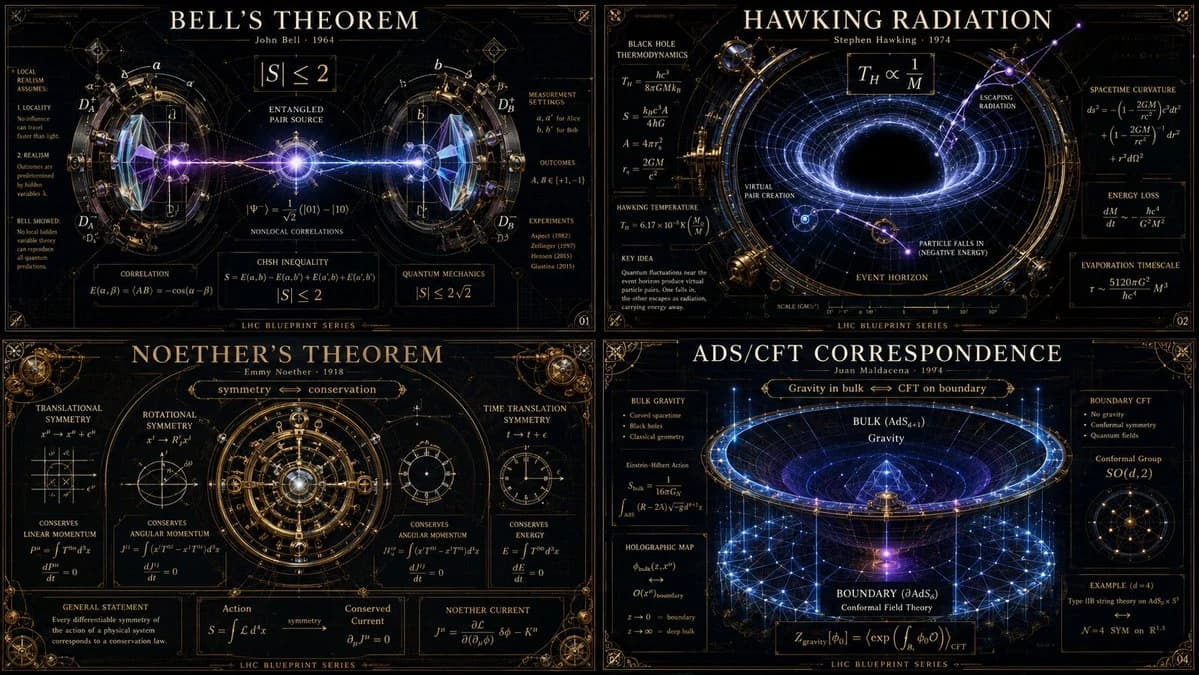
1377 个字16:9 -> class theoretical_physics_infographic_dna: def __init__(self): self.subject = "[ai selects: 4 distinct advanced physics theorems or paradoxes (e.g., bell's theorem, hawking radiation, string theory)]" self.parents = { "composition_parent": "大型强子对撞机蓝图 — 超复杂的径向对称,交叉的粒子束环,毫米级精确草图", "atmosphere_parent": "深空天文台摄影 — 漆黑的虚空,发光的紫外线辐射,高对比度激光照明", "graphic_parent": "黑板极简主义 — 优雅、密集的数学符号如发光白色向量漂浮", "detail_parent": "维多利亚时代的黄铜光学仪器 — 精细加工的棱镜、玻璃镜头和反射平面" } self.mutations = { "medium_mutation": "数学公式凝固成发光的三维玻璃雕塑,弯曲周围的光线", "information_mutation": "粒子碰撞轨迹如细金线般编织在黑暗背景中", "semantic_mutation": "看不见的物理法则呈现为一个巨大的、可触摸的引力机器,扭曲海报本身的网格" } def generate_grid(self): instruction = """ generate a 2x2 grid of vertical luxury infographic posters giving physical form to the chosen [subject]s. invent a magnificent scientific machine or optical diorama for each. explode the layers to show quantum states, gravitational warping, equations, and subatomic scale. the design must feel like a classified schematic from a hyper-advanced, aesthetically obsessed civilization. semantic inference must make the invisible laws of physics breathtakingly visible. """ return render( instruction, format="2x2 grid, vertical luxury posters, conceptual scientific infographic", typography=""" large title: [name of theorem/paradox] subtitle: [the physicist / the era] microtext: [the core equation / metric tensor / explanatory blazon] """, composition="严格的径向或引力井对称。锋利的细线与深邃的虚空形成对比。", lighting="严酷、临床的激光光线与纯光学玻璃和超黑材料互动。", constraints="无卡通原子,无剪贴画行星,无凌乱的黑板。只有无瑕的博物馆级科学美学。" )关于这个提示词
物理信息图表代码提示 是一条可直接使用的 GPT Image 2 海报提示词。复制下方 1377 个字,粘贴到创建表单,即可生成接近预览图的效果。 你也可以调整 信息图, 海报, 3D 标签,让结果走向新的风格。
可以先用它生成初稿,再按需要调整主体、光线或构图。直接使用或自行改写,生成消耗保持一致。
适用场景
适合作为海报创作起点
想生成接近 物理信息图表代码提示 的海报画面时,可以直接从这条 GPT Image 2 提示词开始。它已经设定好构图和风格,只需替换主体、产品、颜色或场景细节。
最适合先改的地方
- 主体 把人物、产品、地点或物体换成自己的内容,整体构图先保留。
- 画面氛围 按品牌或用途调整光线、配色、镜头角度和材质细节。
- 输出形式 生成前先定好比例、背景、文字和版式要求。
如何使用
- 第 1 步
复制提示词
点击上方复制按钮,获取完整提示词。
- 第 2 步
打开 Image 2 创建页
进入创建表单,并把提示词粘贴进去。
- 第 3 步
生成图像
点击生成,几秒后即可得到你的版本。
改成你的版本
一键把提示词载入创建表单,然后开始调整。