01效果展示
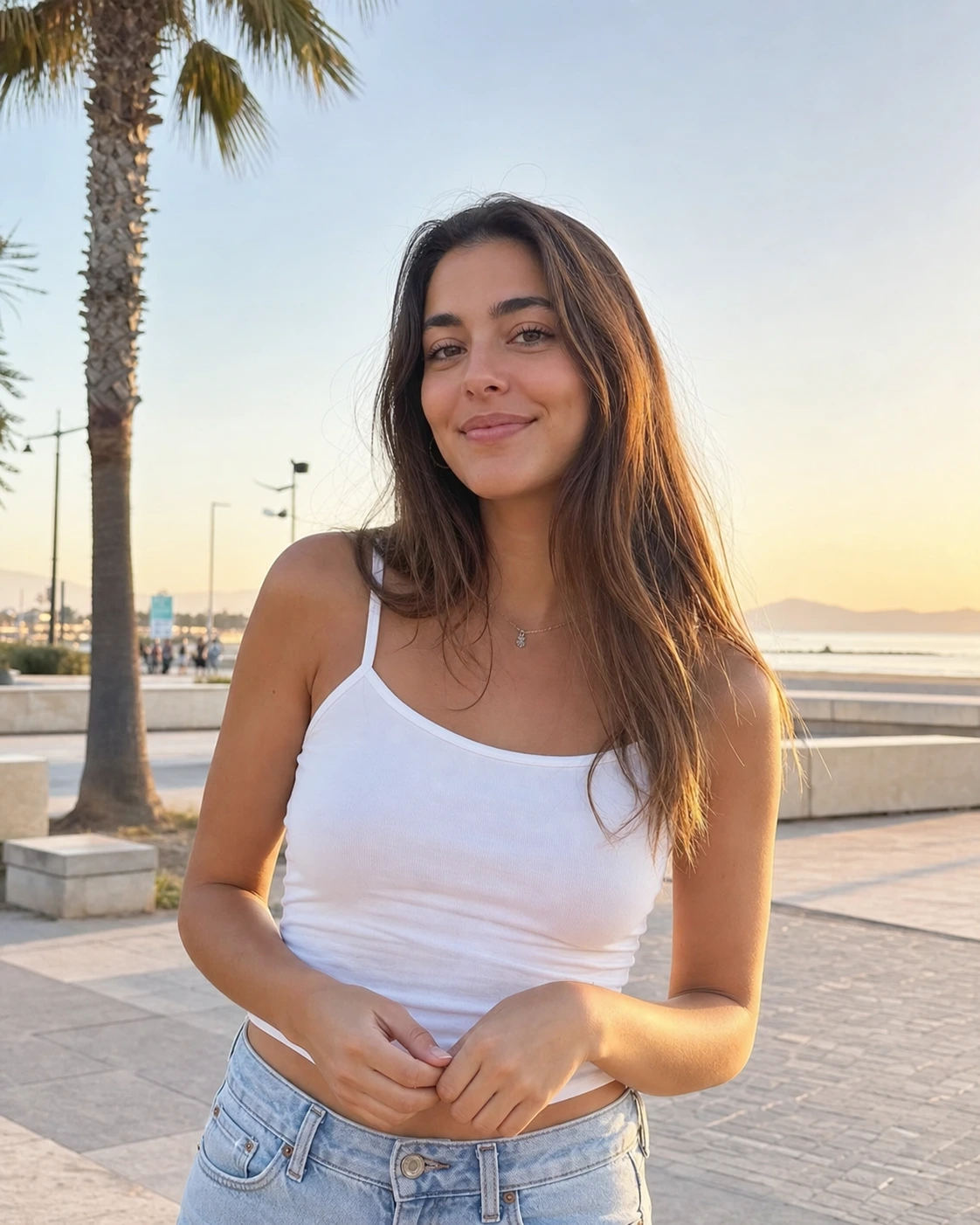
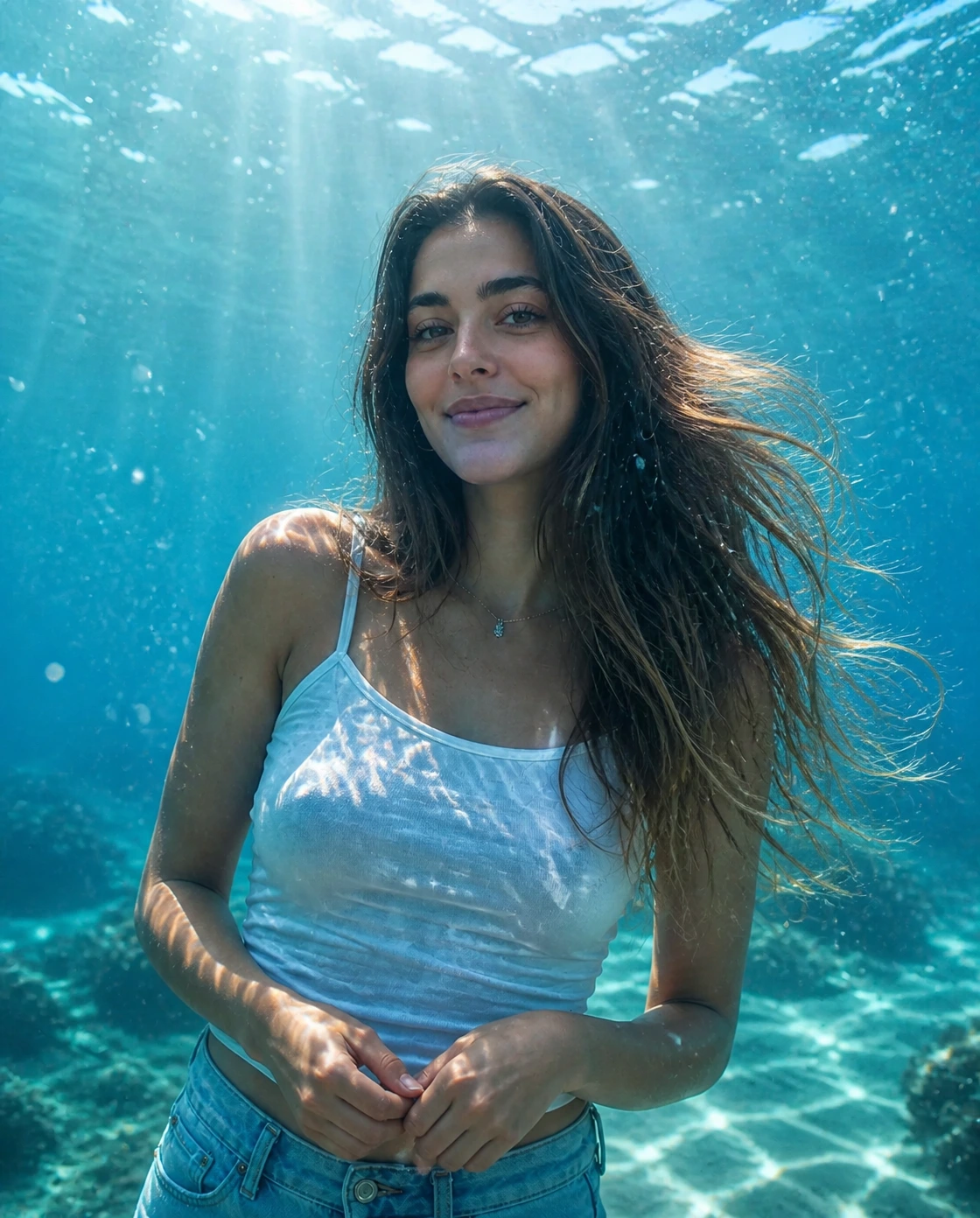
电影感水下人像
把普通人像变成 AI 水下照片,加入清澈海水、顶部光束、气泡和自然漂浮细节。
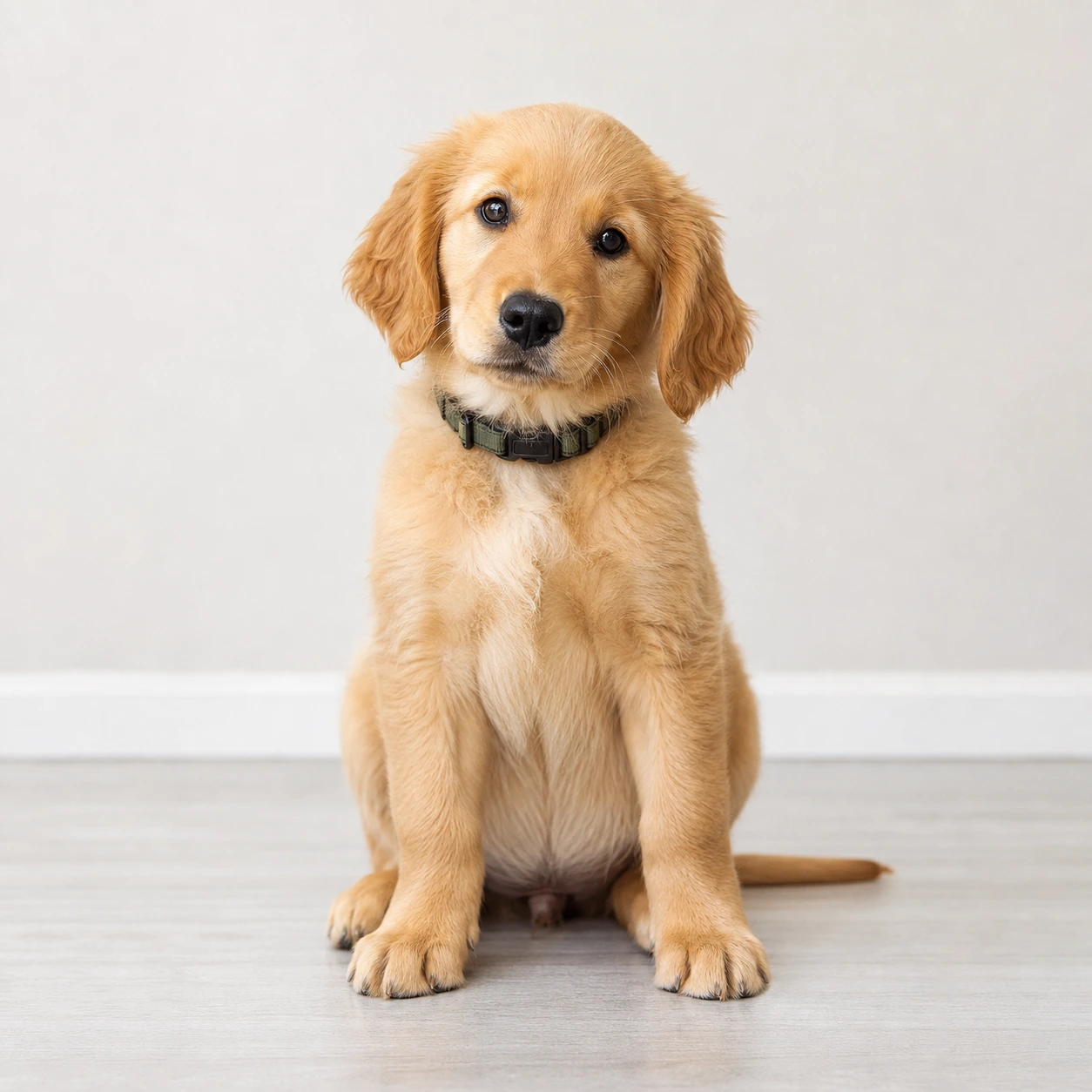
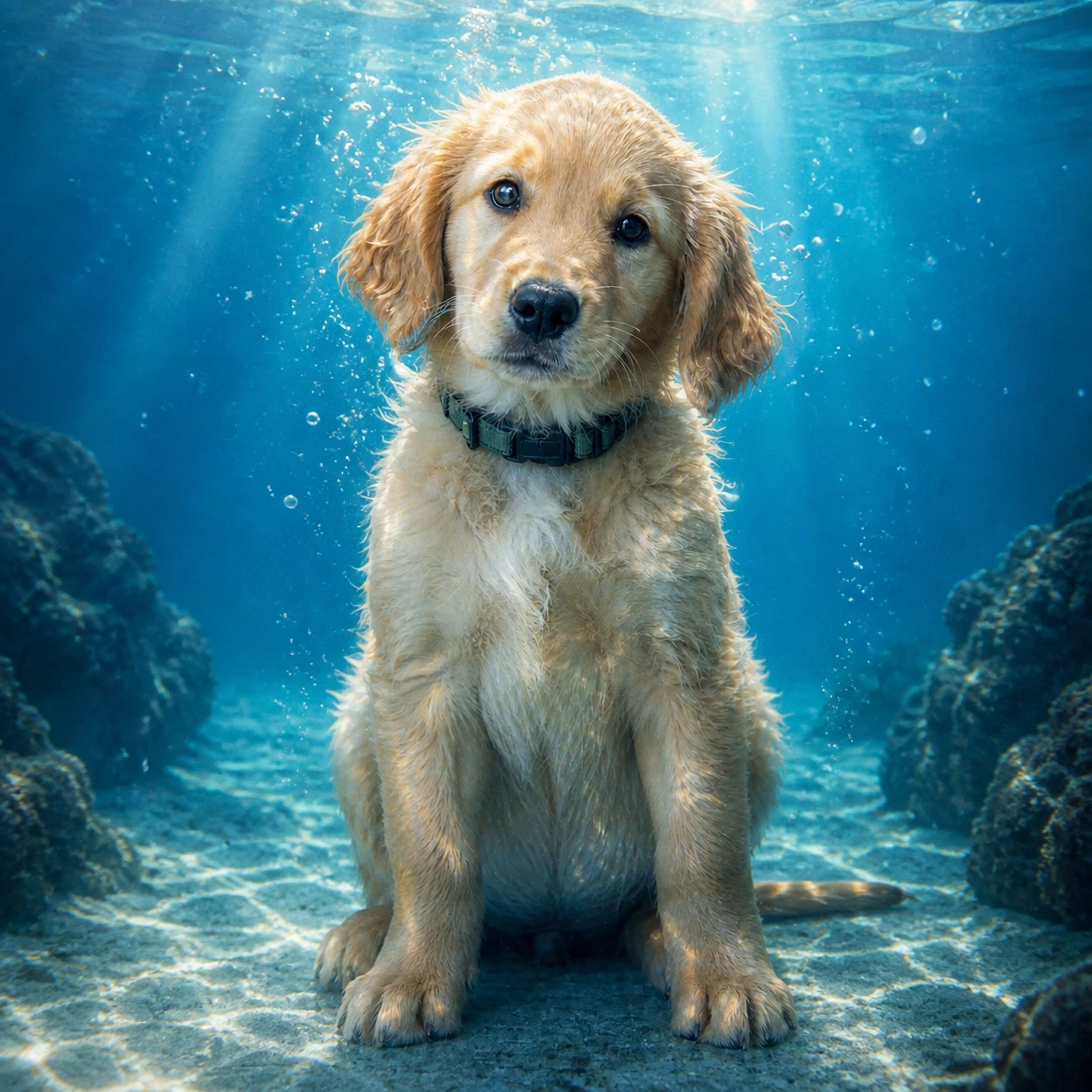
上传人像或宠物照片,把普通照片变成电影感 AI 水下照片:清澈海水、顶部光束、真实气泡和自然漂浮感,同时尽量保留主体特征。
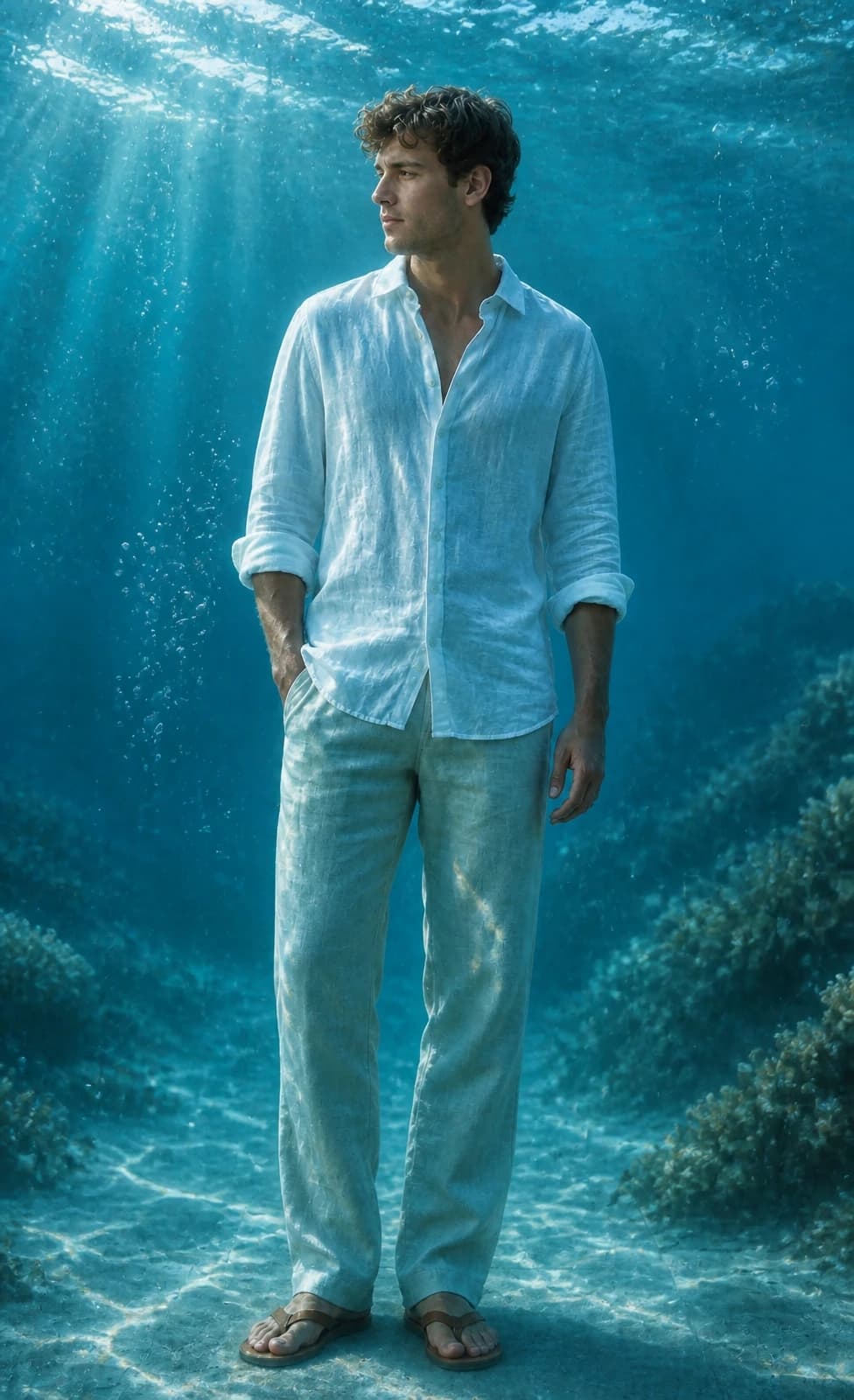
看看 Image 2 如何把人像和宠物照变成带海水光束、气泡和青蓝水色的电影感水下人像。
把普通人像变成 AI 水下照片,加入清澈海水、顶部光束、气泡和自然漂浮细节。
生成适合 Reels 封面、头像、锁屏壁纸和社媒帖子的水下人像,主体不会被背景淹没。
给宠物照加入有趣的水下氛围,同时保留毛色、眼神、表情和主要姿势。
复制适合 GPT Image 2 的水下照片提示词,用于人像、宠物、壁纸或 Instagram 封面。
Use the uploaded portrait as the identity reference. Preserve the person, face, pose, hairstyle, outfit, and expression. Create a cinematic AI underwater photo in clear blue ocean water with soft sunlight beams, realistic bubbles, floating hair or fabric, gentle water refraction, teal and cyan color grading, natural skin texture, and elegant editorial photography. No text, no watermark.
Turn this portrait into an Instagram-ready underwater portrait for a Reels cover. Keep the face recognizable and centered, add clear ocean depth, soft caustic light, tiny bubbles, floating hair or clothing, clean cyan-blue color, and subtle space for title text without adding any text.
Use the uploaded pet photo as the reference. Preserve the pet breed, fur pattern, expression, and pose. Create a realistic AI underwater photo with clear water, tiny bubbles, soft sun rays, gentle floating motion, and a clean blue background. Do not distort the face, paws, fur, or eyes.
Turn this photo into a calm underwater wallpaper while keeping the main subject recognizable. Use open ocean depth, soft sunbeams, floating particles, subtle sand or coral in the distance, clean cyan-blue color, and a polished vertical composition for phone wallpapers and profile visuals.
关于使用AI 水下照片的常见问题
这是 Image 2 的一个图片风格工具,由 GPT Image 2 驱动。上传照片后,它会把主体处理成带清澈海水、顶部光束、气泡和真实折射感的水下照片。
上传清晰的人像或宠物照,保留默认提示词,选择尺寸后生成。如果想做封面或壁纸,可以在提示词里说明用途和画面比例。
正脸清楚、光线干净、主体不要太小的人像和宠物照效果最好。避免严重模糊、遮脸、强滤镜或背景特别乱的图片。
重点写清楚保留身份、清澈蓝色海水、顶部光束、真实气泡、漂浮头发或衣料、青蓝水色,并避免文字、水印和夸张变形。页面里的默认提示词已经包含这些要求。
默认提示词会要求保留脸型、发型、肤色、姿势、服装和表情。AI 结果仍可能有轻微变化,源图越清晰,稳定性越好。
可以。这个风格适合 Instagram 帖子、Reels 封面、头像、锁屏壁纸和 before/after 内容。
可以。上传清晰宠物照时,提示词会尽量保留品种、毛色、表情和姿势,再加入水下光线和气泡。
做 Instagram 帖子或头像用方图,做 Reels、Stories 和手机壁纸用竖图,做横向封面或缩略图用横图。
每次生成会根据所选输出分辨率消耗 2/2/6 (1K/2K/4K) 积分。新用户可以使用注册送的积分试用,也可以通过套餐、加购、签到或邀请获得更多积分。
商业使用可能被允许,但需要遵守我们的服务条款、适用法律和第三方权利。正式商用前,请自行检查生成结果。
还有其他问题? 联系我们: [email protected]