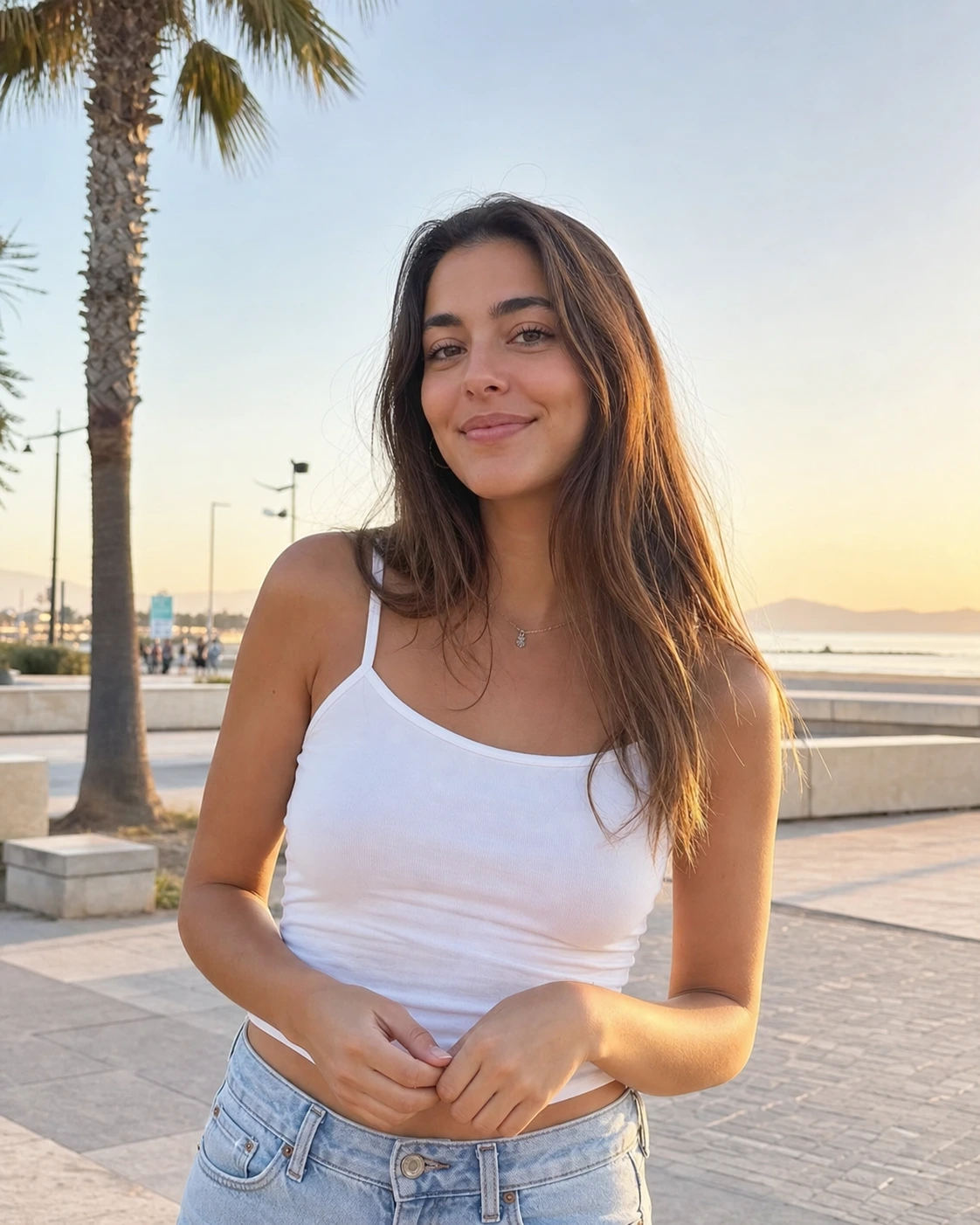
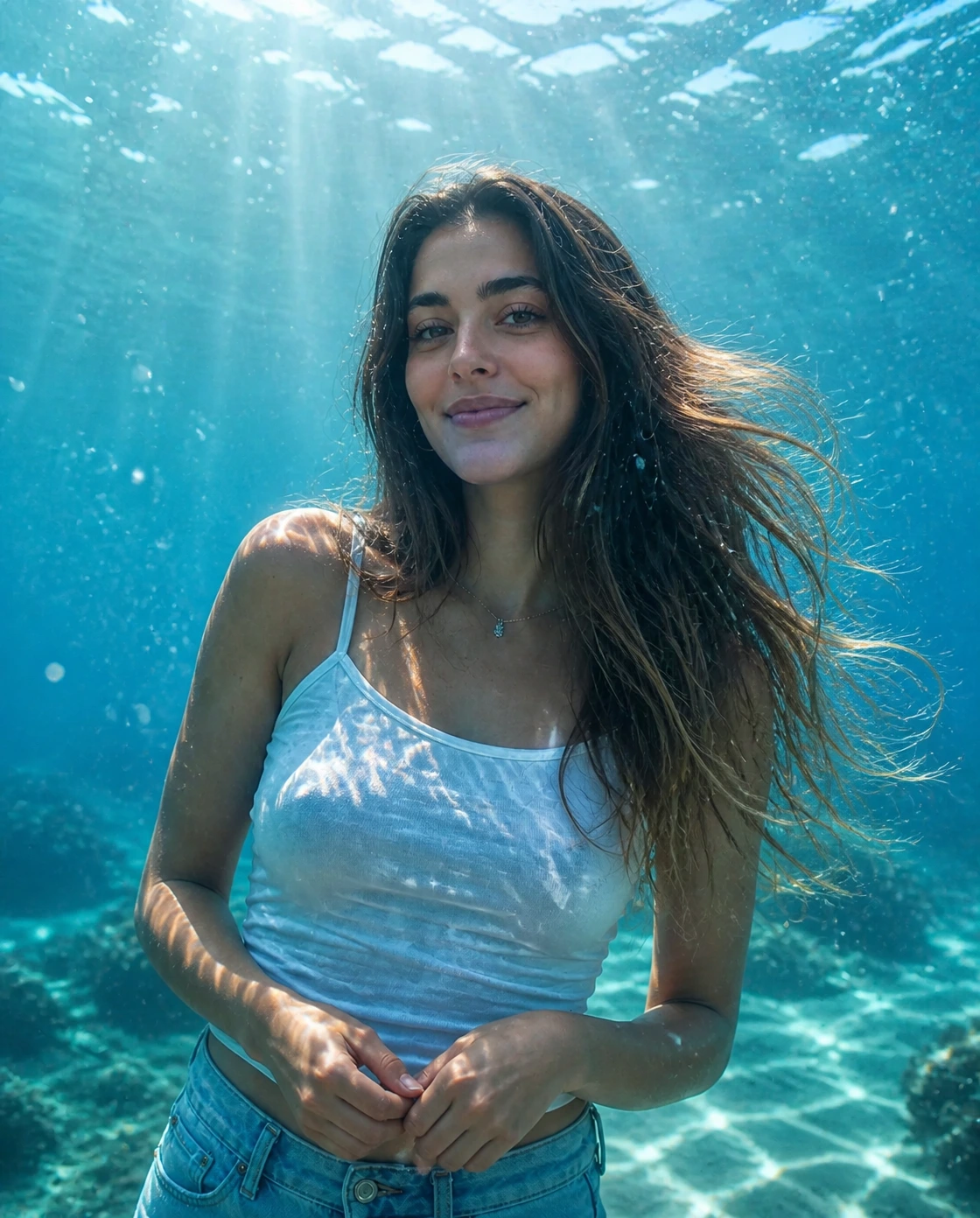
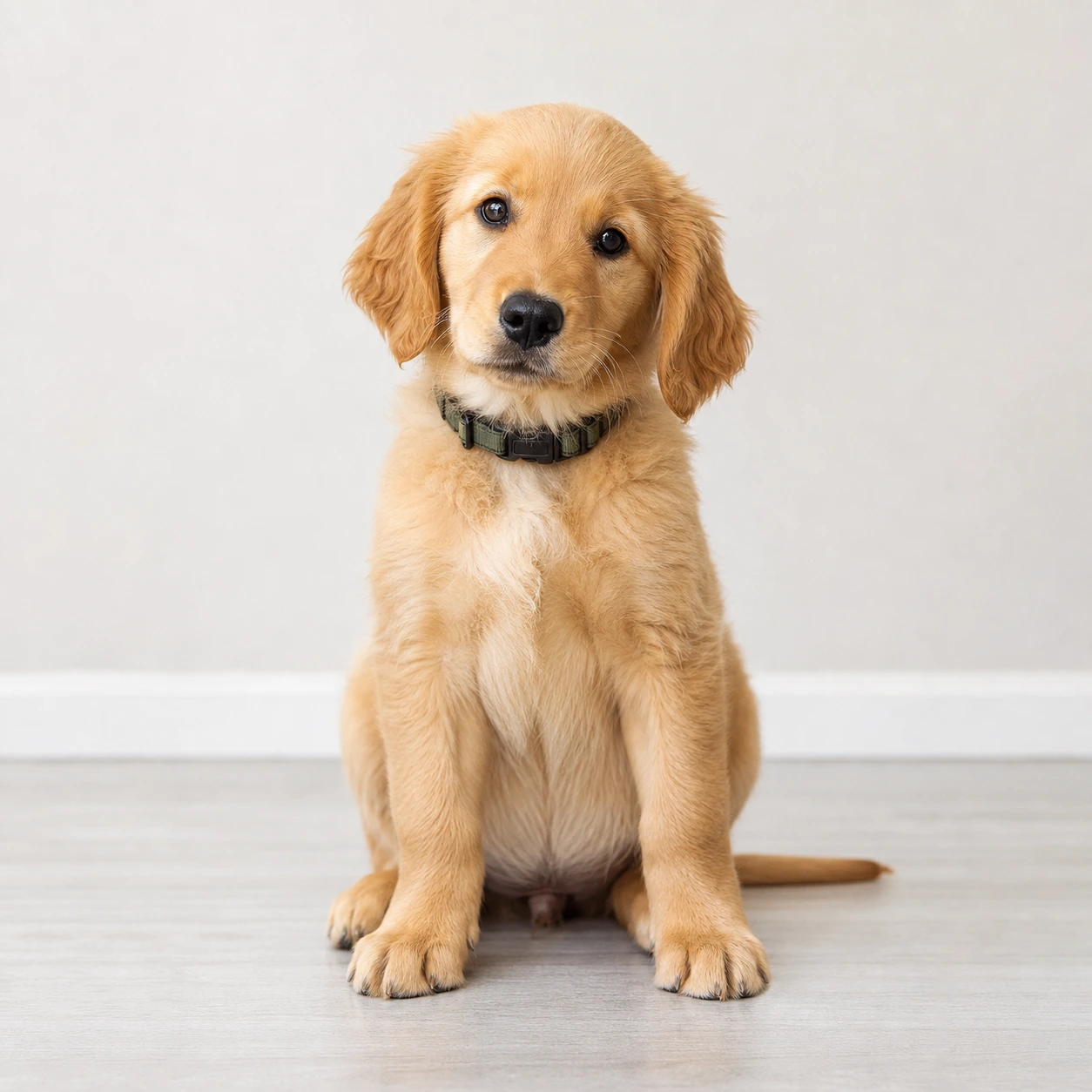
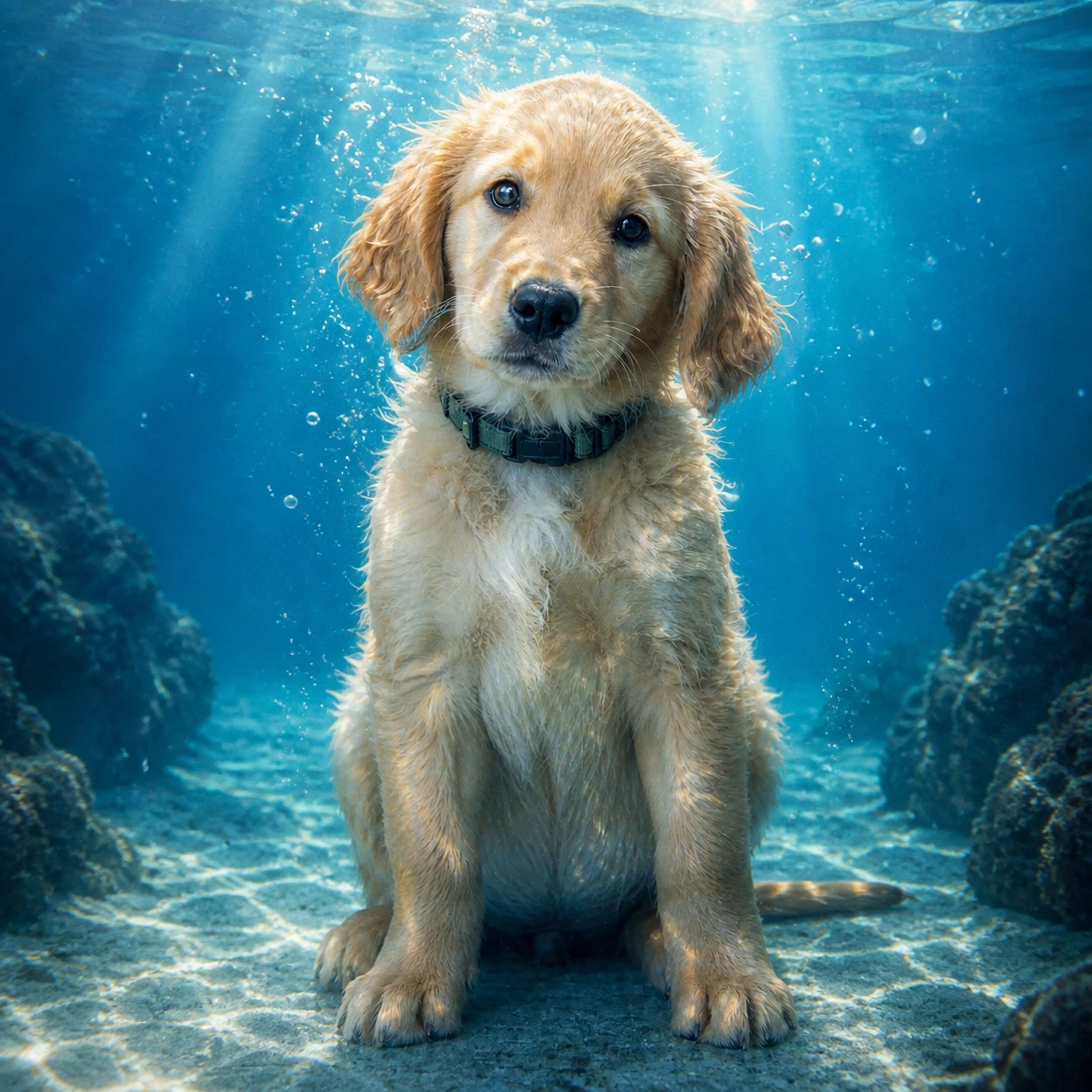
01変換例
映画的な水中ポートレート
普通のポートレートに澄んだ水、光の筋、泡、自然な浮遊感を加えて AI 水中写真に変換します。
人物やペット写真から AI 水中写真を作成。澄んだ青い水、上から差し込む光、リアルな泡、自然な浮遊感、やわらかなシアン調を加えながら、主体らしさを保ちます。
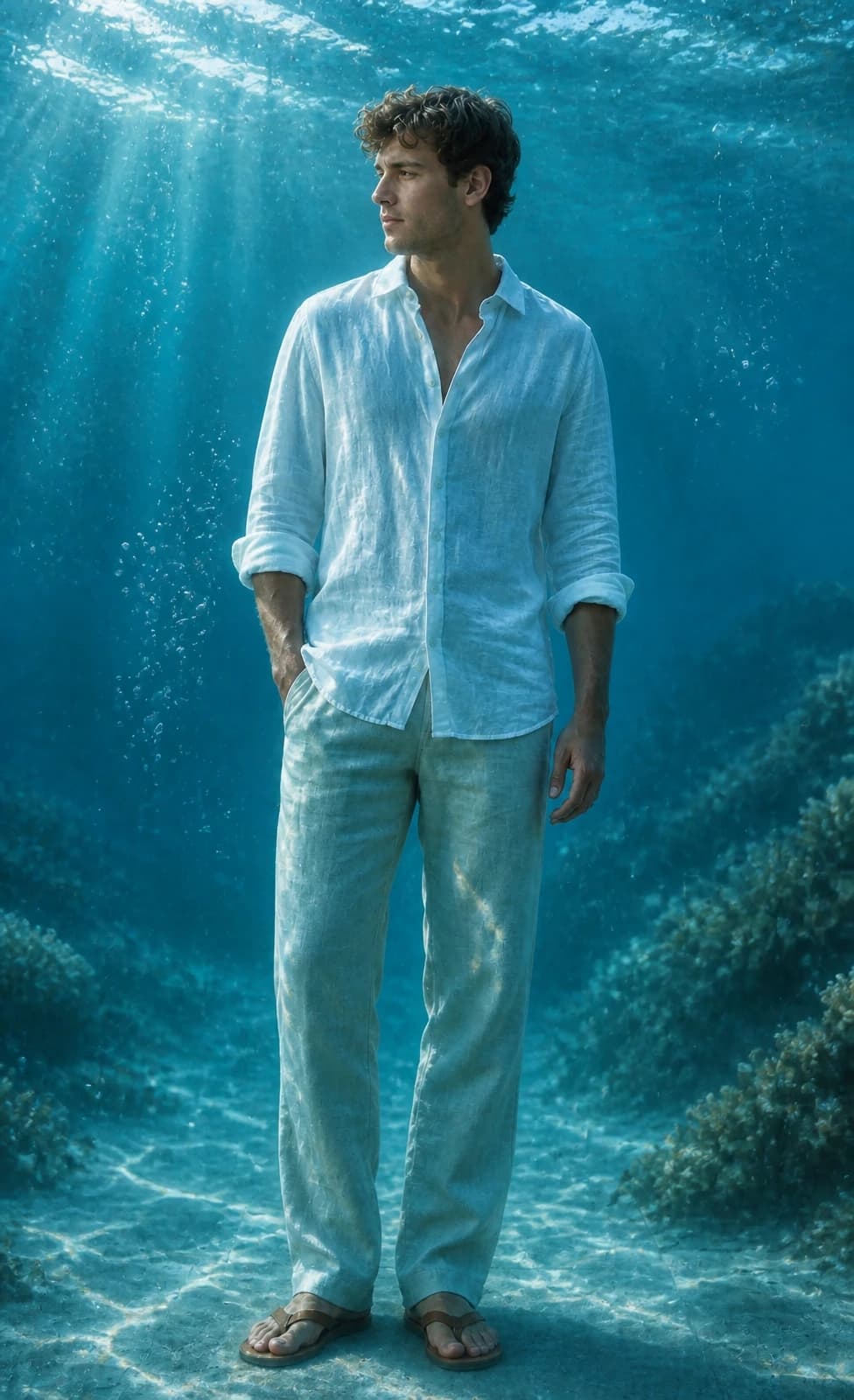
Image 2 が人物やペット写真を、海中光、泡、シアンの水色を持つ映画的な水中ポートレートに変換する例です。
普通のポートレートに澄んだ水、光の筋、泡、自然な浮遊感を加えて AI 水中写真に変換します。
Reels カバー、プロフィール、ロック画面、SNS 投稿に使いやすい水中ポートレートを作成します。
毛並み、目、表情、ポーズを保ちながら、ペット写真に楽しい水中感を加えます。
人物、ペット、壁紙、Instagram カバー向けの GPT Image 2 水中写真プロンプトをコピーできます。
Use the uploaded portrait as the identity reference. Preserve the person, face, pose, hairstyle, outfit, and expression. Create a cinematic AI underwater photo in clear blue ocean water with soft sunlight beams, realistic bubbles, floating hair or fabric, gentle water refraction, teal and cyan color grading, natural skin texture, and elegant editorial photography. No text, no watermark.
Turn this portrait into an Instagram-ready underwater portrait for a Reels cover. Keep the face recognizable and centered, add clear ocean depth, soft caustic light, tiny bubbles, floating hair or clothing, clean cyan-blue color, and subtle space for title text without adding any text.
Use the uploaded pet photo as the reference. Preserve the pet breed, fur pattern, expression, and pose. Create a realistic AI underwater photo with clear water, tiny bubbles, soft sun rays, gentle floating motion, and a clean blue background. Do not distort the face, paws, fur, or eyes.
Turn this photo into a calm underwater wallpaper while keeping the main subject recognizable. Use open ocean depth, soft sunbeams, floating particles, subtle sand or coral in the distance, clean cyan-blue color, and a polished vertical composition for phone wallpapers and profile visuals.
AI 水中写真の使用に関するよくある質問
GPT Image 2 を使う Image 2 のスタイルです。写真をアップロードすると、澄んだ青い水、上からの光、泡、リアルな屈折感を持つ映画的な水中写真に変換します。
鮮明な人物写真やペット写真をアップロードし、既定のプロンプトを使ってサイズを選び生成します。カバーや壁紙にしたい場合は、用途や比率をプロンプトに足してください。
顔や主役がはっきり見えるポートレート、自撮り、ペット写真が向いています。強いぼけ、顔の隠れ、強いフィルター、散らかった背景は避けてください。
本人らしさを保つこと、澄んだ青い水、上からの光、リアルな泡、浮遊する髪や布、シアン調、文字なし、透かしなしを指定します。既定のプロンプトにはこれらが含まれています。
既定のプロンプトは顔立ち、髪型、肌の色、ポーズ、服装、表情、全体の似姿を保つよう GPT Image 2 に指示します。結果は変わることがあるため、鮮明な元写真がおすすめです。
はい。Instagram 投稿、Reels カバー、プロフィール画像、ロック画面壁紙、before/after コンテンツに向いています。
はい。鮮明なペット写真を使うと、種類、毛色、表情、ポーズを保ちながら水中光と泡を加えます。
Instagram 投稿やプロフィールは正方形、Reels、Stories、スマホ壁紙は縦長、バナーやサムネイルは横長がおすすめです。
選択した出力解像度に応じて、1回の生成で 2/2/6 (1K/2K/4K) クレジットを使用します。新規ユーザーは登録クレジットで試せます。追加クレジットはプラン、チャージ、チェックイン、紹介で入手できます。
商用利用は、当社の利用規約、適用法令、および第三者の権利に従うことを条件に認められる場合があります。商用利用の前に、生成結果を必ずご自身で確認してください。
他にご質問はございますか? お問い合わせ: [email protected]