プロンプト
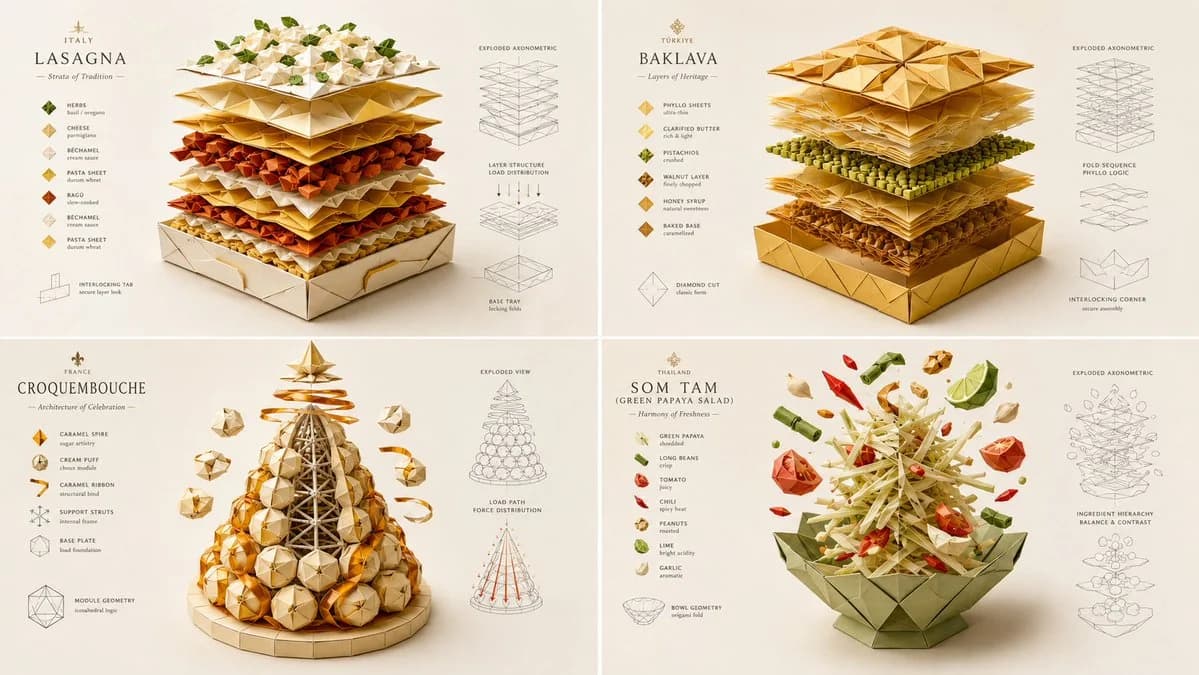
1707 語INPUT: [layered dish] SYSTEM: Render the input as a master-folded origami and paper-craft architectural sculpture. Do not hardcode paper types unless inevitable. Infer the fold-geometry logic, structural load-bearing creases, layer-separation mechanics, color-blocking strategy, and the tactile grain direction of the materials. SEMANTIC SOLVE: ORIGAMI_FOOD_AUTOPSY = (INFER(fold_geometry FROM mountain_valley_ratio + structural_crease_load + interlocking_tabs + negative_space_utilization) ::5) + (INFER(material_logic FROM paper_grain_direction + GSM_weight + surface_coating + edge_burnishing + adhesive_visibility) ::4) + (INFER(color_blocking FROM ingredient_color_mapping + contrast_hierarchy + gradient_paper_layering + visual_weight_distribution) ::4) + (INFER(hidden_craft FROM fold_sequence_complexity + tolerance_margins + tool_marks + humidity_warping_prevention) ::3) - (messy torn paper + realistic food textures + digital 3D paper shaders + cluttered craft desk + childish simple folds) ::-4 COMPOSITION: One central food item completely reconstructed as an intricate, multi-layered paper-craft sculpture. The "ingredients" are represented by distinct, beautifully colored paper layers, cut and folded with razor-sharp precision. Show the "exploded" floating layers hovering above the base, revealing the internal fold structure and interlocking tabs. STYLE DNA: Intricate paper cutting art ::0.35 high-end origami photography ::0.25 flat-shaded C4D stylization ::0.20 crisp vector-like edges ::0.15 soft directional macro lighting ::0.05 OUTPUT: Soft off-white or pastel background, elegant minimalist typography, razor-sharp crisp edges, flawless flat-shaded colors with subtle paper grain textures, premium negative space. NEGATIVE: no holograms, no bioluminescent glows, no VR/AR elements, no realistic food photography, no messy torn paper edges, no visible digital 3D artifacts, no cluttered backgrounds, no watermark.
このプロンプトについて
折り紙フードポスター は Image 2 で GPT Image 2 にそのまま使えるポスタープロンプトです。下の 1707 語をコピーして作成フォームに貼り付けると、上のプレビューに近い結果を生成できます。 ポスター, フード, 建築 タグを調整すると、別の方向性にも展開できます。
出発点として使い、被写体、ライティング、構図を変えながら仕上げてください。そのまま使ってもリミックスしても、生成コストは同じです。
用途
ポスター制作の起点に使いやすいプロンプト
折り紙フードポスター に近い ポスター の画像を作りたいときは、この GPT Image 2 プロンプトから始めるとスムーズです。画面の方向性と構成はすでに整っているので、被写体、商品、色、シーンの細部だけを自分の内容に差し替えられます。
まず調整しやすいところ
- 被写体 人物、商品、場所、オブジェクトを自分の内容に差し替え、構図はそのまま活かします。
- 雰囲気 ライティング、配色、カメラ角度、質感をブランドや用途に合わせます。
- 仕上がり 生成前にアスペクト比、背景、文字、レイアウト指定を整えます。
近いテーマのプロンプトを探す
スタイル、用途、テーマが近い GPT Image 2 プロンプトを続けて確認できます。
使い方
- ステップ 1
プロンプトをコピー
上のコピー ボタンで全文を取得します。
- ステップ 2
Image 2 Create を開く
作成フォームに移動して貼り付けます。
- ステップ 3
生成する
Generate を押すと、数秒であなたのバージョンが完成します。
自分用に調整
ワンクリックで作成フォームに読み込み、すぐに調整を始められます。