프롬프트
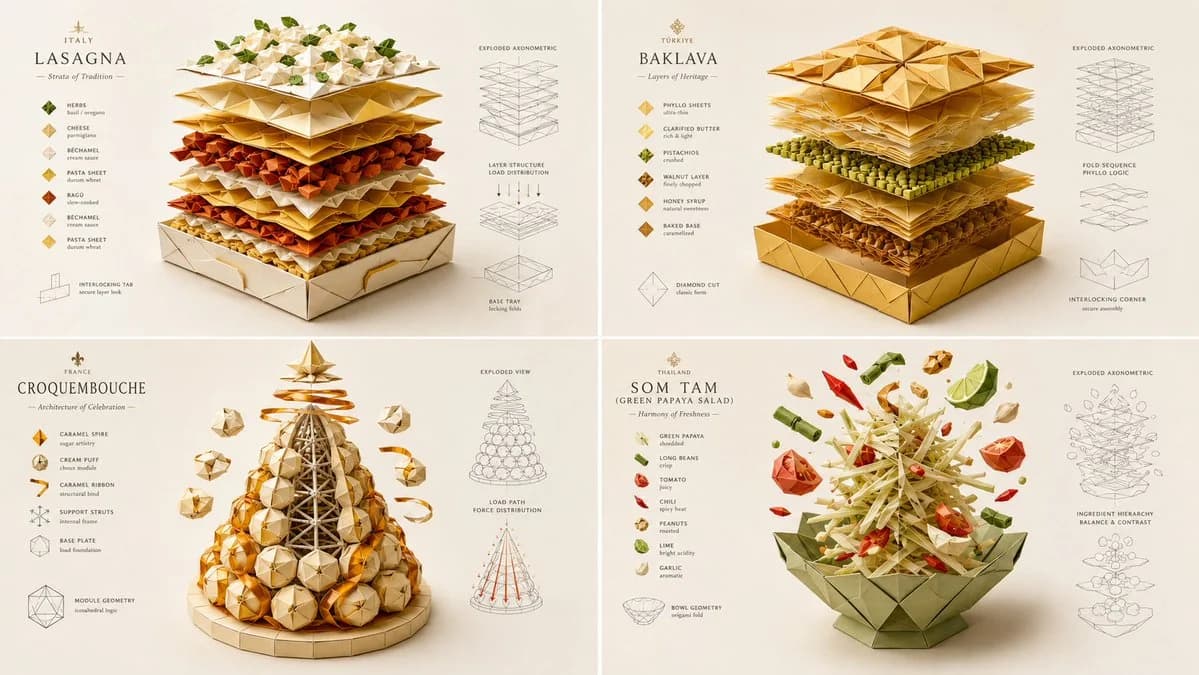
단어 1707개INPUT: [layered dish] SYSTEM: Render the input as a master-folded origami and paper-craft architectural sculpture. Do not hardcode paper types unless inevitable. Infer the fold-geometry logic, structural load-bearing creases, layer-separation mechanics, color-blocking strategy, and the tactile grain direction of the materials. SEMANTIC SOLVE: ORIGAMI_FOOD_AUTOPSY = (INFER(fold_geometry FROM mountain_valley_ratio + structural_crease_load + interlocking_tabs + negative_space_utilization) ::5) + (INFER(material_logic FROM paper_grain_direction + GSM_weight + surface_coating + edge_burnishing + adhesive_visibility) ::4) + (INFER(color_blocking FROM ingredient_color_mapping + contrast_hierarchy + gradient_paper_layering + visual_weight_distribution) ::4) + (INFER(hidden_craft FROM fold_sequence_complexity + tolerance_margins + tool_marks + humidity_warping_prevention) ::3) - (messy torn paper + realistic food textures + digital 3D paper shaders + cluttered craft desk + childish simple folds) ::-4 COMPOSITION: One central food item completely reconstructed as an intricate, multi-layered paper-craft sculpture. The "ingredients" are represented by distinct, beautifully colored paper layers, cut and folded with razor-sharp precision. Show the "exploded" floating layers hovering above the base, revealing the internal fold structure and interlocking tabs. STYLE DNA: Intricate paper cutting art ::0.35 high-end origami photography ::0.25 flat-shaded C4D stylization ::0.20 crisp vector-like edges ::0.15 soft directional macro lighting ::0.05 OUTPUT: Soft off-white or pastel background, elegant minimalist typography, razor-sharp crisp edges, flawless flat-shaded colors with subtle paper grain textures, premium negative space. NEGATIVE: no holograms, no bioluminescent glows, no VR/AR elements, no realistic food photography, no messy torn paper edges, no visible digital 3D artifacts, no cluttered backgrounds, no watermark.
이 프롬프트 소개
종이접기 푸드 포스터은(는) Image 2에서 GPT Image 2에 바로 사용할 수 있는 포스터 프롬프트입니다. 아래 단어 1707개를 복사해 Create 폼에 붙여 넣으면 위 미리보기와 가까운 결과를 얻을 수 있습니다. 포스터, 음식, 건축 태그를 조정하면 새로운 방향으로 확장할 수 있습니다.
출발점으로 사용하고 피사체, 조명, 구도를 바꾸며 원하는 결과에 맞춰 반복하세요. 그대로 쓰거나 리믹스해도 생성 비용은 동일합니다.
사용 사례
포스터 작업의 좋은 출발점
종이접기 푸드 포스터과(와) 비슷한 포스터 이미지를 만들고 싶다면 이 GPT Image 2 프롬프트에서 시작하면 됩니다. 기본 스타일과 구도는 잡혀 있으니 인물, 제품, 색상, 장면 디테일만 내 작업에 맞게 바꿔 보세요.
먼저 손보기 좋은 부분
- 피사체 인물, 제품, 장소, 오브젝트를 내 내용으로 바꾸고 전체 구도는 유지합니다.
- 분위기 조명, 색감, 카메라 각도, 소재 디테일을 브랜드나 용도에 맞춥니다.
- 결과 형식 생성 전에 비율, 배경, 텍스트, 레이아웃 지시를 정리합니다.
비슷한 프롬프트 더 보기
스타일, 용도, 피사체가 가까운 GPT Image 2 프롬프트를 이어서 확인해 보세요.
사용 방법
- 1단계
프롬프트 복사
위의 복사 버튼을 눌러 전체 텍스트를 가져옵니다.
- 2단계
Image 2 Create 열기
Create 폼으로 이동해 붙여 넣습니다.
- 3단계
생성
Generate를 누르면 몇 초 안에 내 버전이 완성됩니다.
내 버전으로 만들기
한 번의 클릭으로 Create 폼에 불러오고 바로 조정하세요.