プロンプト
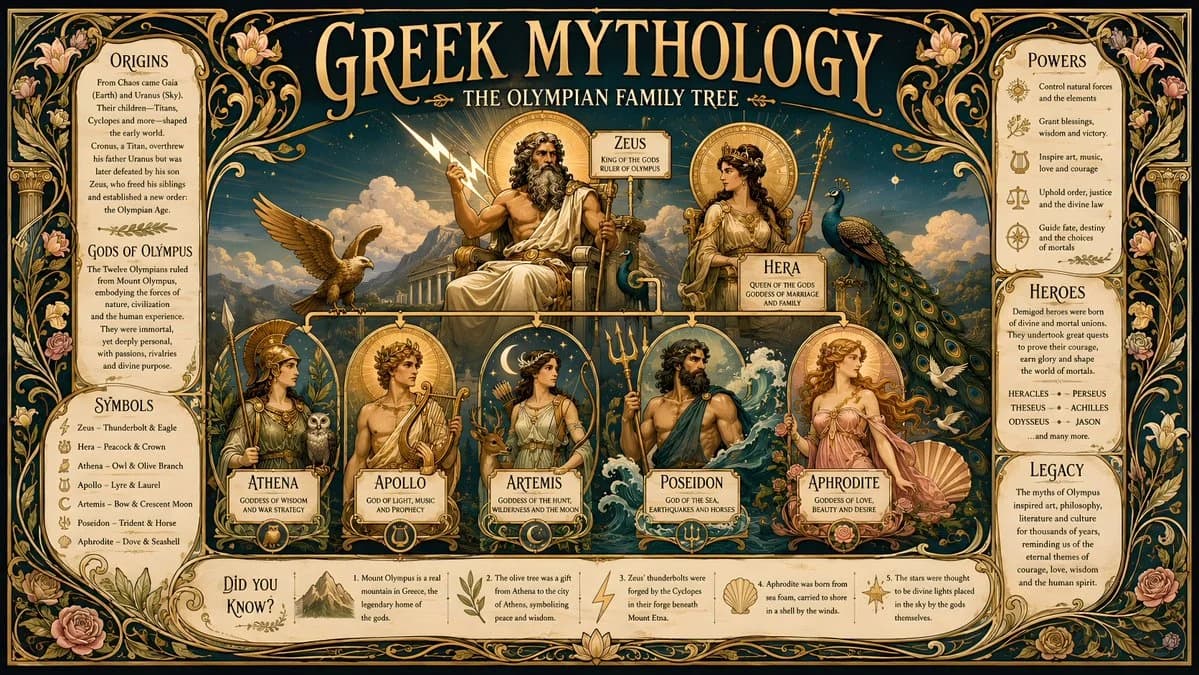
1266 語An Art Nouveau style historical infographic poster in 16:9 horizontal format about Greek mythology, featuring an elegant flowing composition inspired by classical decorative poster design, with ornate floral borders, curling vines, golden laurel motifs, and graceful asymmetrical linework; the central artwork should depict the Olympian family tree as a beautiful mythic tableau with Zeus, Hera, Athena, Apollo, Artemis, Poseidon, and Aphrodite arranged in a ceremonial vertical hierarchy around Mount Olympus, each god or goddess framed by stylized Art Nouveau halos, flowing hair, marble columns, peacocks, olive branches, stars, waves, and moon crescents, all drawn with elongated elegant contours and rich decorative detail; use a palette of deep teal, antique gold, cream, and muted rose, with subtle gradients only in the illustrated figures and background sky; place the title at the top in large ornamental serif lettering reading GREEK MYTHOLOGY, with the subtitle THE OLYMPIAN FAMILY TREE beneath it in smaller elegant text; organize the facts into decorative side panels with graceful curved frames and thin gold rules, including sections labeled ORIGINS, GODS OF OLYMPUS, SYMBOLS, POWERS, HEROES, and LEGACY, plus a small DID YOU KNOW? box near the lower corner with five original myth facts; the entire poster should feel luxurious, classical, poetic, and richly decorative, with no modern UI, no copyrighted artwork, and a true Art Nouveau atmosphere, 16:9 horizontal ratio
このプロンプトについて
ギリシャ神話オリンポス家系図 は Image 2 で GPT Image 2 にそのまま使えるポスタープロンプトです。下の 1266 語をコピーして作成フォームに貼り付けると、上のプレビューに近い結果を生成できます。 インフォグラフィック, ポスター, ストーリーボード タグを調整すると、別の方向性にも展開できます。
出発点として使い、被写体、ライティング、構図を変えながら仕上げてください。そのまま使ってもリミックスしても、生成コストは同じです。
用途
ポスター制作の起点に使いやすいプロンプト
ギリシャ神話オリンポス家系図 に近い ポスター の画像を作りたいときは、この GPT Image 2 プロンプトから始めるとスムーズです。画面の方向性と構成はすでに整っているので、被写体、商品、色、シーンの細部だけを自分の内容に差し替えられます。
まず調整しやすいところ
- 被写体 人物、商品、場所、オブジェクトを自分の内容に差し替え、構図はそのまま活かします。
- 雰囲気 ライティング、配色、カメラ角度、質感をブランドや用途に合わせます。
- 仕上がり 生成前にアスペクト比、背景、文字、レイアウト指定を整えます。
近いテーマのプロンプトを探す
スタイル、用途、テーマが近い GPT Image 2 プロンプトを続けて確認できます。
使い方
- ステップ 1
プロンプトをコピー
上のコピー ボタンで全文を取得します。
- ステップ 2
Image 2 Create を開く
作成フォームに移動して貼り付けます。
- ステップ 3
生成する
Generate を押すと、数秒であなたのバージョンが完成します。
自分用に調整
ワンクリックで作成フォームに読み込み、すぐに調整を始められます。