프롬프트
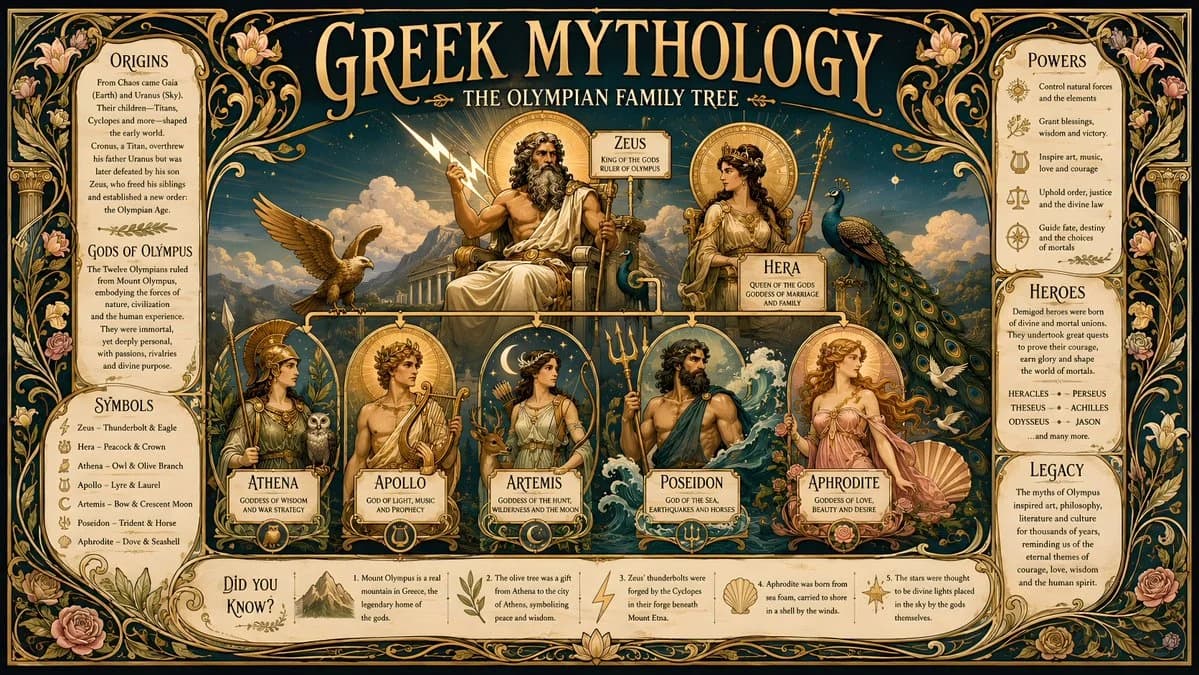
단어 1266개An Art Nouveau style historical infographic poster in 16:9 horizontal format about Greek mythology, featuring an elegant flowing composition inspired by classical decorative poster design, with ornate floral borders, curling vines, golden laurel motifs, and graceful asymmetrical linework; the central artwork should depict the Olympian family tree as a beautiful mythic tableau with Zeus, Hera, Athena, Apollo, Artemis, Poseidon, and Aphrodite arranged in a ceremonial vertical hierarchy around Mount Olympus, each god or goddess framed by stylized Art Nouveau halos, flowing hair, marble columns, peacocks, olive branches, stars, waves, and moon crescents, all drawn with elongated elegant contours and rich decorative detail; use a palette of deep teal, antique gold, cream, and muted rose, with subtle gradients only in the illustrated figures and background sky; place the title at the top in large ornamental serif lettering reading GREEK MYTHOLOGY, with the subtitle THE OLYMPIAN FAMILY TREE beneath it in smaller elegant text; organize the facts into decorative side panels with graceful curved frames and thin gold rules, including sections labeled ORIGINS, GODS OF OLYMPUS, SYMBOLS, POWERS, HEROES, and LEGACY, plus a small DID YOU KNOW? box near the lower corner with five original myth facts; the entire poster should feel luxurious, classical, poetic, and richly decorative, with no modern UI, no copyrighted artwork, and a true Art Nouveau atmosphere, 16:9 horizontal ratio
이 프롬프트 소개
그리스 신화 올림포스 가계도은(는) Image 2에서 GPT Image 2에 바로 사용할 수 있는 포스터 프롬프트입니다. 아래 단어 1266개를 복사해 Create 폼에 붙여 넣으면 위 미리보기와 가까운 결과를 얻을 수 있습니다. 인포그래픽, 포스터, 스토리보드 태그를 조정하면 새로운 방향으로 확장할 수 있습니다.
출발점으로 사용하고 피사체, 조명, 구도를 바꾸며 원하는 결과에 맞춰 반복하세요. 그대로 쓰거나 리믹스해도 생성 비용은 동일합니다.
사용 사례
포스터 작업의 좋은 출발점
그리스 신화 올림포스 가계도과(와) 비슷한 포스터 이미지를 만들고 싶다면 이 GPT Image 2 프롬프트에서 시작하면 됩니다. 기본 스타일과 구도는 잡혀 있으니 인물, 제품, 색상, 장면 디테일만 내 작업에 맞게 바꿔 보세요.
먼저 손보기 좋은 부분
- 피사체 인물, 제품, 장소, 오브젝트를 내 내용으로 바꾸고 전체 구도는 유지합니다.
- 분위기 조명, 색감, 카메라 각도, 소재 디테일을 브랜드나 용도에 맞춥니다.
- 결과 형식 생성 전에 비율, 배경, 텍스트, 레이아웃 지시를 정리합니다.
비슷한 프롬프트 더 보기
스타일, 용도, 피사체가 가까운 GPT Image 2 프롬프트를 이어서 확인해 보세요.
사용 방법
- 1단계
프롬프트 복사
위의 복사 버튼을 눌러 전체 텍스트를 가져옵니다.
- 2단계
Image 2 Create 열기
Create 폼으로 이동해 붙여 넣습니다.
- 3단계
생성
Generate를 누르면 몇 초 안에 내 버전이 완성됩니다.
내 버전으로 만들기
한 번의 클릭으로 Create 폼에 불러오고 바로 조정하세요.