프롬프트
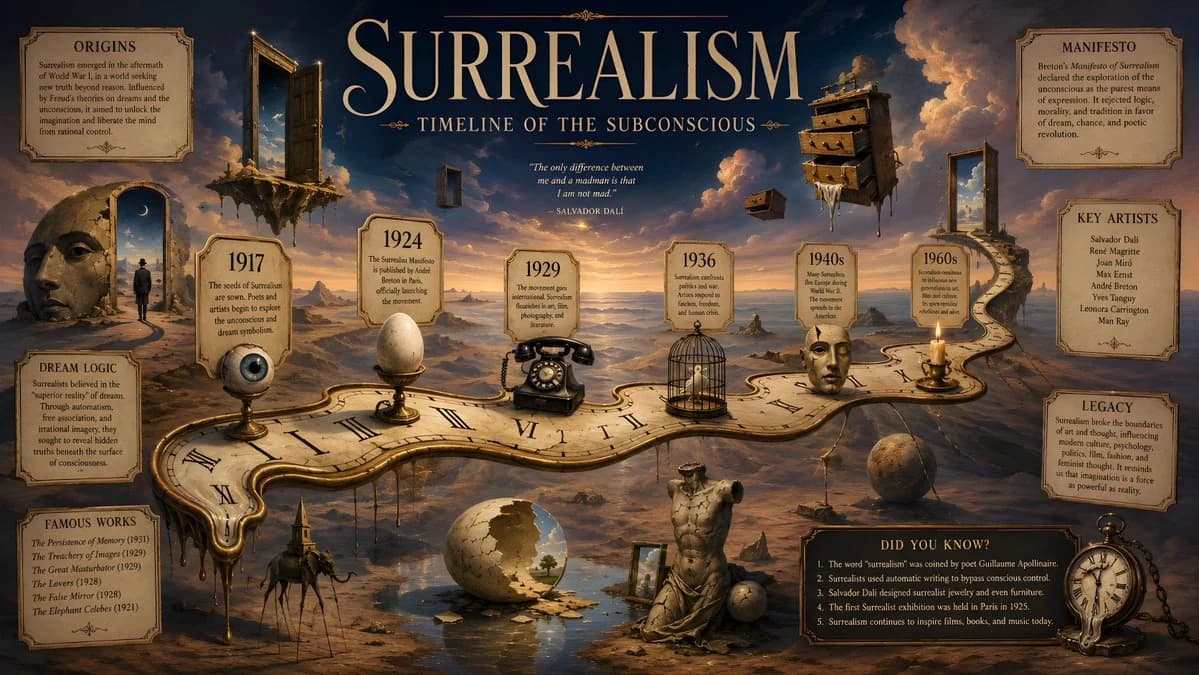
단어 1364개A surrealist historical timeline infographic poster in 16:9 horizontal format inspired by Salvador Dalí, featuring a dreamlike desert landscape where a long melting clock transforms into a winding historical timeline path across the composition, with floating doors, stretched shadows, levitating drawers, cracked stone statues, and impossible reflections merging into one symbolic world; the timeline should run diagonally from left to right like a dream corridor, with key surrealism dates placed inside small elegant labels, including 1917, 1924, 1929, 1936, 1940s and 1960s, each date connected to a strange symbolic object such as an eye, an egg, a telephone, a bird cage, a face, or a candle, all drawn with refined illusionistic detail; the background should be a warm twilight gradient blending sand beige, pale gold, faded blue and shadowy violet, with clouds that look like painted smoke and a horizon that bends unnaturally; the title should be placed at the top center in large dramatic serif typography reading SURREALISM, with the subtitle TIMELINE OF THE SUBCONSCIOUS beneath it in smaller elegant text; fact panels should be placed asymmetrically around the dreamscape, each one framed like a museum label but slightly distorted, with short sections labeled ORIGINS, MANIFESTO, KEY ARTISTS, DREAM LOGIC, FAMOUS WORKS, and LEGACY, plus a small DID YOU KNOW? box near the lower right with five original facts; the entire image should feel uncanny, poetic, intellectually rich, visually luxurious, and unmistakably surrealist, with no copied artwork, no logos, no modern UI, 16:9 horizontal ratio
이 프롬프트 소개
초현실주의 역사 타임라인은(는) Image 2에서 GPT Image 2에 바로 사용할 수 있는 포스터 프롬프트입니다. 아래 단어 1364개를 복사해 Create 폼에 붙여 넣으면 위 미리보기와 가까운 결과를 얻을 수 있습니다. 인포그래픽, 포스터, 스토리보드 태그를 조정하면 새로운 방향으로 확장할 수 있습니다.
출발점으로 사용하고 피사체, 조명, 구도를 바꾸며 원하는 결과에 맞춰 반복하세요. 그대로 쓰거나 리믹스해도 생성 비용은 동일합니다.
사용 사례
포스터 작업의 좋은 출발점
초현실주의 역사 타임라인과(와) 비슷한 포스터 이미지를 만들고 싶다면 이 GPT Image 2 프롬프트에서 시작하면 됩니다. 기본 스타일과 구도는 잡혀 있으니 인물, 제품, 색상, 장면 디테일만 내 작업에 맞게 바꿔 보세요.
먼저 손보기 좋은 부분
- 피사체 인물, 제품, 장소, 오브젝트를 내 내용으로 바꾸고 전체 구도는 유지합니다.
- 분위기 조명, 색감, 카메라 각도, 소재 디테일을 브랜드나 용도에 맞춥니다.
- 결과 형식 생성 전에 비율, 배경, 텍스트, 레이아웃 지시를 정리합니다.
비슷한 프롬프트 더 보기
스타일, 용도, 피사체가 가까운 GPT Image 2 프롬프트를 이어서 확인해 보세요.
사용 방법
- 1단계
프롬프트 복사
위의 복사 버튼을 눌러 전체 텍스트를 가져옵니다.
- 2단계
Image 2 Create 열기
Create 폼으로 이동해 붙여 넣습니다.
- 3단계
생성
Generate를 누르면 몇 초 안에 내 버전이 완성됩니다.
내 버전으로 만들기
한 번의 클릭으로 Create 폼에 불러오고 바로 조정하세요.