프롬프트
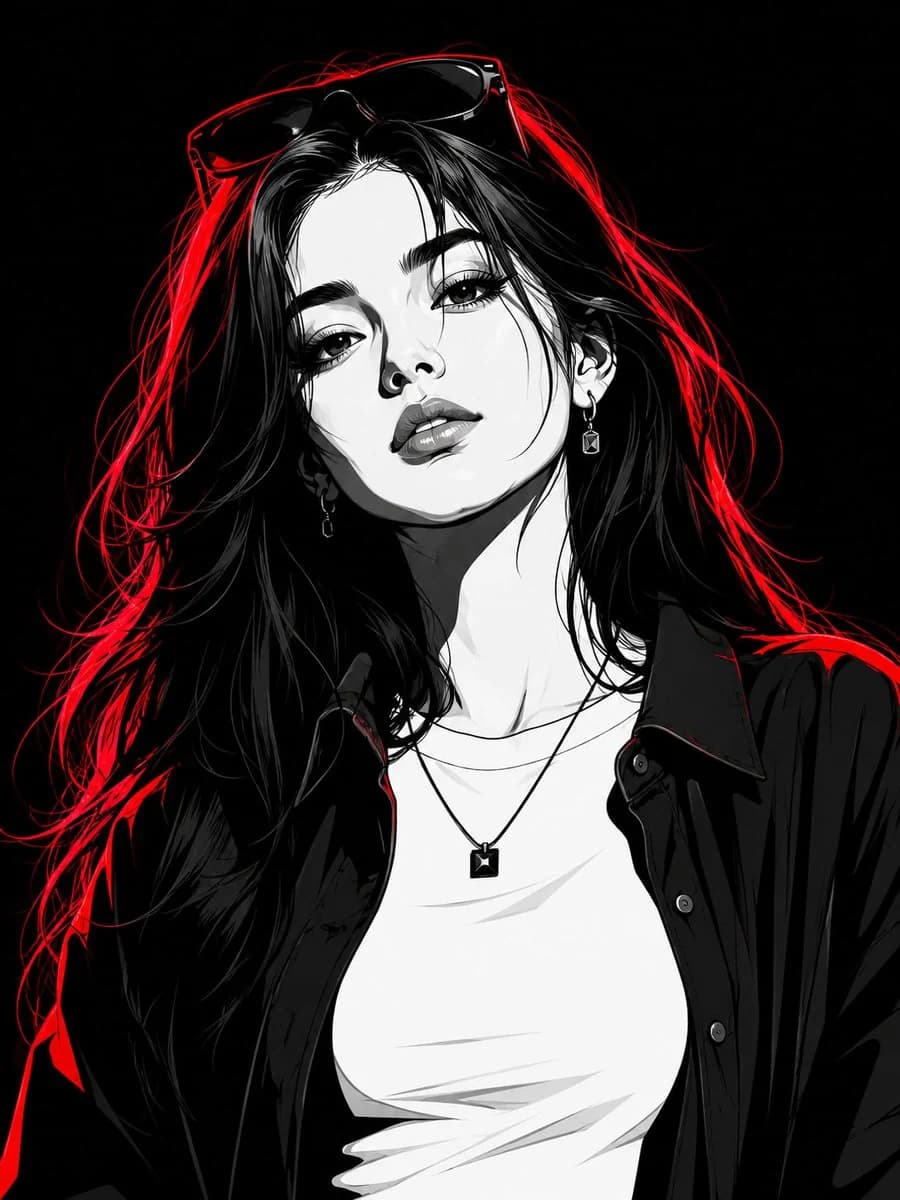
1275자Transform the subject into a striking high-contrast monochrome vector portrait, rendered in a premium black-and-white comic book illustration style with crisp cel-shading, bold geometric shapes, and ultra-clean vector linework. Preserve the subject's facial features, hairstyle, expression, and overall likeness with high accuracy. The subject is a stylish young woman with long flowing hair, wearing an open dark oversized shirt layered over a fitted white crew-neck T-shirt. She accessorizes with a minimalist square pendant necklace, elegant earrings, and a pair of fashionable sunglasses resting naturally on top of her head, seamlessly integrated into her hairstyle. Illuminate the portrait with intense red neon rim lighting that traces the contours of her hair, face, shoulders, and clothing, creating a dramatic glow against the monochrome artwork. The red highlights should add depth, separation, and a futuristic cinematic atmosphere without overpowering the black-and-white design. Set against a pure black background, emphasizing strong contrast and visual impact. Style the artwork with sharp vector edges, bold shadows, clean negative space, graphic-novel aesthetics, modern streetwear fashion energy, and premium poster-quality composition. Ultra-detailed yet minimalist, edgy, contemporary, visually powerful, and magazine-cover worthy. Strong confident female presence, cinematic attitude, luxury editorial feel, and flawless vector illustration quality.
이 프롬프트 소개
Image 2에서 GPT Image 2에 바로 사용할 수 있는 인물 프롬프트 ‘모노크롬 벡터 패션 포트레이트’입니다. 아래 1275자를 복사해 Create 폼에 붙여 넣으면 위 미리보기와 비슷한 이미지를 만들 수 있습니다. 인물, 패션, 뷰티 태그를 조정하면 새로운 방향으로 확장할 수 있습니다.
먼저 그대로 사용해 본 뒤 피사체, 조명, 구도를 작업에 맞게 조정해 보세요. 원문을 그대로 쓰거나 수정해도 생성 비용은 같습니다.
사용 사례
인물 작업의 좋은 출발점
‘모노크롬 벡터 패션 포트레이트’처럼 표현한 인물 이미지를 만들고 싶다면 이 GPT Image 2 프롬프트로 시작해 보세요. 스타일과 구도는 이미 잡혀 있으므로 인물, 제품, 색상, 장면 요소만 작업에 맞게 바꾸면 됩니다.
먼저 손보기 좋은 부분
- 피사체 인물, 제품, 장소, 오브젝트를 내 내용으로 바꾸고 전체 구도는 유지합니다.
- 분위기 조명, 색감, 카메라 각도, 소재 디테일을 브랜드나 용도에 맞춥니다.
- 결과 형식 생성 전에 비율, 배경, 텍스트, 레이아웃 지시를 정리합니다.
비슷한 프롬프트 더 보기
스타일, 용도, 피사체가 가까운 GPT Image 2 프롬프트를 이어서 확인해 보세요.
사용 방법
- 1단계
프롬프트 복사
위의 복사 버튼을 눌러 전체 텍스트를 가져옵니다.
- 2단계
Image 2 Create 열기
Create 폼으로 이동해 붙여 넣습니다.
- 3단계
생성
Generate를 누르면 몇 초 안에 내 버전이 완성됩니다.
내 버전으로 만들기
한 번의 클릭으로 Create 폼에 불러오고 바로 조정하세요.