プロンプト
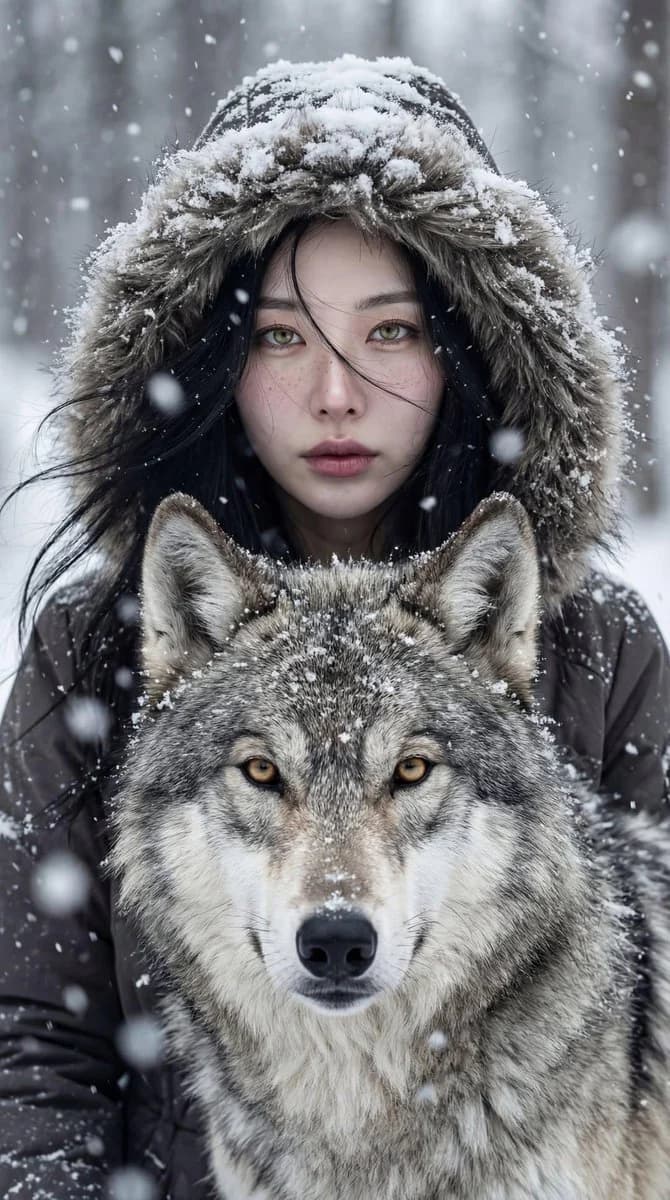
712 文字prompt: Cinematic winter portrait of a young pale-skinned woman with long dark snow-dusted hair, standing closely behind a majestic gray wolf. She wears a fur-lined heavy winter coat, expression intense, calm and soulful, direct eye contact with camera. The wolf is calm and watchful with thick frost-covered fur and sharp golden intelligent eyes. Both subjects centered symmetrically, ultra-sharp focus on both sets of eyes. Background: softly blurred snow-covered forest, gentle snowfall, cold mist. Lighting: soft natural overcast winter light with diffused shadows, cinematic cool tones, subtle warmth in skin and eyes. Style: fine-art wildlife and cinematic portrait photography, ultra-realistic, 8K quality detail. Mood: quiet intensity, mystery, primal bond, reverence for nature. Portrait orientation, 2:3 aspect ratio.
このプロンプトについて
冬の狼とシネマティックポートレート は、Image 2でGPT Image 2にそのまま使えるポートレートプロンプトです。下の712文字をコピーして作成フォームに貼り付けると、上のプレビューに近い画像を生成できます。 ポートレート, シネマ風, Fantasy タグを調整すると、別の方向性にも展開できます。
出発点として使い、被写体、ライティング、構図を変えながら仕上げてください。そのまま使ってもリミックスしても、生成コストは同じです。
用途
ポートレート制作の起点に使いやすいプロンプト
冬の狼とシネマティックポートレート に近い ポートレート の画像を作りたいときは、この GPT Image 2 プロンプトから始めるとスムーズです。画面の方向性と構成はすでに整っているので、被写体、商品、色、シーンの細部だけを自分の内容に差し替えられます。
まず調整しやすいところ
- 被写体 人物、商品、場所、オブジェクトを自分の内容に差し替え、構図はそのまま活かします。
- 雰囲気 ライティング、配色、カメラ角度、質感をブランドや用途に合わせます。
- 仕上がり 生成前にアスペクト比、背景、文字、レイアウト指定を整えます。
使い方
- ステップ 1
プロンプトをコピー
上のコピー ボタンで全文を取得します。
- ステップ 2
Image 2 Create を開く
作成フォームに移動して貼り付けます。
- ステップ 3
生成する
Generate を押すと、数秒であなたのバージョンが完成します。
自分用に調整
ワンクリックで作成フォームに読み込み、すぐに調整を始められます。