프롬프트
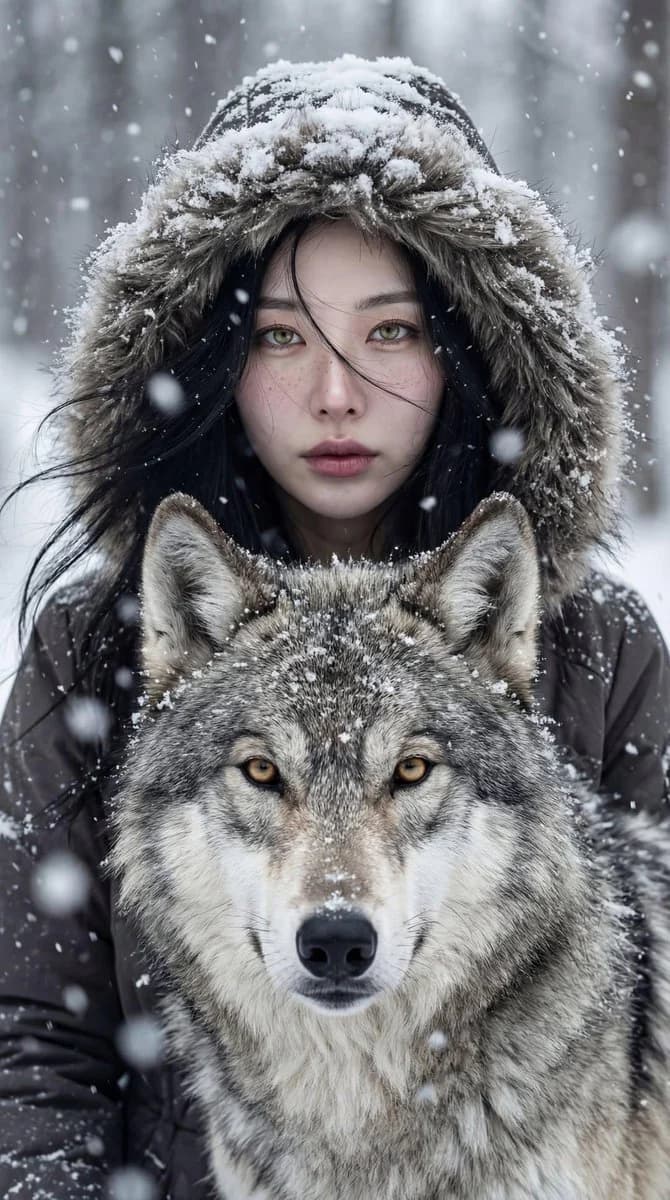
712자prompt: Cinematic winter portrait of a young pale-skinned woman with long dark snow-dusted hair, standing closely behind a majestic gray wolf. She wears a fur-lined heavy winter coat, expression intense, calm and soulful, direct eye contact with camera. The wolf is calm and watchful with thick frost-covered fur and sharp golden intelligent eyes. Both subjects centered symmetrically, ultra-sharp focus on both sets of eyes. Background: softly blurred snow-covered forest, gentle snowfall, cold mist. Lighting: soft natural overcast winter light with diffused shadows, cinematic cool tones, subtle warmth in skin and eyes. Style: fine-art wildlife and cinematic portrait photography, ultra-realistic, 8K quality detail. Mood: quiet intensity, mystery, primal bond, reverence for nature. Portrait orientation, 2:3 aspect ratio.
이 프롬프트 소개
Image 2에서 GPT Image 2에 바로 사용할 수 있는 인물 프롬프트 ‘겨울 늑대 시네마틱 포트레이트’입니다. 아래 712자를 복사해 Create 폼에 붙여 넣으면 위 미리보기와 비슷한 이미지를 만들 수 있습니다. 인물, 시네마틱, Fantasy 태그를 조정하면 새로운 방향으로 확장할 수 있습니다.
먼저 그대로 사용해 본 뒤 피사체, 조명, 구도를 작업에 맞게 조정해 보세요. 원문을 그대로 쓰거나 수정해도 생성 비용은 같습니다.
사용 사례
인물 작업의 좋은 출발점
‘겨울 늑대 시네마틱 포트레이트’처럼 표현한 인물 이미지를 만들고 싶다면 이 GPT Image 2 프롬프트로 시작해 보세요. 스타일과 구도는 이미 잡혀 있으므로 인물, 제품, 색상, 장면 요소만 작업에 맞게 바꾸면 됩니다.
먼저 손보기 좋은 부분
- 피사체 인물, 제품, 장소, 오브젝트를 내 내용으로 바꾸고 전체 구도는 유지합니다.
- 분위기 조명, 색감, 카메라 각도, 소재 디테일을 브랜드나 용도에 맞춥니다.
- 결과 형식 생성 전에 비율, 배경, 텍스트, 레이아웃 지시를 정리합니다.
사용 방법
- 1단계
프롬프트 복사
위의 복사 버튼을 눌러 전체 텍스트를 가져옵니다.
- 2단계
Image 2 Create 열기
Create 폼으로 이동해 붙여 넣습니다.
- 3단계
생성
Generate를 누르면 몇 초 안에 내 버전이 완성됩니다.
내 버전으로 만들기
한 번의 클릭으로 Create 폼에 불러오고 바로 조정하세요.