프롬프트
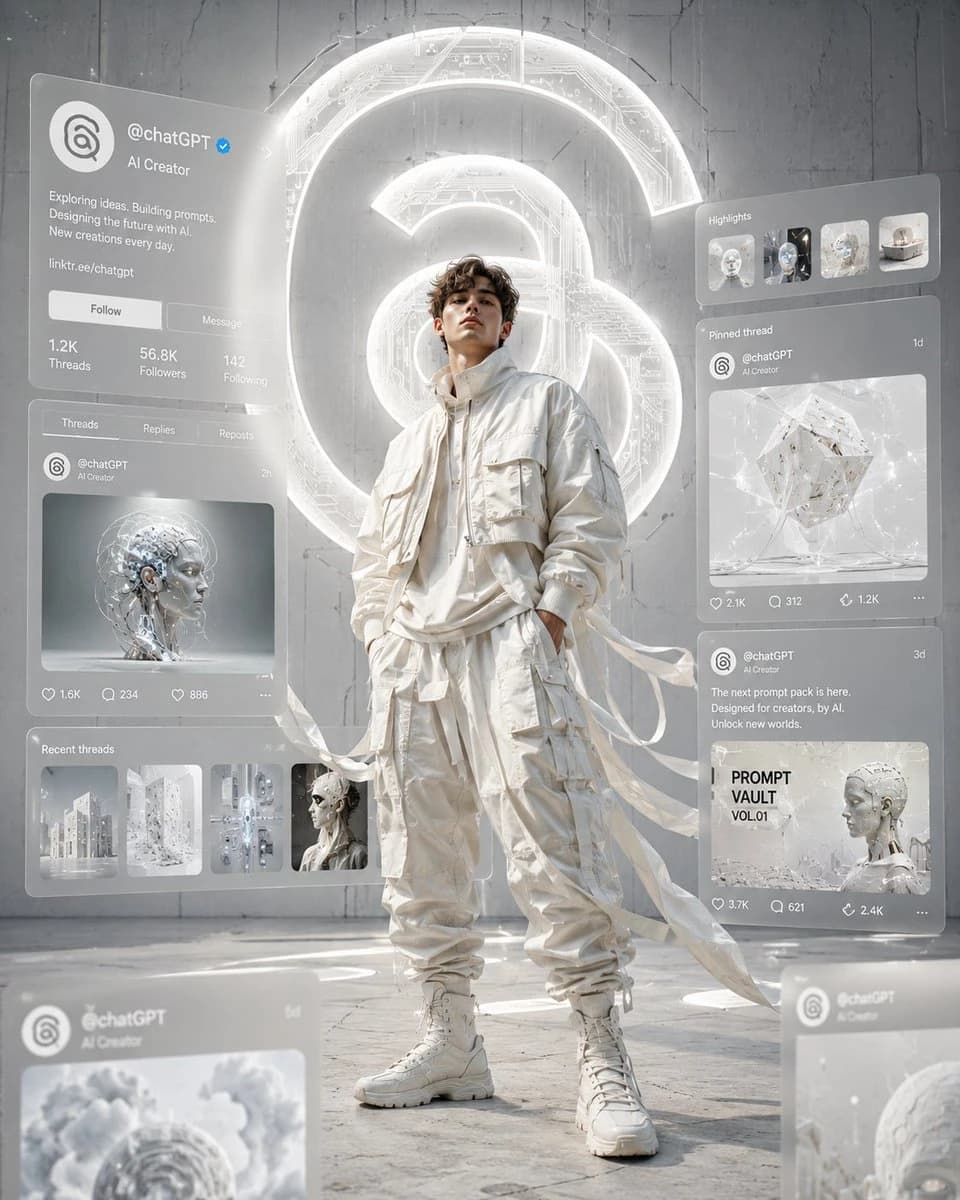
1048자Ultra-cinematic editorial digital artwork in a clean white monochrome aesthetic inspired by Threads branding. A confident {argument name="model" default="young male fashion model"} stands at the center wearing {argument name="outfit" default="premium oversized ivory streetwear, cropped bomber jacket, layered utility cargo pants"} with long flowing fabric ribbons moving dramatically in the wind. Around him float multiple translucent holographic social media interface panels displaying a {argument name="brand" default="Threads"} profile. The profile shows "@chatGPT", verified badge, AI creator bio, profile statistics, carousel posts of futuristic AI artwork and prompt designs, all recreated in a clean modern UI without copying the real interface exactly. Behind him is a massive glowing Threads spiral logo embedded into a futuristic matte concrete wall with subtle circuit textures. Bright volumetric lighting, soft global illumination, cinematic depth of field, foreground blurred interface panels, premium fashion photography composition, hyper-realistic, ultra detailed, 8K, magazine cover quality, luxury techwear aesthetic, centered composition, no text outside UI, no watermark in 4:5 size.이 프롬프트 소개
Image 2에서 GPT Image 2에 바로 사용할 수 있는 소셜 미디어 프롬프트 ‘Threads 모노크롬 테크웨어 아트워크’입니다. 아래 1048자를 복사해 Create 폼에 붙여 넣으면 위 미리보기와 비슷한 이미지를 만들 수 있습니다. 소셜 미디어, 목업, 스토리보드 태그를 조정하면 새로운 방향으로 확장할 수 있습니다.
먼저 그대로 사용해 본 뒤 피사체, 조명, 구도를 작업에 맞게 조정해 보세요. 원문을 그대로 쓰거나 수정해도 생성 비용은 같습니다.
사용 사례
소셜 미디어 작업의 좋은 출발점
‘Threads 모노크롬 테크웨어 아트워크’처럼 표현한 소셜 미디어 이미지를 만들고 싶다면 이 GPT Image 2 프롬프트로 시작해 보세요. 스타일과 구도는 이미 잡혀 있으므로 인물, 제품, 색상, 장면 요소만 작업에 맞게 바꾸면 됩니다.
먼저 손보기 좋은 부분
- 피사체 인물, 제품, 장소, 오브젝트를 내 내용으로 바꾸고 전체 구도는 유지합니다.
- 분위기 조명, 색감, 카메라 각도, 소재 디테일을 브랜드나 용도에 맞춥니다.
- 결과 형식 생성 전에 비율, 배경, 텍스트, 레이아웃 지시를 정리합니다.
비슷한 프롬프트 더 보기
스타일, 용도, 피사체가 가까운 GPT Image 2 프롬프트를 이어서 확인해 보세요.
사용 방법
- 1단계
프롬프트 복사
위의 복사 버튼을 눌러 전체 텍스트를 가져옵니다.
- 2단계
Image 2 Create 열기
Create 폼으로 이동해 붙여 넣습니다.
- 3단계
생성
Generate를 누르면 몇 초 안에 내 버전이 완성됩니다.
내 버전으로 만들기
한 번의 클릭으로 Create 폼에 불러오고 바로 조정하세요.