프롬프트
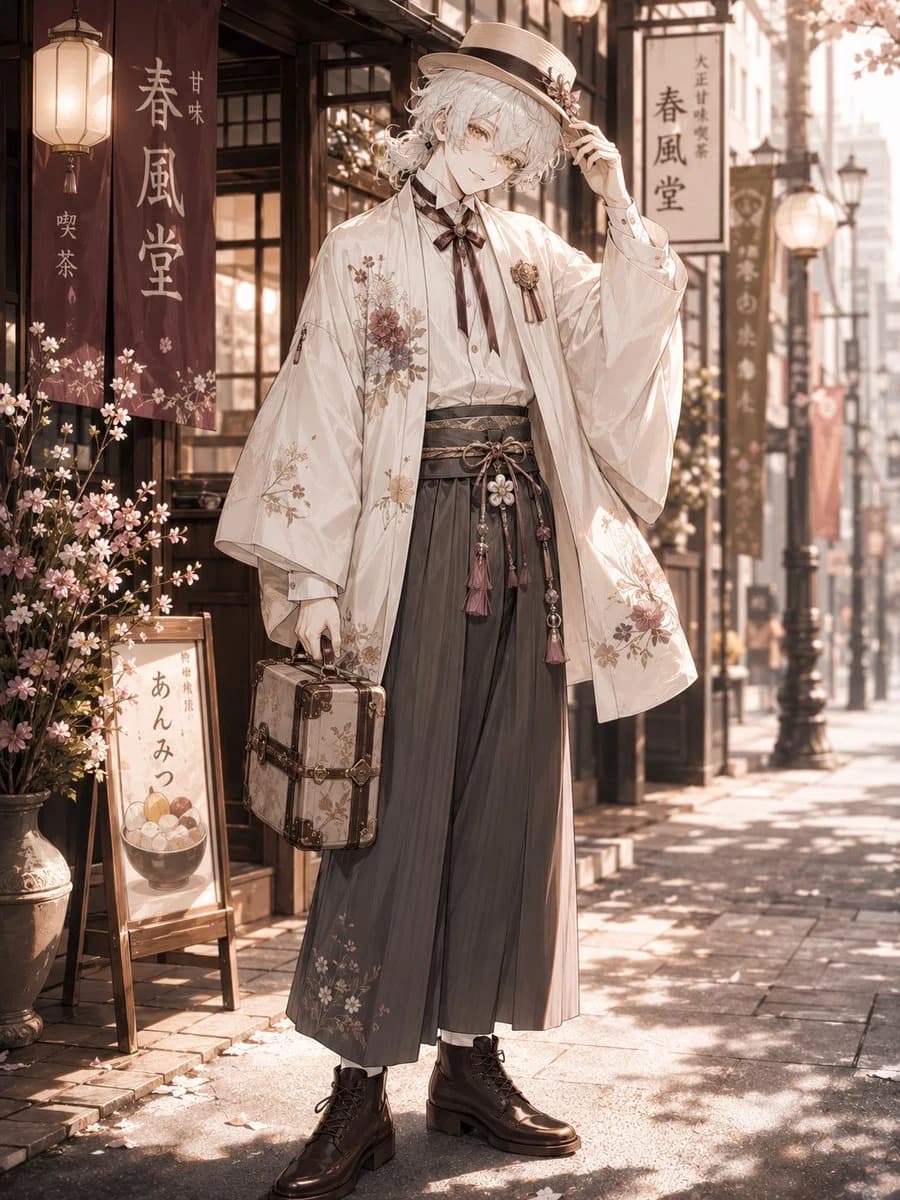
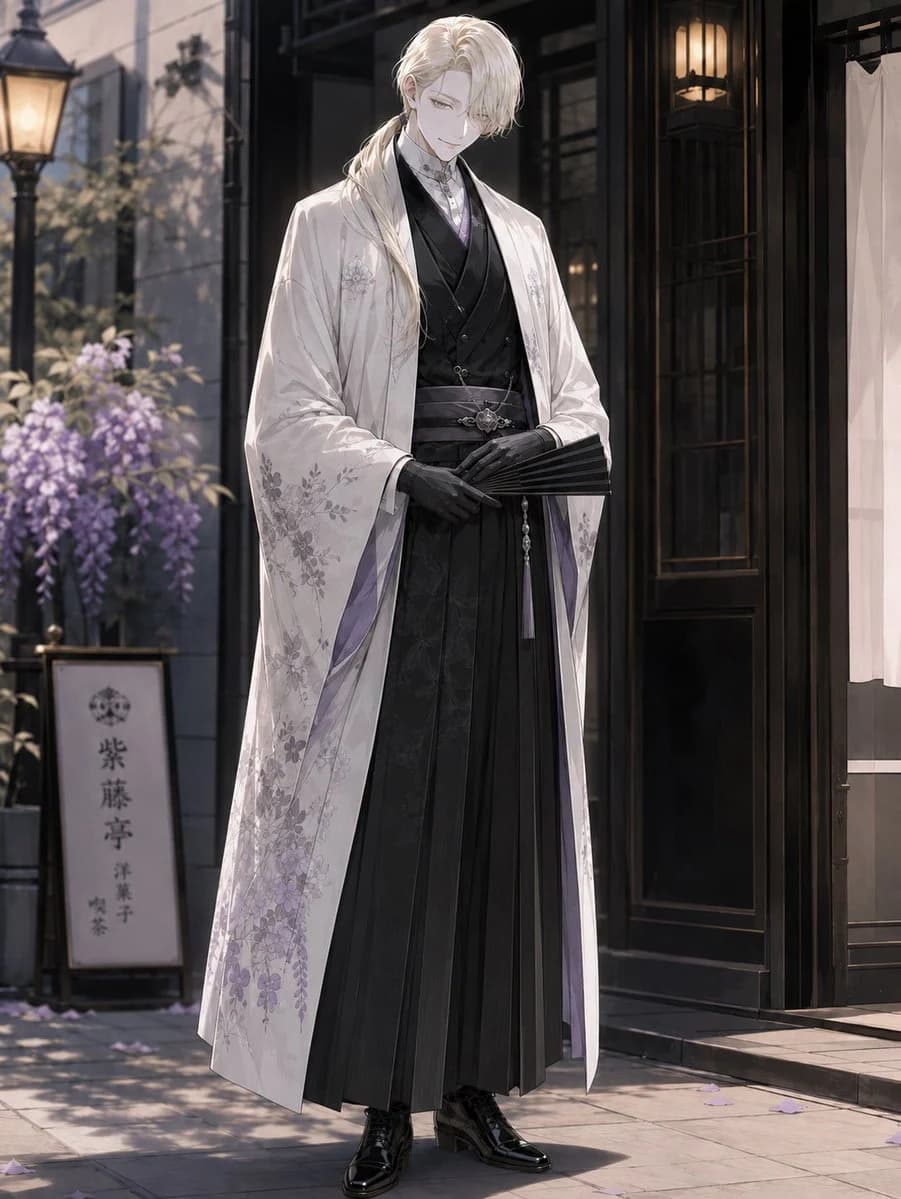
1556자Create a full-body vertical anime-style illustration of {argument name="character name" default="F"}, a tall elegant young man standing in front of a refined Japanese-Western pastry shop on a quiet street. He has long wavy {argument name="hair color" default="platinum blond"} hair tied into a low side ponytail over one shoulder, pale skin, and an intentionally obscured face covered by a plain soft gray square. He stands calmly with a dignified posture, hands folded at his waist, holding a closed black folding fan. His outfit has exactly 8 visible main pieces: 1 white long haori coat with delicate pale purple wisteria and floral embroidery, 1 black layered kimono-style inner robe, 1 black formal vest, 1 pale lavender high-collar shirt or cravat detail at the neck, 1 dark patterned obi belt with a silver ornamental clasp, 1 long black pleated hakama skirt-trouser, 1 pair of fitted black gloves, and 1 pair of glossy black lace-up dress boots. The coat lining should show subtle lavender accents, and the overall palette should be white, black, silver, and soft purple. Set him outside {argument name="shop type" default="a traditional Japanese confectionery and café"} with a dark wooden storefront, glass door, warm hanging lanterns, a white entrance curtain on the right, and stone pavement. Include exactly 5 notable background elements: 1 vintage streetlamp on the left, 1 planter or trellis of blooming purple wisteria, 1 vertical shop sign bearing the Japanese text {argument name="shop sign text" default="紫藤亭\n洋菓子\n喫茶"}, 1 dark wood doorway with glowing interior lamps, and scattered purple flower petals on the ground. Use cinematic soft morning or late-afternoon lighting, shallow depth of field, elegant otome-game character art, fine fabric detail, graceful composition, high resolution, and no extra characters.이 프롬프트 소개
Image 2에서 GPT Image 2에 바로 사용할 수 있는 소셜 미디어 프롬프트 ‘우아한 제과점 기모노 초상화’입니다. 아래 1556자를 복사해 Create 폼에 붙여 넣으면 위 미리보기와 비슷한 이미지를 만들 수 있습니다. 소셜 미디어, 인물, 음식 태그를 조정하면 새로운 방향으로 확장할 수 있습니다.
먼저 그대로 사용해 본 뒤 피사체, 조명, 구도를 작업에 맞게 조정해 보세요. 원문을 그대로 쓰거나 수정해도 생성 비용은 같습니다.
사용 사례
소셜 미디어 작업의 좋은 출발점
‘우아한 제과점 기모노 초상화’처럼 표현한 소셜 미디어 이미지를 만들고 싶다면 이 GPT Image 2 프롬프트로 시작해 보세요. 스타일과 구도는 이미 잡혀 있으므로 인물, 제품, 색상, 장면 요소만 작업에 맞게 바꾸면 됩니다.
먼저 손보기 좋은 부분
- 피사체 인물, 제품, 장소, 오브젝트를 내 내용으로 바꾸고 전체 구도는 유지합니다.
- 분위기 조명, 색감, 카메라 각도, 소재 디테일을 브랜드나 용도에 맞춥니다.
- 결과 형식 생성 전에 비율, 배경, 텍스트, 레이아웃 지시를 정리합니다.
비슷한 프롬프트 더 보기
스타일, 용도, 피사체가 가까운 GPT Image 2 프롬프트를 이어서 확인해 보세요.
사용 방법
- 1단계
프롬프트 복사
위의 복사 버튼을 눌러 전체 텍스트를 가져옵니다.
- 2단계
Image 2 Create 열기
Create 폼으로 이동해 붙여 넣습니다.
- 3단계
생성
Generate를 누르면 몇 초 안에 내 버전이 완성됩니다.
내 버전으로 만들기
한 번의 클릭으로 Create 폼에 불러오고 바로 조정하세요.