GPT Image 2 Ecommerce Prompts for Amazon & Instagram
Copy-ready AI prompts for Amazon main images, lifestyle photos, infographics, hero banners, and Instagram launch visuals — built on GPT Image 2.
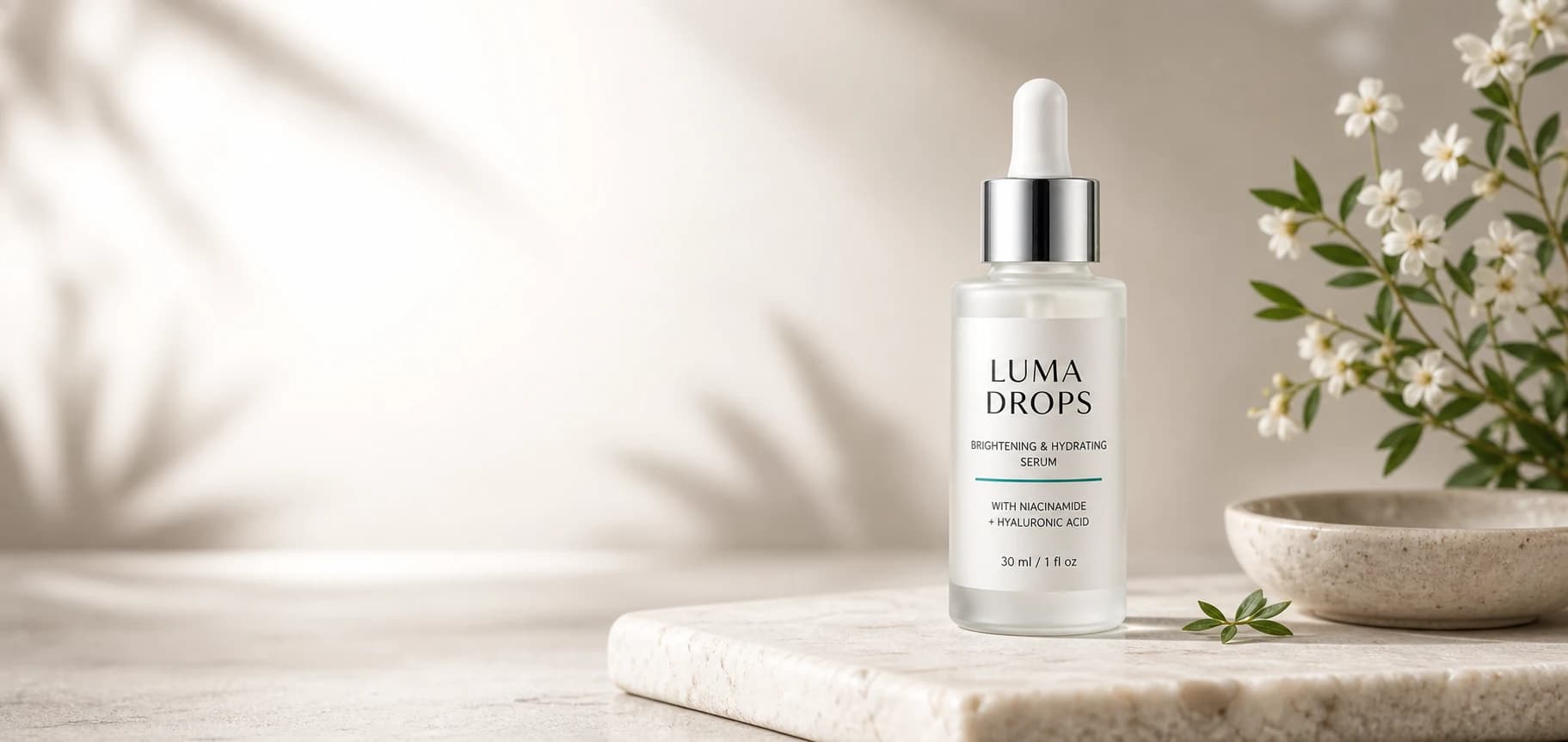
If you've ever stared at a blank prompt box trying to coax Amazon-ready product shots out of GPT Image 2 — and ended up with off-brand bottles, distorted labels, or "AI looking" backgrounds — this guide is for you.
This guide gives you a practical GPT Image 2 ecommerce prompt workflow with real example images and copy-ready prompts. The examples use a fictional skincare serum called LUMA DROPS, but the same structure works for cosmetics, supplements, gadgets, home goods, fashion accessories, packaging, and most DTC products.
The goal is simple: turn one clean product reference into a full set of commercial visuals for different ecommerce channels.
The Product Reference
Start with a clean product image. This is the visual anchor for all other generations.
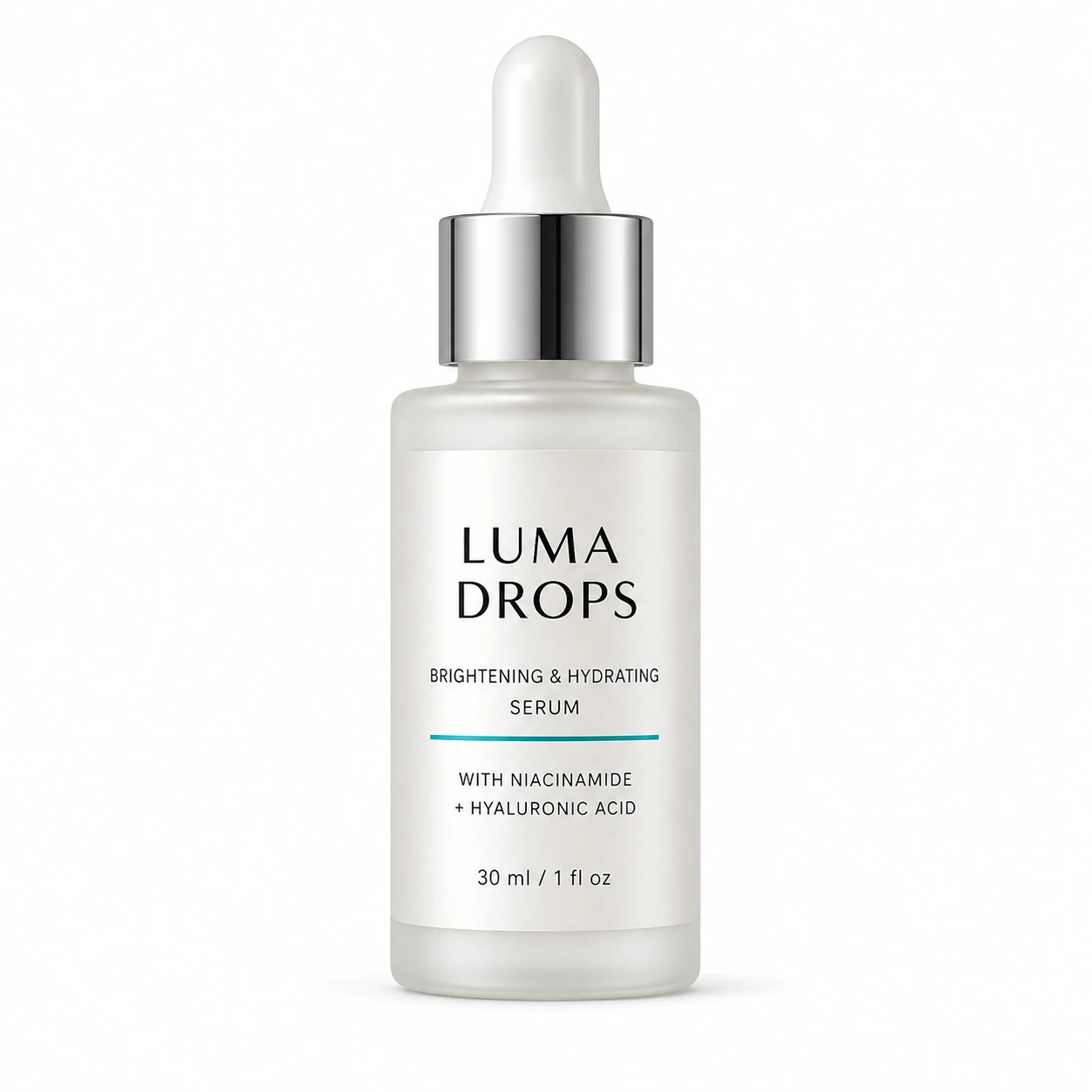
Use this type of image when you want GPT Image 2 to preserve product identity across multiple outputs:
- Product shape
- Label placement
- Packaging color
- Cap material
- Brand name or printed text
If you are using your real product, upload a clear front-facing packshot with good lighting and minimal background clutter.
Quick Prompt Formula
For ecommerce product images, use this structure:
Create a [use case] image for [platform].

Product:
[product name, shape, color, material, label details]

Scene:
[background, surface, props, environment]

Composition:
[angle, framing, product placement, negative space, aspect ratio]

Lighting:
[studio softbox, natural daylight, launch lighting, shadows]

Style:
[premium commercial photography, realistic materials, clean color grading]

Constraints:
Preserve accurate product geometry and label legibility.
No watermark, no unrelated logos, no distorted packaging, no extra text unless specified.
This format is easy to edit, easy to debug, and works better than a vague prompt like "make a beautiful product photo."
💡 One product block, six prompts. Every prompt below reuses the same product description ("frosted glass dropper bottle, pearlescent white label, brushed silver cap, subtle teal accent"). That repetition is intentional — it's how you keep the bottle looking like the same bottle across hero, Amazon, and Instagram outputs. Replace that block once with your own product details and the rest of each prompt still works.
1. Ecommerce Hero Shot Prompt
Use this for homepage banners, product landing pages, launch pages, and Shopify-style hero sections.
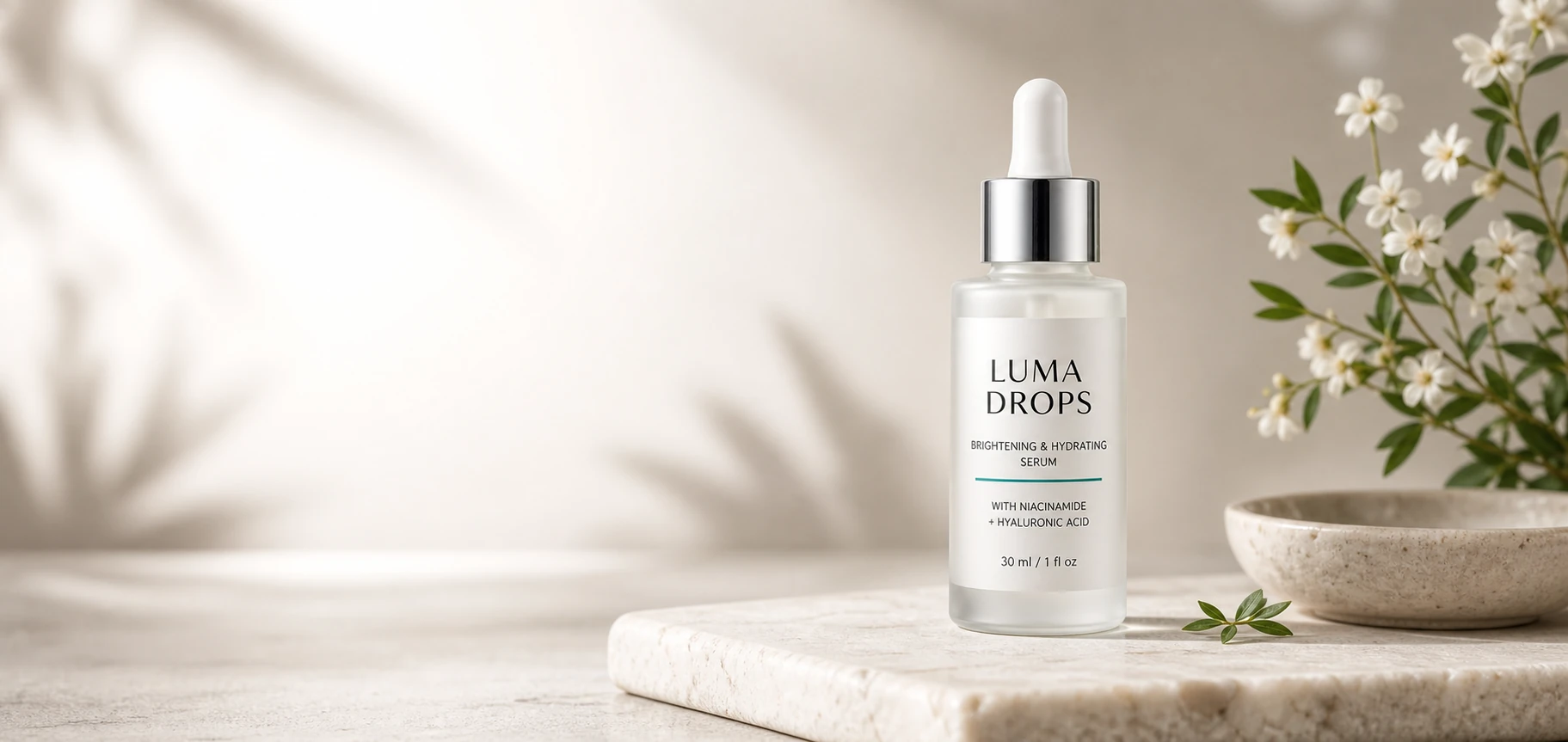
Best for: website hero sections, paid landing pages, launch banners, above-the-fold product storytelling.
Recommended output: landscape, such as 1536x1024 or 2048x1152.
Create a standalone ecommerce website hero image using the same fictional product: frosted glass dropper bottle labeled "LUMA DROPS", pearlescent white label, brushed silver cap, subtle teal accent line.

Landscape commercial product photography. Place the bottle slightly right of center on a refined pale stone surface with subtle botanical accents, soft shadows, and generous clean negative space on the left for website headline and CTA.

Premium modern skincare brand mood, photorealistic, realistic glass and metal materials, crisp product label, no watermark, no unrelated logos, no embedded marketing text.
Why it works: the prompt reserves negative space for your site headline instead of filling the entire frame with decoration. That makes the image useful in a real layout, not just attractive as a standalone render.
Prefer one-click presets over writing from scratch? Browse our ready-made style templates — many of them work as drop-in hero or lifestyle treatments for ecommerce products.
2. Amazon Main Image Prompt
Amazon main images need to be more controlled than normal creative product photos. Keep the product alone, centered, clear, and easy to inspect.
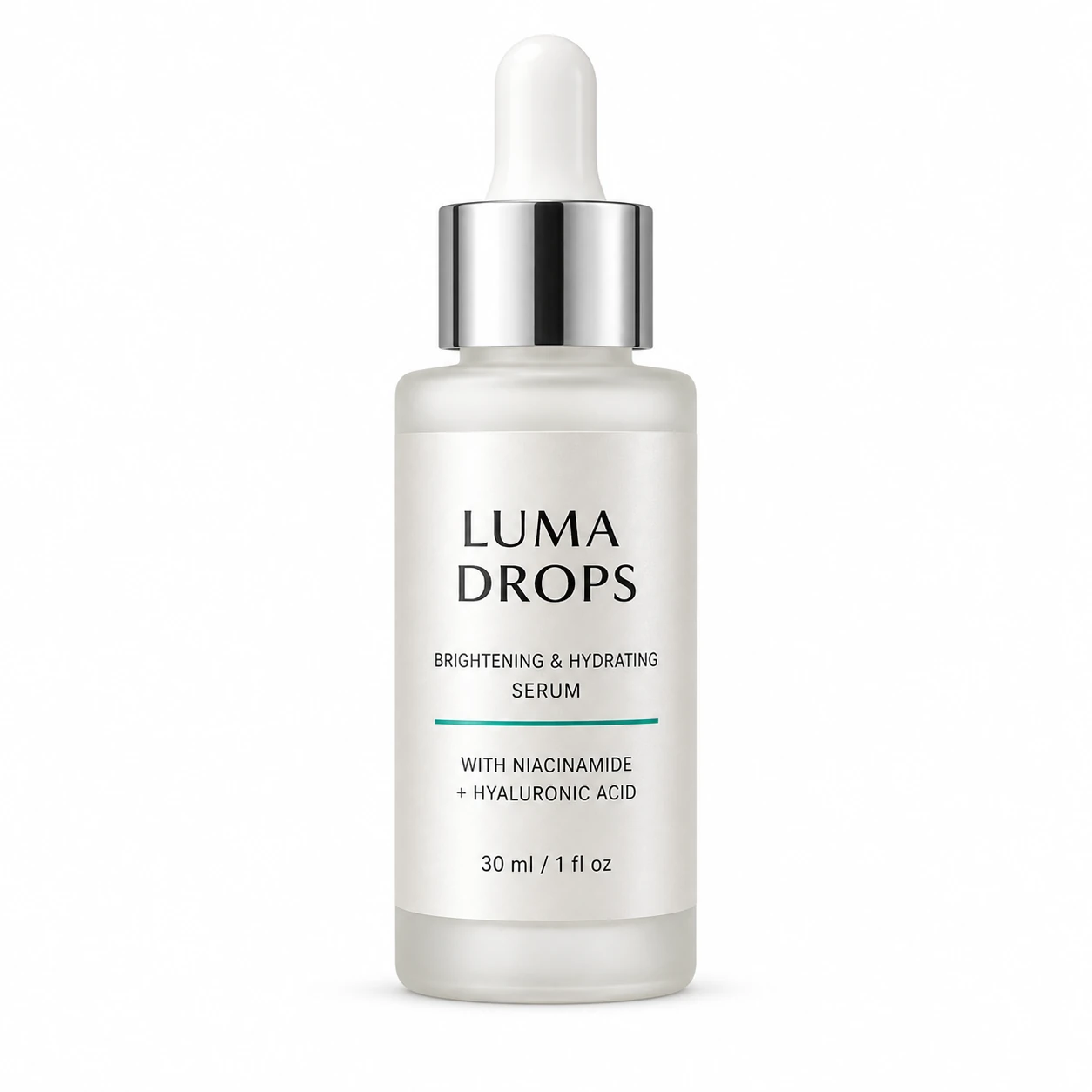
Best for: Amazon main image, marketplace thumbnails, catalog packshots, product grid images.
Recommended output: square, such as 2048x2048.
Create a standalone Amazon MAIN product image using the same fictional skincare serum bottle labeled "LUMA DROPS", frosted glass bottle, pearlescent white label, brushed silver cap, subtle teal accent line.

Square ecommerce packshot. Product alone on pure white background RGB 255 255 255, centered, full product visible, product fills 85-90% of the frame, no cropping, no props, no accessories, no badges, no text overlays, no watermark, no unrelated logos.

Clean professional studio lighting, realistic color, crisp edges, subtle natural contact shadow only.
Why it works: marketplace images are not the place for mood, props, or campaign copy. This prompt focuses on inspection value: white background, full product visibility, realistic color, and no distractions.
3. Amazon Lifestyle Image Prompt
Lifestyle images help shoppers understand the product in context. Use them for secondary listing images, A+ content, and product detail page modules.
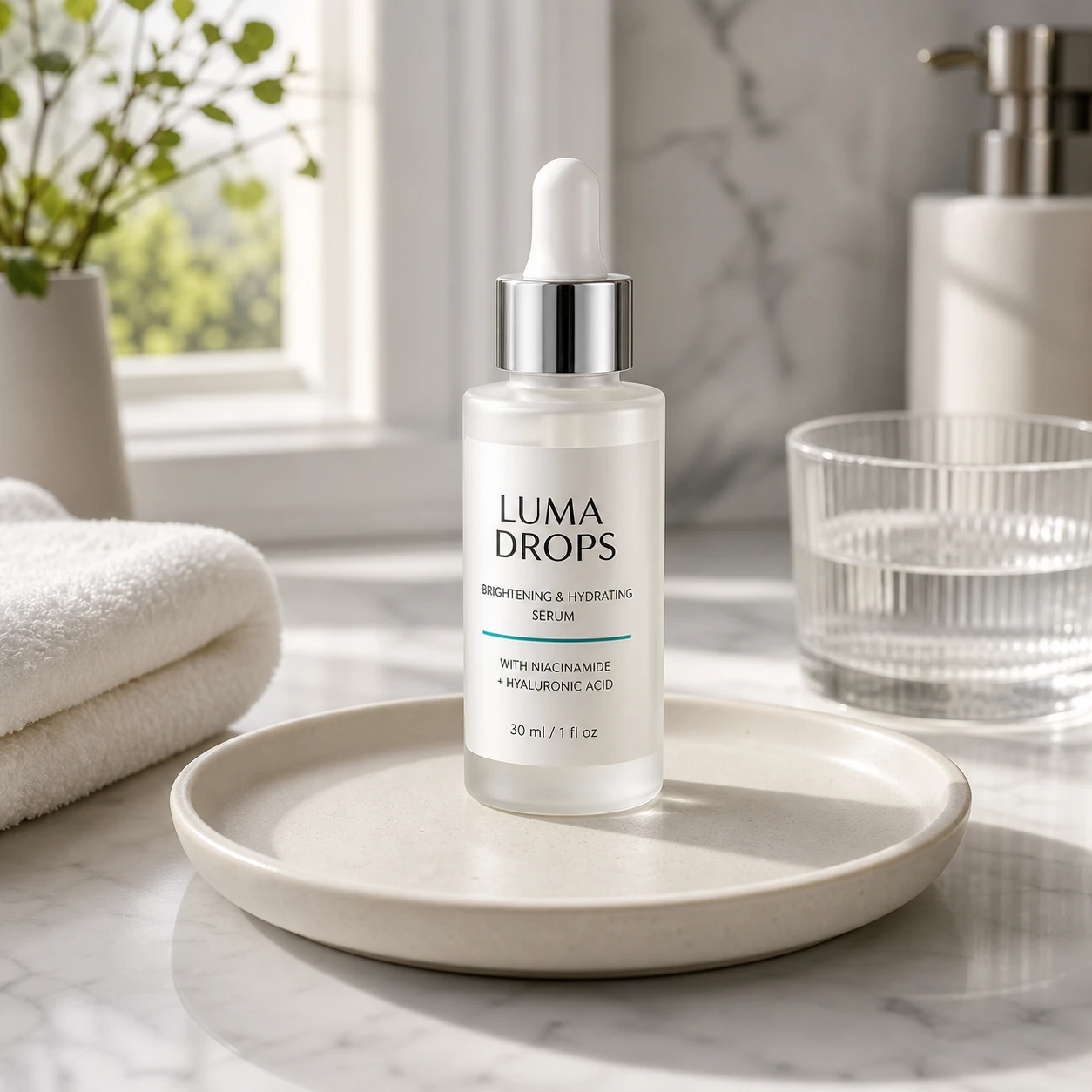
Best for: Amazon secondary images, product detail pages, DTC product pages, lifestyle modules.
Recommended output: square or portrait, depending on your layout.
Create a standalone Amazon secondary lifestyle product image using the same fictional premium skincare serum bottle named "LUMA DROPS".

Product details: frosted glass dropper bottle, pearlescent white rectangular label, brushed silver cap, subtle teal accent line, crisp label text "LUMA DROPS".

Scene: realistic bright bathroom vanity in soft morning natural light, bottle placed on a clean ceramic tray beside a folded white towel, a small water glass, and minimal skincare props.

Composition: product is the clear focal point, 3/4 view, realistic scale, trustworthy ecommerce lifestyle look.

Lighting: natural window light with polished commercial softness, realistic shadows and reflections.

Constraints: no misleading claims, no extra brand logos, no watermark, no distorted packaging, no embedded marketing text.
The wording "realistic scale" and "clear focal point" is doing most of the work here — without them, lifestyle prompts often produce frames where the product shrinks into background décor.
4. Amazon Infographic Prompt
Infographic images are useful when shoppers need quick feature scanning. They work best when the text is short and the layout is simple.
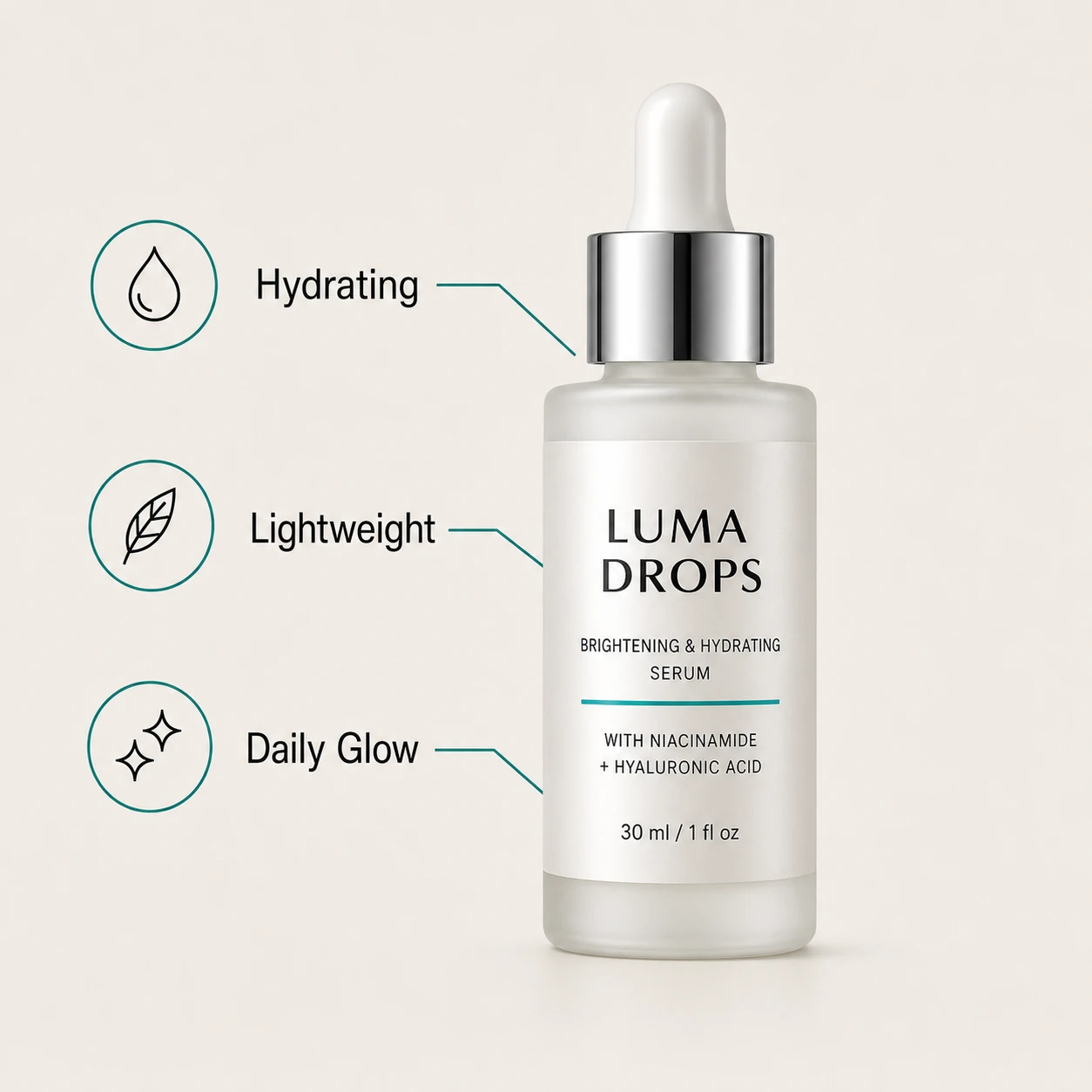
Best for: Amazon secondary images, feature callouts, comparison modules, marketplace product education.
Recommended output: square, high quality if your image includes small text.
Create a standalone Amazon secondary infographic product image using the same fictional premium skincare serum bottle named "LUMA DROPS".

Product details: frosted glass dropper bottle, pearlescent white rectangular label, brushed silver cap, subtle teal accent line, crisp label text "LUMA DROPS".

Composition: square ecommerce image on a light neutral background, bottle centered and full product visible.

Add exactly three concise feature callouts in clean sans-serif text: "Hydrating", "Lightweight", "Daily Glow". Use thin leader lines from the callouts to the bottle and simple minimal icons.

Style: polished Amazon product infographic, clean, premium, uncluttered, easy to read.

Constraints: render the three callout texts exactly once, no misspellings, no extra claims, no watermark, no unrelated logos, no distorted bottle or label.
Why it works: image models can still struggle with dense text, so the prompt keeps the callouts short, quoted, and limited to exactly three items.
5. Instagram Feed Launch Prompt
Instagram product images can be more expressive than Amazon images. The product still needs to be recognizable, but the visual can feel more campaign-like.
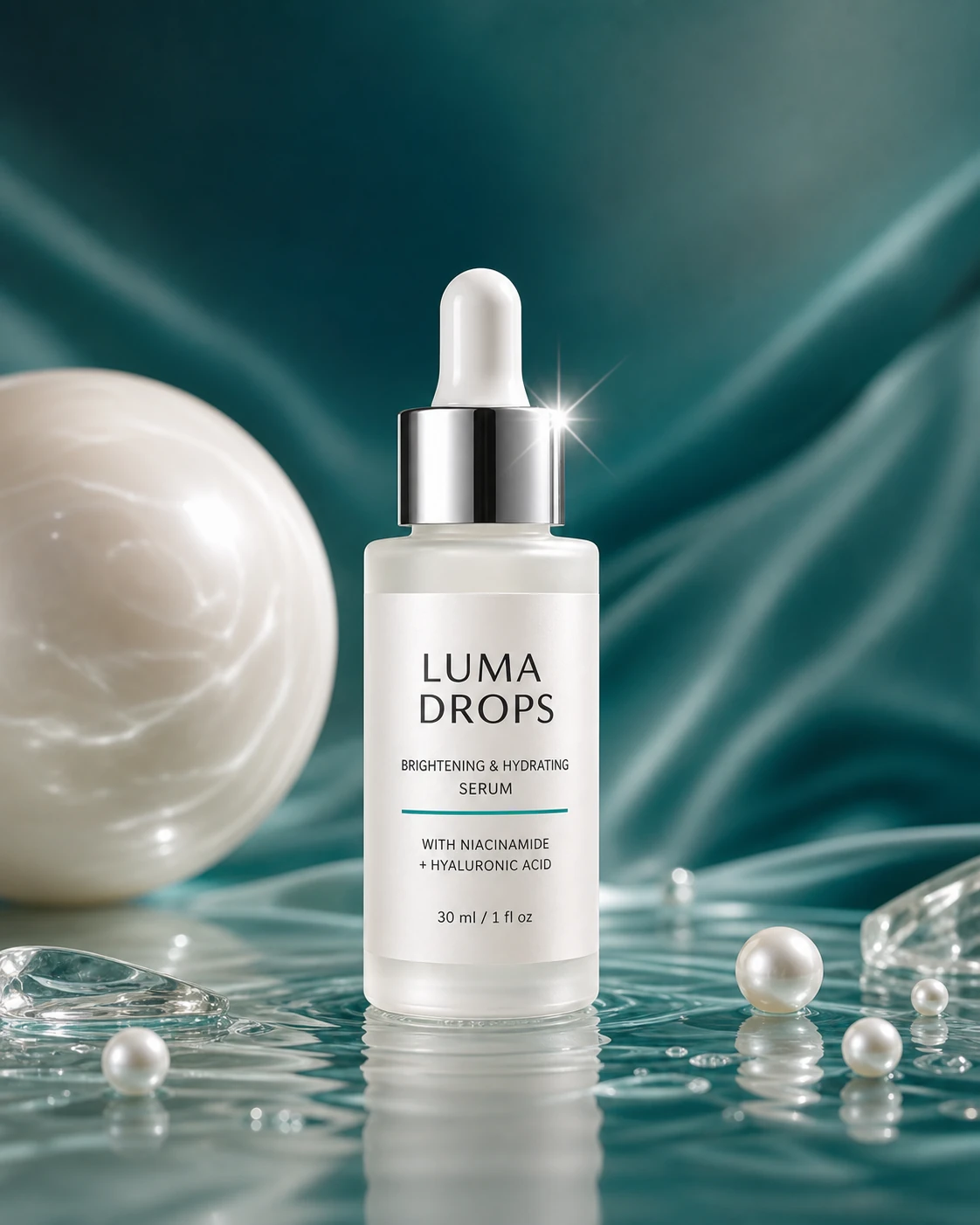
Best for: Instagram feed posts, product announcements, launch teasers, paid social creative.
Recommended output: portrait 4:5, then crop to your final feed size.
Create a standalone Instagram Feed product launch image for a fictional premium skincare serum bottle named "LUMA DROPS".

Product details: frosted glass dropper bottle, pearlescent white rectangular label, brushed silver cap, subtle teal accent line, crisp label text "LUMA DROPS".

Portrait 4:5 social campaign composition. Product centered with strong visual impact on a premium pearl-and-teal set, glossy highlights, clean reflections, subtle liquid or glass texture accents, bold but realistic launch lighting.

Mood: fresh, aspirational, scroll-stopping, high-end skincare launch. Keep negative space near the top for optional caption overlay.

Constraints: no random text, no watermark, no unrelated logos, no distorted product label, no extra products.
Notice how the mood words ("fresh", "aspirational", "scroll-stopping") live in one paragraph and the accuracy constraints sit in another. Splitting them this way keeps the model from sacrificing label legibility for visual drama — which is the usual failure mode of paid-social prompts.
6. Instagram Story and Reel Cover Prompt
Stories and Reels need vertical framing. Keep the product inside the center safe area so it is not blocked by platform UI.
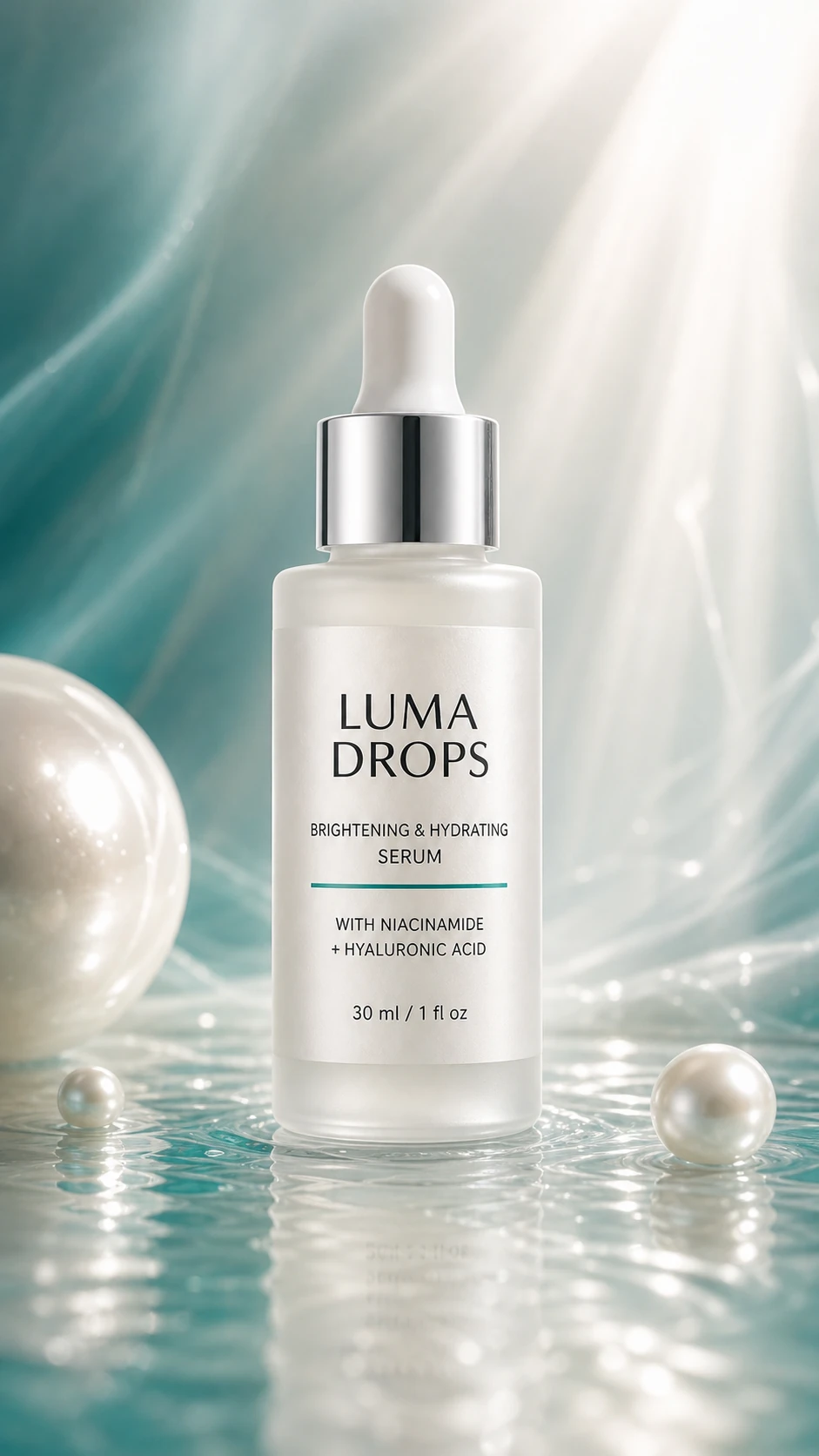
Best for: Instagram Stories, Reel covers, TikTok-style launch visuals, mobile-first ads.
Recommended output: vertical 9:16 or the closest supported vertical size, then crop carefully.
Create a standalone vertical Instagram Story/Reel cover image for a fictional premium skincare serum bottle named "LUMA DROPS".

Product details: frosted glass dropper bottle, pearlescent white rectangular label, brushed silver cap, subtle teal accent line, crisp label text "LUMA DROPS".

Vertical 9:16 mobile-first composition. Bottle large in the center safe area, full product visible, uncluttered top and bottom margins for app UI overlays.

Scene: premium pearl and teal launch set with dynamic soft light beams, clean reflections, subtle mist and water texture, realistic glass and metal.

Mood: elegant, fresh, modern product launch.

Constraints: no random text, no watermark, no unrelated logos, no distorted product label, no extra products.
Why it works: the phrase "center safe area" is important. It tells the model that the product should not sit too close to the top or bottom, where app buttons, captions, and profile UI can cover the image.
Prompting Tips for Better Ecommerce Results
Use these rules when adapting the prompts to your own products:
- Name the platform in the prompt. Amazon, Shopify, Instagram, and website hero images all need different framing.
- Describe the physical product carefully. Include material, cap, label, finish, color, and visible geometry.
- Control text aggressively. For labels and callouts, quote the exact text and keep it short.
- Use constraints every time. Repeat "no watermark", "no unrelated logos", and "no distorted packaging" in every important prompt.
- Generate by use case, not by style alone. A beautiful Instagram image may be wrong for Amazon, and a perfect Amazon main image may be too plain for a launch campaign.
- Start simple, then iterate. Change one variable at a time: lighting, background, angle, props, or crop.
Recommended GPT Image 2 Settings
For quick drafts:
quality: low
size: 1024x1024 or 1024x1536
For final ecommerce assets:
quality: high
size: 2048x2048 for square packshots
size: 1536x1024 or 2048x1152 for hero images
size: 1024x1536 for portrait social images
GPT Image 2 accepts custom sizes within documented constraints and supports low, medium, high, and auto quality. For text-heavy product infographics, test medium or high before publishing — small label text is where quality differences show up first.
Final Workflow
Here is the simplest repeatable workflow for ecommerce teams:
- Generate or upload a clean product reference image.
- Create the Amazon main image first, because it forces product accuracy.
- Generate lifestyle and infographic images for product education.
- Generate hero and social launch images for campaign use.
- Compare outputs against your real product packaging before publishing.
- Crop, compress, and upload the final images to each channel.
There is no single magic prompt that does it all. What actually works is a small system: lock in your product description once, then swap the scene, composition, and constraints for each channel.
Try These Prompts
Copy any prompt above into Image 2, swap LUMA DROPS for your own product, and generate a full ecommerce image set in one sitting — no studio booking, no photographer, no reshoots.
New accounts get free credits on signup, so you can test these prompts against your real product before deciding on a plan — see pricing and credit packs here.
For deeper implementation details, see the official OpenAI Image Generation guide. For platform-specific image rules, always check the latest guidance inside Amazon Seller Central and Meta Ads Manager before publishing — those specs change more often than this article.
Related Posts
GPT Image 2 Prompt Guide: What 2,636 Prompts Reveal (2026)
We analyzed 2,636 GPT Image 2 prompts across 11 categories. Learn practical prompt structures for portraits, ads, posters, UI, infographics, and more.
Free GPT Image 2 Group Photo Prompts | Image 2
Copy free GPT Image 2 group photo prompts with AI group photo editing examples for 3D figures, anime scenes, Y2K posters, stickers, and scrapbooks on Image 2.